
Database DevOps – Where do I start?
By now you have most likely heard the term DevOps and you are most likely working for a company that has implemented DevOps is some manner, that could be...
2020-07-29 (first published: 2020-07-17)
601 reads
By now you have most likely heard the term DevOps and you are most likely working for a company that has implemented DevOps is some manner, that could be...
2020-07-29 (first published: 2020-07-17)
601 reads

One of the concepts in Snowflake that I find many struggle with is how constraints are handled. If you come from a traditional database platform such as Microsoft SQL...
2020-07-21 (first published: 2020-07-08)
653 reads

How many times have you been afraid to hear “No”? We have all been there because we have been trained over the years to perceive “No” as a rejection,...
2020-07-17 (first published: 2020-07-08)
506 reads

We have all done it, get some sort of cryptic error and the first place we go to search is Google hoping the sea of message boards and blog...
2020-03-23 (first published: 2020-03-14)
700 reads

Day 2 was my opportunity to be focused and dive into a few technologies that were really peaking my interest, namely Azure Synapse Analytics and SQL Server 2019. Since...
2019-11-13 (first published: 2019-11-06)
311 reads
What an amazing first day at Microsoft Ignite that all started at about 6:30 this morning when I got in line to be one of the first 3000...
2019-11-05
108 reads
Alex Yates (b | t) is hosting this month’s T-SQL Tuesday (the 119th edition) with asking us to write about something in our IT career that we have changes our minds...
2019-10-15 (first published: 2019-10-09)
770 reads
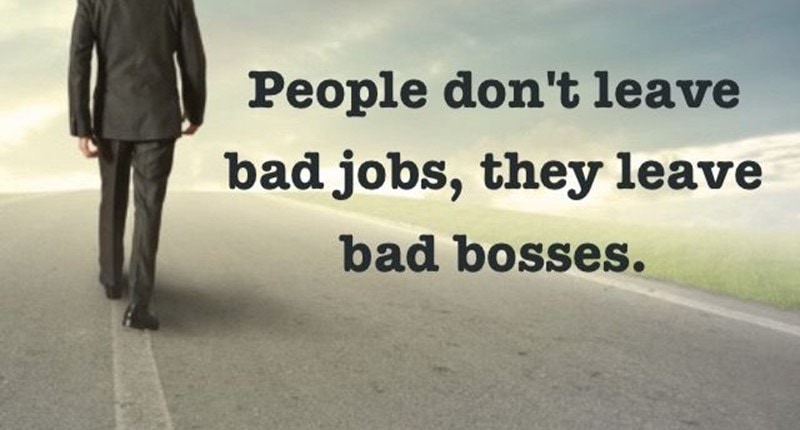
The two most costly human capital expenses an organization will have is the onboarding and offboarding of staff. Just take a moment to think about that and if your...
2019-06-26 (first published: 2019-06-12)
423 reads

Back with a new focus First let me say wow can’t believe that it has been almost 3 years since I have blogged. The last few years my career...
2019-06-16
32 reads

One of the most challenging aspects of being a good leader is building a team that can support the initiatives you will set forth. Without a team that will...
2019-06-14 (first published: 2019-05-28)
470 reads
By Steve Jones
No, I’m not quitting or retiring. Just going on vacation, but I leave tonight...
By Steve Jones
I caught this interesting item over on Pinal Dave’s blog: Eleven Interview Questions that...
Comments posted to this topic are about the item Let's Talk Certifications, which is...
Comments posted to this topic are about the item Building a SQL Server Fleet...
Comments posted to this topic are about the item Smart AI Agents and Data...
I have this data in a table in a SQL Server 2025 database:
EmailAddressID EmailAddress
7              dylan0@ADVENTURE-WORKS.COM
8              Diane1@ADVENTURE-WORKS.COM
If I run this query, which row(s) are returned?
SELECT top 10
 *
 FROM person.EmailAddress
 WHERE REGEXP_LIKE(EmailAddress, '^D', 'i')
 AND BusinessEntityID IN (7,8)
See possible answers