Steve Jones

My background is I have been working with computers since I was about 12. My first "career" job in this industry was with network administration where I became the local DBA by default. I have also spent lots of time administering Netware and NT networks, developing software, managing smaller IT groups, making lots of coffee, ordering pizza for late nights, etc., etc.

I currently am the editor of SQL Server Central and an advocate/architect at Redgate Software. I am also the President of SQL Saturday, maintain the T-SQL Tuesday monthly party, and remember our colleagues at sqlmemorial.org.

You can find out more about me on my blog (www.voiceofthedba.com) or LinkedIn (www.linkedin.com/in/way0utwest)
  • Interests: yoga, reading, biking, snowboarding, volleyball

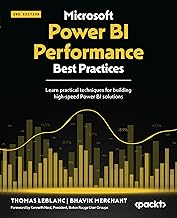
Microsoft Power BI Performance Best Practices: Learn practical techniques for building high-speed Power BI solutions Microsoft Power BI Performance Best Practices

In a world dominated by data, organizations heavily rely on business intelligence tools like Power BI for deriving insights and informed decision-making. Yet, as data volumes grow and user demands increase, achieving optimal performance becomes challenging.

You rated this post out of 5. Change rating

2026-03-04 (first published: )

1,811 reads

Architecting Power BI Solutions in Microsoft Fabric

Business Intelligence (BI) tools like Power BI are used by a wide range of professionals, creating diverse and complex scenarios, and finding the right solution can be daunting, especially when multiple approaches exist for a single use case. The author distills his 17 years of experience on various data platform technologies in this book to walk you through various Power BI usage scenarios.

(1)

You rated this post out of 5. Change rating

2026-01-16 (first published: )

4,404 reads

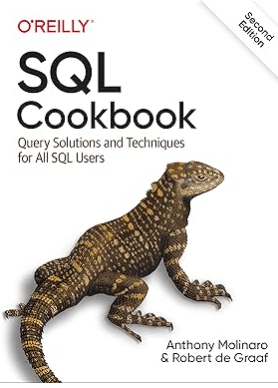
SQL Cookbook: Query Solutions and Techniques for All SQL Users

You may know SQL basics, but are you taking advantage of its expressive power? This second edition applies a highly practical approach to Structured Query Language (SQL) so you can create and manipulate large stores of data. Based on real-world examples, this updated cookbook provides a framework to help you construct solutions and executable examples in several flavors of SQL, including Oracle, DB2, SQL Server, MySQL, and PostgreSQL.

(1)

You rated this post out of 5. Change rating

2025-12-03 (first published: )

1,867 reads

Two Minute SQL Server Stumpers eBook cover

SQL Server Stumpers, Vol.5

Whether practicing for an exam or interview, or just wanting to see who's got the biggest SQL Server brain in your office, this book is perfect. Containing 100 SQL Server Central Questions of the Day, this book is a great way to test yourself and increase your knowledge.

You rated this post out of 5. Change rating

2009-06-03

3,398 reads

Blogs

In-Person CISA Training – April 13-16, 2026

By

I will be leading an in-person Certified Information Systems Auditor (CISA) exam prep class...

EightKB 2026

By

EightKB is back again for 2026! The biggest online SQL Server internals conference is...

The FinOps Lifecycle: From Budgeting to Reporting

By

Working in DevOps long enough teaches you two universal truths: That’s exactly why I...

Read the latest Blogs

Forums

VS Code, Unresolved References.

By mjdemaris

Hi all, I just started using VS Code to work with DB projects.  I...

Fun with JSON II

By Steve Jones - SSC Editor

Comments posted to this topic are about the item Fun with JSON II

Changing Data Types

By Steve Jones - SSC Editor

Comments posted to this topic are about the item Changing Data Types

Visit the forum

Question of the Day

Fun with JSON II

I have some data in a table:

CREATE TABLE #test_data
(
    id INT PRIMARY KEY,
    name VARCHAR(100),
    birth_date DATE
);

-- Step 2: Insert rows  
INSERT INTO #test_data
VALUES
(1, 'Olivia', '2025-01-05'),
(2, 'Emma', '2025-03-02'),
(3, 'Liam', '2025-11-15'),
(4, 'Noah', '2025-12-22');
If I run this query, how many rows are returned?
SELECT t1.[key] AS row,
       t2.*
FROM OPENJSON(
     (
         SELECT t.* FROM #test_data AS t FOR JSON PATH
     )
             ) t1
    CROSS APPLY OPENJSON(t1.value) t2;

See possible answers