

Introduction
In a trail competition a couple of years ago, I lost sight of a friend who was running ahead of me. I ended up catching him and winning :), but I was curious to know the maximum gap between us. A quick look at the tools and sites I regularly use didn’t allow me to get that info, so I thought it was a good time to test the geographic functions in SQL Server.
I didn’t need anything too fancy, and in the end, a Power BI graph line was enough to get the answer I wanted.
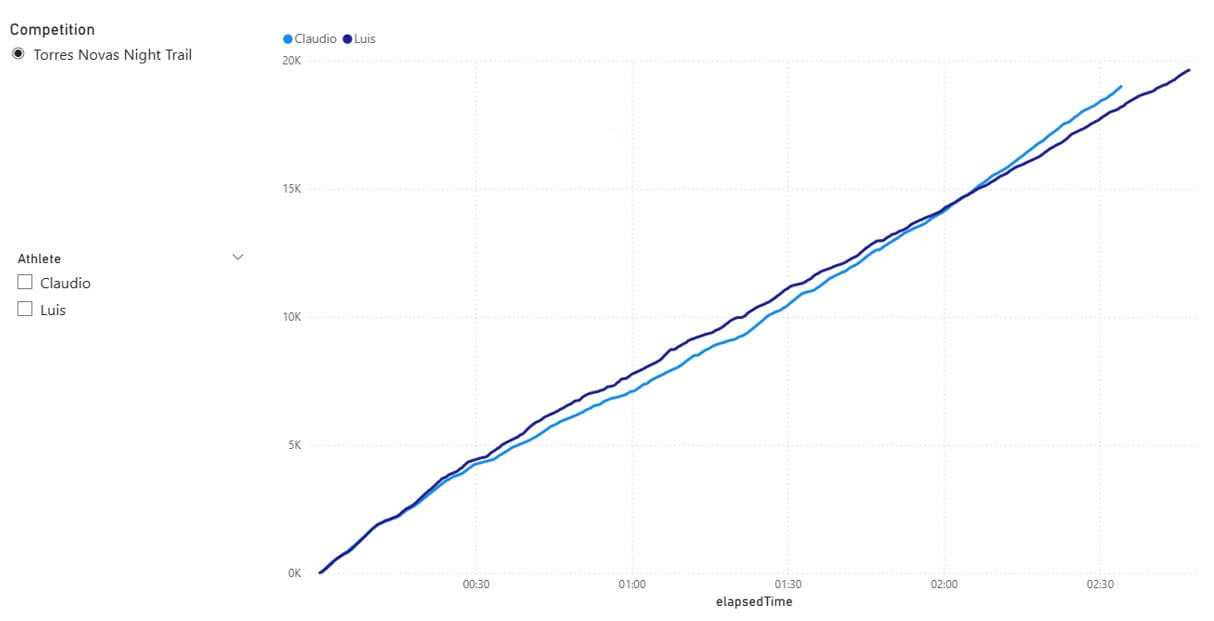
In the area where it looks like there is the biggest gap, we can see the distance between us. Looking carefully, it's clear that one hour into the race I was more than 800 meters behind him.
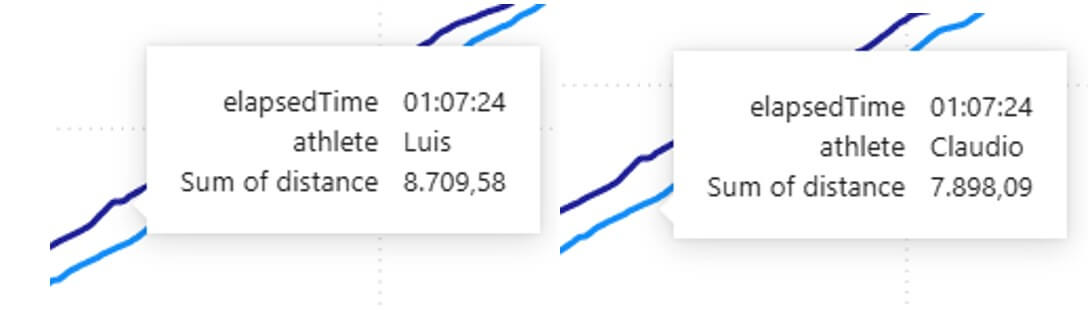
That’s the answer I was looking for. Now let’s see how to get that result and also how to obtain a more accurate value using SQL instead of visual analysis.
But first, some words of caution about the problems with the analysis I did regarding this specific data:
- We didn’t start the watches at exactly the same time;
- We didn’t run the same distance. There are always differences, time at pit stops, wrong turns, GPS errors, etc.
- Our watches were programmed to do second by second reads, but sometimes they miss one or two.
This is to say that there’s a degree of error on the results, but unless you are dealing with second/meter precision problems, they are not an issue.
All the code in this article can be found in https://github.com/claudiotereso/GPX2SQL.git
Getting the GPX inside SQL
First, we need to upload the GPXs files to SQL. GPX is a XML schema, so we just treat it like any other XML file.
We start by creating a table to save the data. Something simple as:
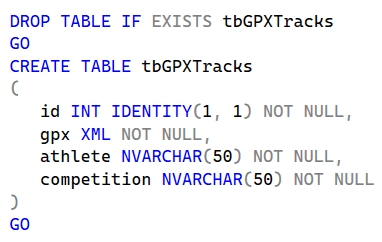
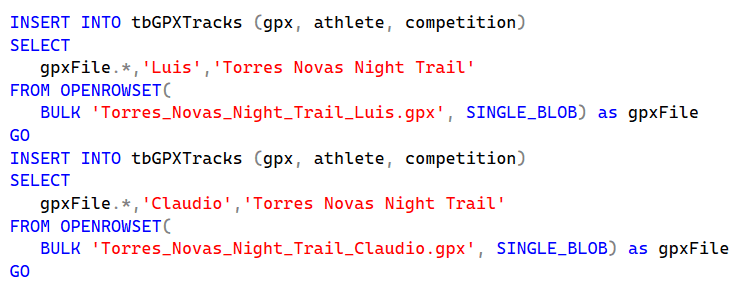
After that, we just need to upload the files:
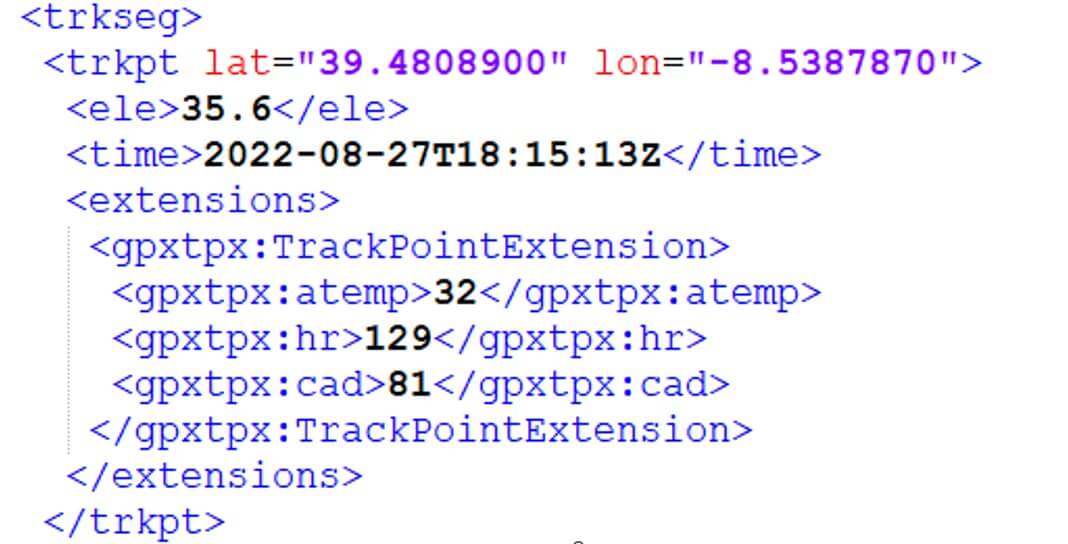
Now it’s time to read the GPX. In its simplest form, GPX has a trkseg which is composed of trkpt elements, one for each record saved in X seconds of interval according to the device settings.
Each trkpt element as two attributes lat and lon for latitude and longitude respectively. There’s also a couple of sub-elements that we need. ele that stores elevation and time of record. Elevation is important because the distance between A and B is not the same if they are at the same or different altitudes. The distance will differ by only a couple of centimetres for each pair of records but, after thousands, we will have hundreds or thousands of meters.
Here’s a example of a GPX trkpt element:
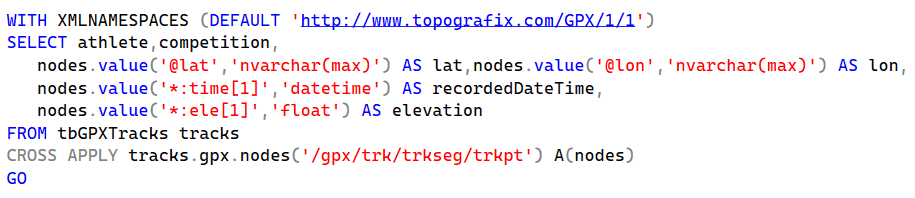
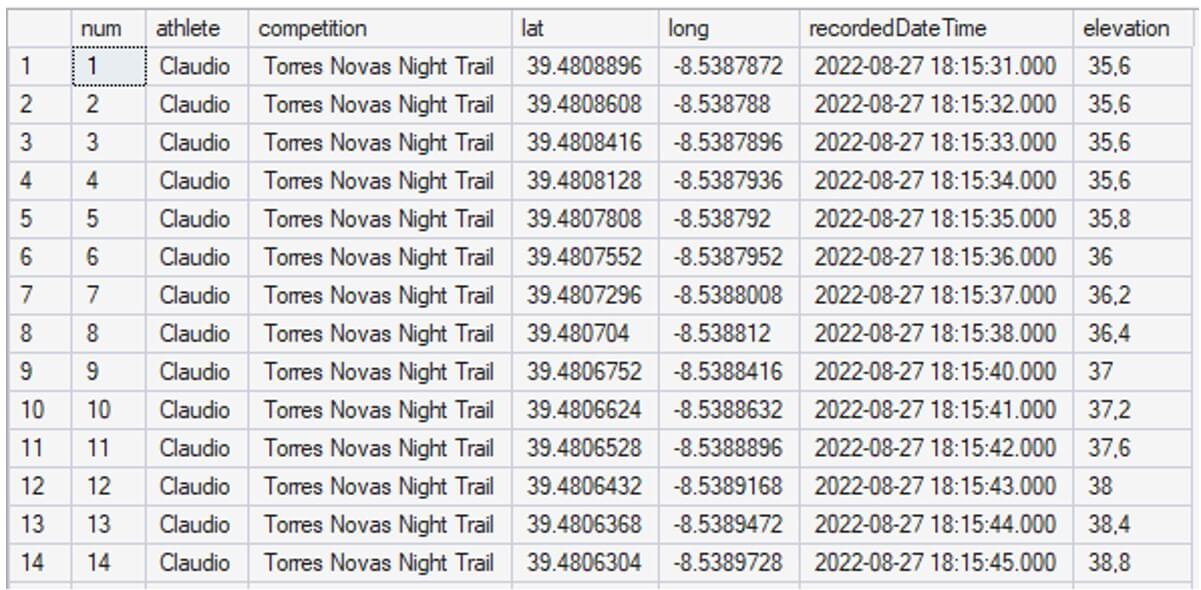
We are now ready to look at the recorded data:
Group and Sort
To get our results, we need to know the distance between two consecutive points for each athlete, so first we need to sort by time of record and group by athlete (and competition, but here we only have one). For that we use over partition on the previous query:
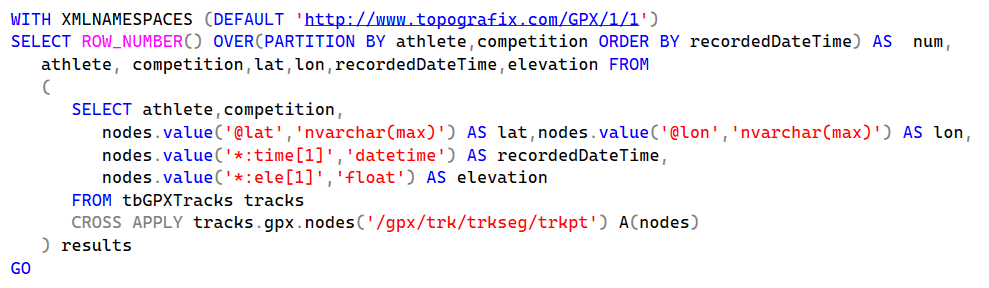
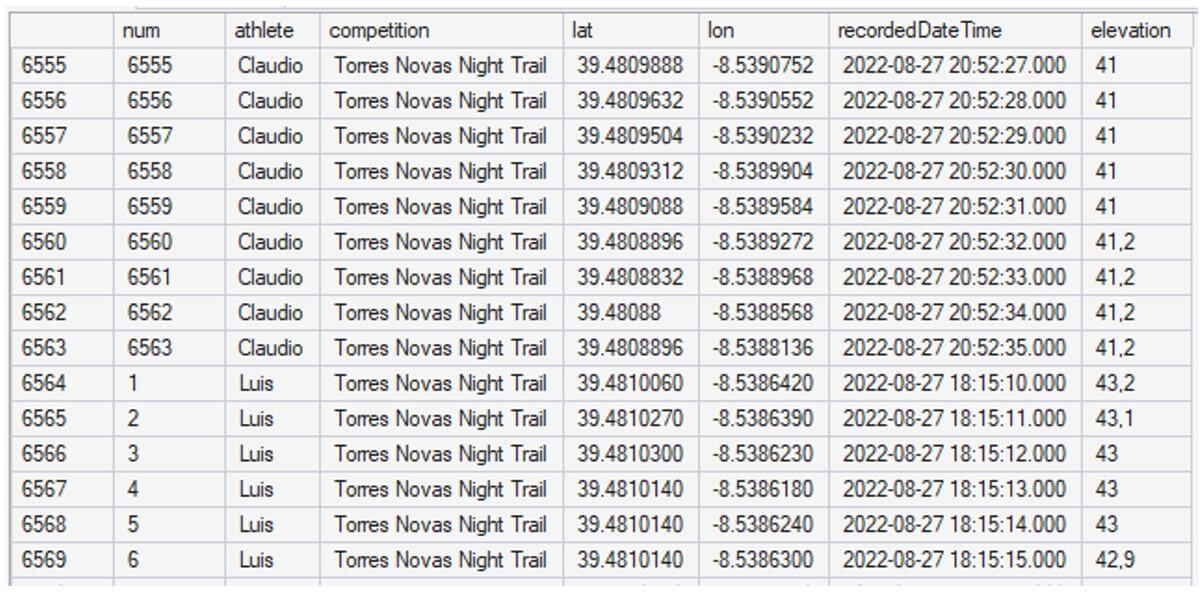
We’ve got our data sorted and grouped, now we need to join two consecutive records by athlete/competition to get the distance between then. But first, let's tidy up the house:
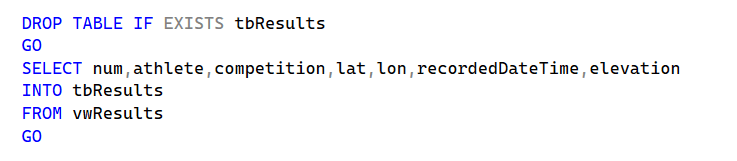
First, we want a view with the previous code, so we can hide the complexity of what we already have. We will call this view vwResults.
Second, we want to save the results into a table. The next steps are very data demanding and using XML data directly is very slow; in my computer, storing the data in a table speeds up the query from minutes to seconds. We end up with duplicated data, which is not very good, but better than waiting minutes for the result.
Distance and Time
We are now ready to get the information we need, time and distance between moment X and moment X+1.
As we have all moments sorted and numbered, we only need to combine record X with record X+1:
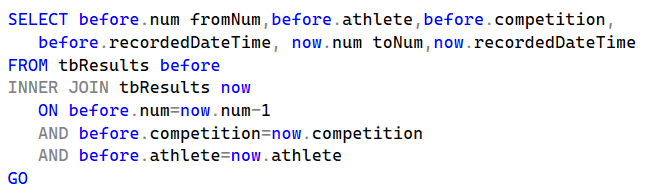
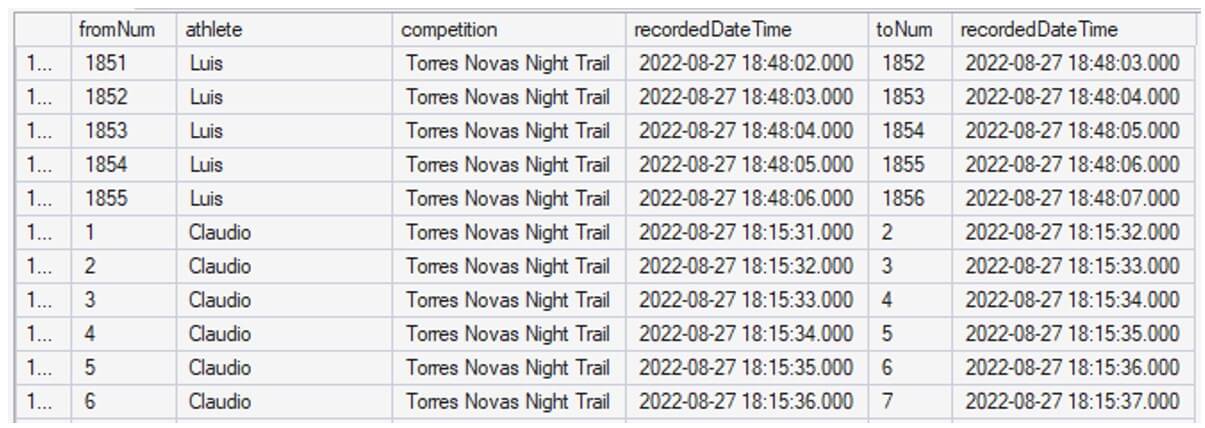
With the pair of consecutive moments in the same record, we can now make some calculations. Elapsed time:
datepart(second,now.recordedDateTime-before.recordedDateTime)
Usually elapsed time is 1 (second), but sometimes the watch misses one or two seconds..
And - finally! - we can use geometric functions to get the distance between recorded points.
GEOGRAPHY::Point(before.lat, before.lon, 4326).STDistance(GEOGRAPHY::Point(now.lat, now.lon, 4326))
Let’s break this down. The Geography is a data type which is used for points on the Earth's surface. For planar projections we use Geometry (flat earthers should always use Geometry!)
We use Geography::Point to create a geography instance representing a point. There are multiple spatial reference systems supported by SQL Server and when working with geography functions, we need to inform SQL what SRID (Spatial Reference System Identifier) we are using. For GPS data it is 4326 which is the SRID of WGS 84 (World Geodetic System 1984).
Point objects expose STDistance, a method that returns the distance between the point calling the method and the point supplied as the argument; so, we do:

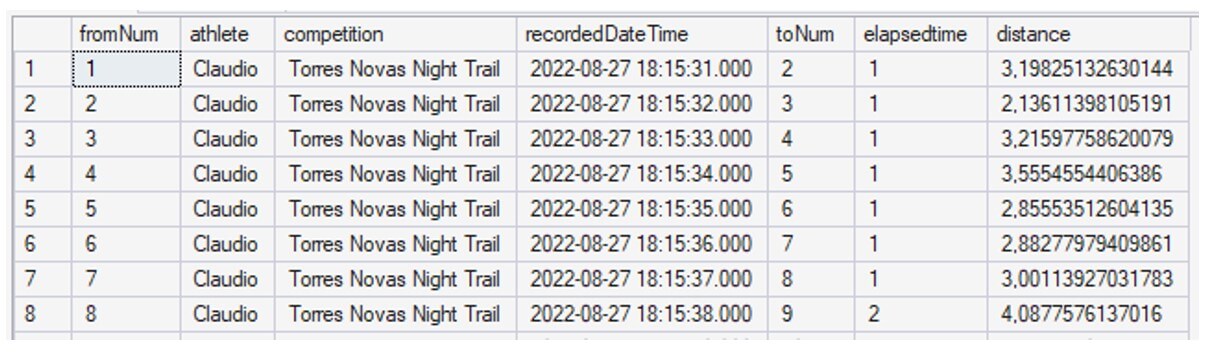
Although most sports apps don’t add elevation gain to distance, mainly because they show altitude in as separated value, we can add that if we want. For that, we only need our friend, the Pythagoras theorem. The horizontal distance and the elevation difference are our legs, and the real distance is the hypotenuse:
SQRT(SQUARE(GEOGRAPHY::Point(before.lat, before.lon, 4326).STDistance(GEOGRAPHY::Point(now.lat, now.lon, 4326)))+SQUARE(now.elevation-before.elevation))
Using this formula we get:
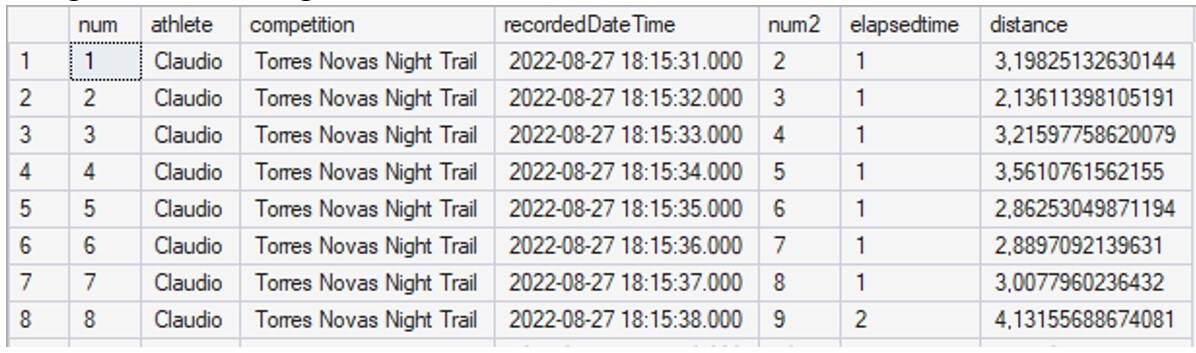
The differences are almost invisible for this track, total run of 18,879m to 18,898m, but that’s because it’s an urban trail; in another trail I ran, this one in the mountains, flat distance was 30,961m and 33,487m after adding elevation.
Almost there, let’s get this into a view to have a cleaner code; we shall call it vwFinalResults:
Adding distance and time
We now have, for each moment, time and distance; but we want those values accumulated over time:

Which, finally, gives us what we need:
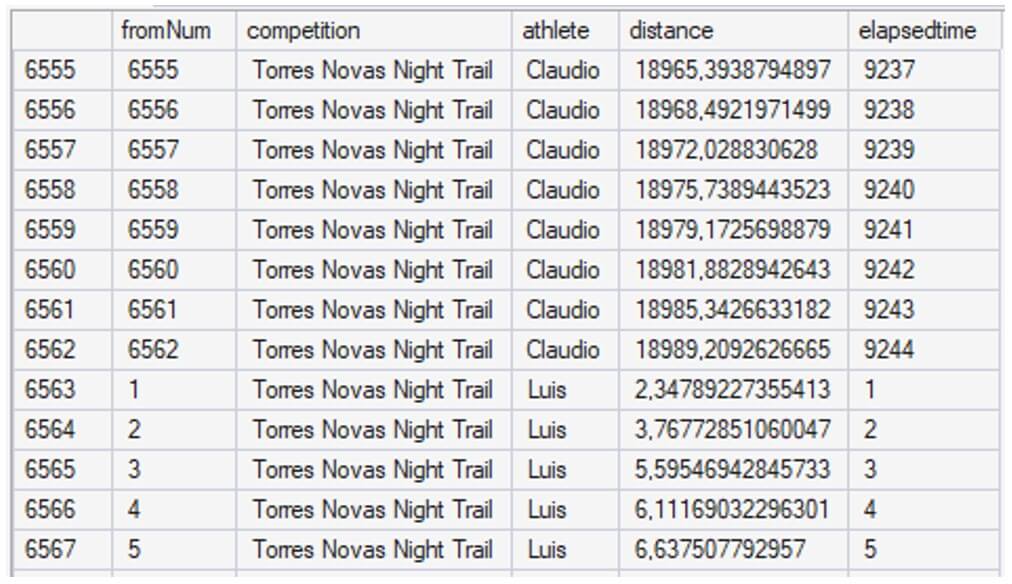
Now we just need to add this to a view to be easier to use in Power BI; this one we will call vwAnalysis.
From here, we can either go to Power BI and consume the view, or use SQL to find the maximum distance between me and my friend at a given point in time, which is our initial question:
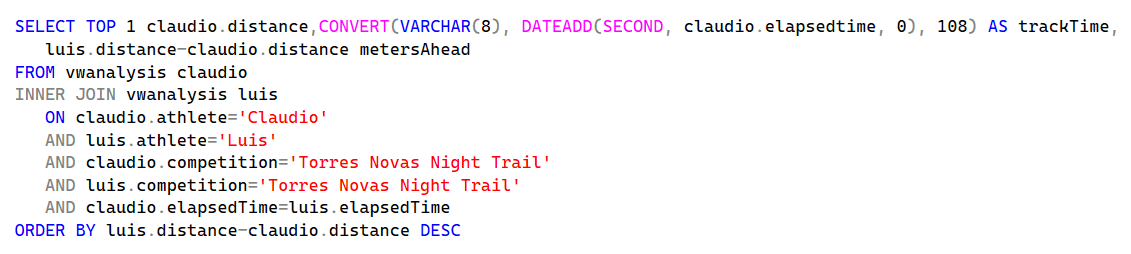
And here is the answer: at 7,9 km and 1 hour and 7 minutes in the competition my friend was 812 meters ahead of me:

It was a fun and educational way of solving my initial question. The experience was both engaging and informative. I hope you found it valuable as well.
