
Azure SQL Database for the DBA
Last month I gave a presentation to The PASS Hybrid VG https://hybrid.pass.org/. Now is a good time to become “cloud ready” as a DBA and my presentation gives a...
2020-09-03
58 reads
Last month I gave a presentation to The PASS Hybrid VG https://hybrid.pass.org/. Now is a good time to become “cloud ready” as a DBA and my presentation gives a...
2020-09-03
58 reads
One of the main benefits of configuring active geo-replication for Azure SQL Database is leveraging the read-only endpoint, a good technique to split away read only activity from OLTP...
2020-08-25
153 reads
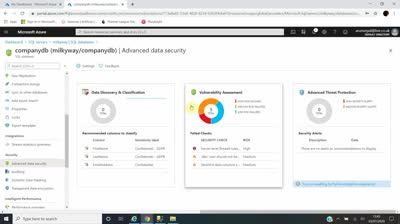
A quick 2 minute overview video (from me) about ADS – Advanced Data Security. The unified package from Microsoft providing the ability to discover / classifying sensitive data, mitigate...
2020-08-19
30 reads
Recently I found out that I passed the BETA exam for Azure Database Administrator Associate qualification. I wanted to share with you my thoughts on the exam and if...
2020-08-11
33 reads
About 1.5 years I wrote about MAXDOP setting within Azure SQL DB, more specifically the fact that the default setting being 0. (https://blobeater.blog/2018/09/12/maxdop-and-azure-sql-db/) Now, you should be aware that...
2020-08-10
303 reads
I thought being an Azure Data/Database blogger I would share some amazing content from Microsoft, an Azure SQL Fundamentals learning path. Following this training you will “Learn how to...
2020-08-05
63 reads
Can you improve on the baseline (service level agreement) SLA of 99.99 % for Azure SQL Database? How can you get 99.995% as shown below, from official Microsoft documentation?...
2020-08-04
109 reads
Since SQL Server 2016 we could leverage Microsoft Azure to dynamically move “cold” portions of data away from on-premises storage for longer retention time periods. Whilst in theory being...
2020-07-27
51 reads
You should always seriously consider enabling this feature. This is part of the ADS suite – Advanced Data Security and I will show you how good this pro-active service...
2020-07-21
152 reads
Question, can you take a built-in backup ( a backup that Microsoft takes as part of the service) and create a new database from it on a NEW server...
2020-07-14
164 reads
By Steve Jones
This is timely, as I’m currently on a boat in the Adriatic taking a...
You can find the slides and SQL scripts for my session “Spice up your...
By SQLPals
How to Clear the SSMS Cache (SSMS 21 and Later) Updated...
Telp/Wa 628218200203 Gedung Sutrado, Jl. Kenari 2 No.5 Lt. 1, RT.2/RW.3, Kenari, Kec. Senen,...
Telp/Wa 628218200203 Jl. Biak No.44 AB, RT.8/RW.11, Cideng, Kecamatan Gambir, Kota Jakarta Pusat, Daerah...
Telp/Wa 628217555651 Gedung Plaza Bank Index Ground, Jl. M.H. Thamrin No.57 Floor Suite GF-21,...
We have this code that sets some status values and then queries them using the CHOOSE() function in SQL Server 2025.
CREATE TABLE Status
(
    StatusID INT,
    StatusDescription VARCHAR(20)
);
GO
INSERT dbo.Status
(
    StatusID,
    StatusDescription
)
VALUES
(0, 'Uncategorized'),
(1, 'Active'),
(2, 'Inactive'),
(3, 'Temp');

GO
SELECT CHOOSE(StatusID, 'Unknown', 'Active', 'Inactive', 'Temporary')
FROM Status;
When the SELECT runs, what is returned? See possible answers