

I am not much for working in languages other than English. That's my native language and I know little about others. However, the last few years I find myself using emojis more and more in quick communications as they seem to add some fun to the interaction. And those interactions need to be stored in a database and then retrieved, right?
The UNISTR is a new function in SQL Server 2025 that makes it easier to work with Unicode characters as a part of your strings.
This is part of a series on how the T-SQL language is evolving in SQL Server 2025.
Note: some of these changes are already available in the various Azure SQL products.
UNISTR()
The UNISTR() function is a function that allows Unicode encoding values inside of a string. This removes the need for complex string concatenation, of the type shown below. This is an example of how I might have coded things in SQL Server 2022.
SELECT N'Denver ' + NCHAR(0x1F40E) + '10-2 '+ NCHAR(0x1F601) AS '2025 Season'
If I have a correct database collation, then I get the results I want:
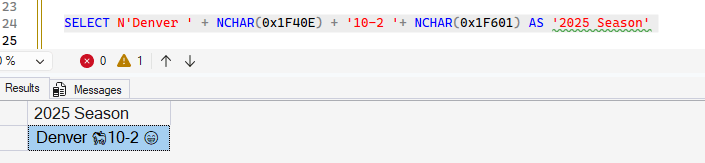
That works, and I get my message across (you do know Denver has a 9 game winning streak and leads the AFC for the playoffs, right?)
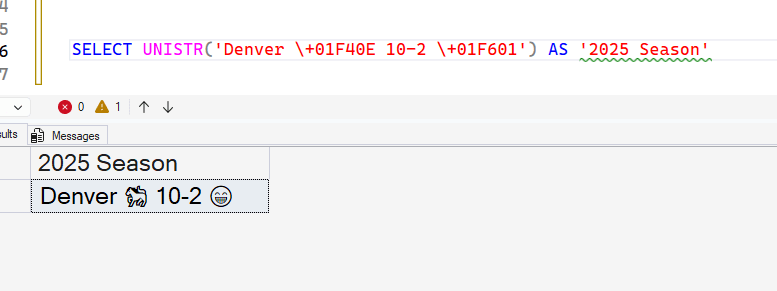
However, this is cleaner, at least for me:
SELECT UNISTR('Denver \+01F40E 10-2 \+01F601') AS '2025 Season'This gives me the same result in SQL Server 2025 (with a database of the right collation).
Syntax
The syntax for UNISTR() is simple. It is:
UNISTR( 'character expression' [, 'unicode_escape_character'])
The character expression is any character type: char, nchar, varchar, nvarchar. If you are using chat types, the collation needs to support UTF-8. You an use string literals or UTF-16 code point values or both. The length can be up to the max.
The escape character defaults to \ is not included. If it is, then you can choose something else. This can only be a single character. As an example, I might want to choose the hash (#) symbol. In this case, I can run something like this:
SELECT UNISTR('#3041#308A#304C#3068 and good night', '#')This lets me string together a few Japanese Hiragana characters for thank you.
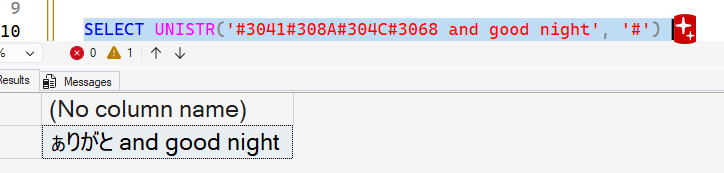
I was running the code above in a database with this collation: Latin1_General_100_CI_AS_SC_UTF8. That supports UTF-8 and Supplemental Character (SC) sets, so things worked. Let me try something else.
Collation Issues
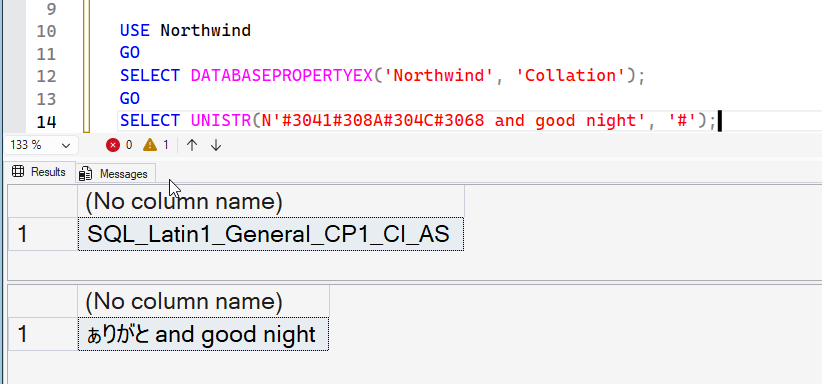
I am not a collation expert, but I know there are some issues when your server or database doesn't support the right collation. As an FYI, if there isn't a database collation specified when you create the database, it uses the server (instance) collation. Here I try the code above in a different database and get an error.
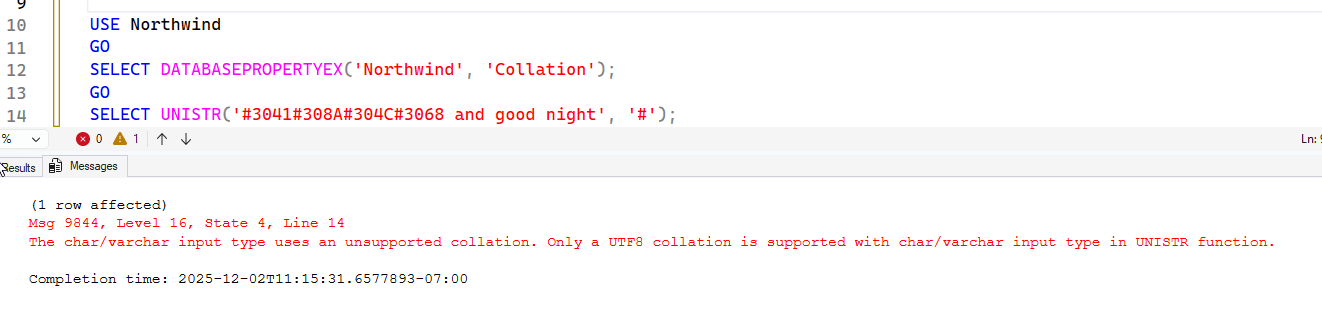
In this case, the collation for the Northwind database is: SQL_Latin1_General_CP1_CI_AS. This is beyond the character set supported, so it fails. Notice my string is a char/varchar. If I change this to nchar, it works.
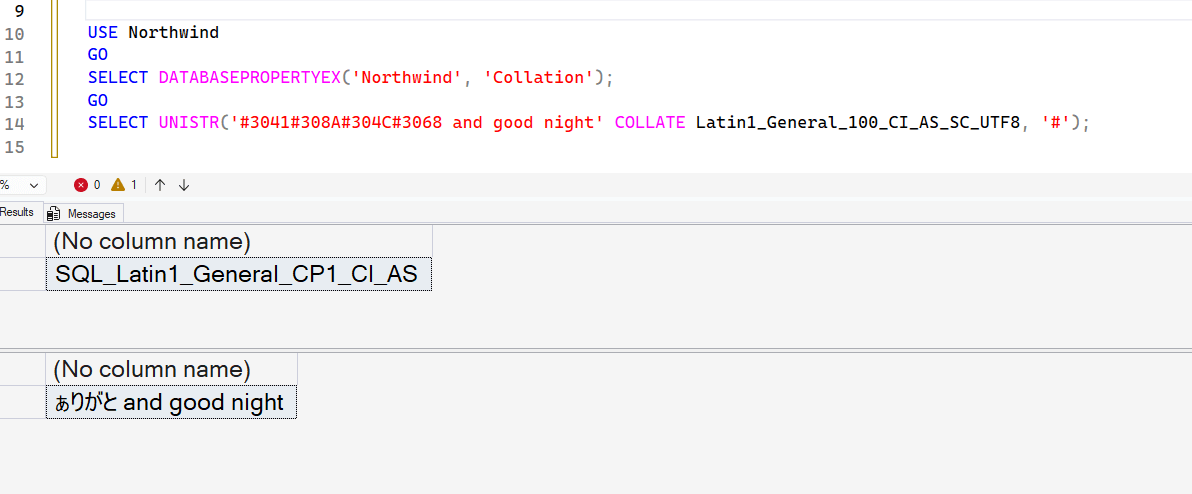
I can also use the COLLATE clause in my expression. I've removed the N from the front of the string and then added a collation for Latin1_General_100_CI_AS_SC_UTF8. This allows the correct character set to be used in the query.
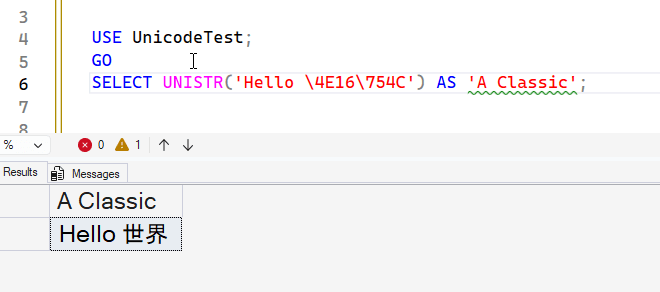
One more example, is using the default escape sequence and the character set. In the first example, I had a \+0 in front of my Unicode string. That is for a larger than FFFF string. Below, since I am using 4 character Unicode pointers, I can just escape them as shown:
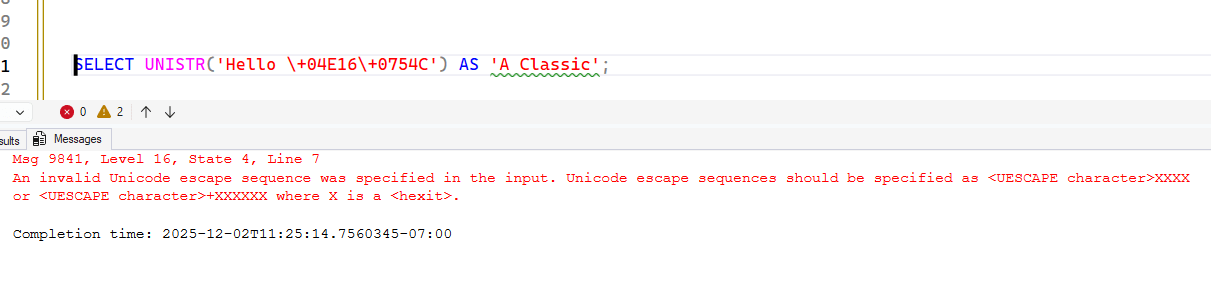
If I try to use the + here, I get an error. Note the error points out that I use the + with 5 character codepoint values.
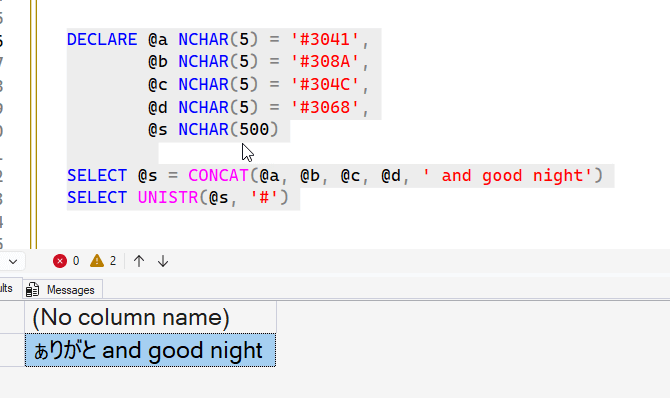
Let's put this together in a more practical way. Suppose I build up a string from various sources, variables and literals, like this:
DECLARE @a NCHAR(5) = '#3041',
        @b NCHAR(5) = '#308A',
        @c NCHAR(5) = '#304C',
        @d NCHAR(5) = '#3068',
        @s NCHAR(500)

SELECT @s = CONCAT(@a, @b, @c, @d, ' and good night')
SELECT UNISTR(@s, '#')
When I run the string through the function, it returns what I want. I'd argue this is easier than having a lot of NCHAR function calls.
Summary
UNISTR() might seem like a simple function, but it does make coding easier when you need multiple Unicode values. Since NCHAR() only handles one at a time, code blocks can end up with quite a few string concatenation sequences, which are harder to read (to me). This still might create complexity in that you need to assemble a string with the proper Unicode codepoint values and then ensure the escape is correct, but this does let you simplify code.
I don't expect a lot of people to use the UNISTR() function, but it might be fun for some and make code easier in non-Latin languages.
