

During the upgrade to XenApp 7.6 FP3 VDA encountered the following message.

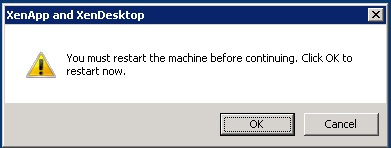
I was wondered on seeing this popup to restart the server during the upgrade. After restarting the server for couple of times I was encountered with the same popup window. Well , after further investigation found there is one registry key which was the cause for this issue…
HKEY_LOCAL_MACHINE\SYSTEM\CurrentControlSet\Control\Session Manager\PendingFileRenameOperations
Have navigated to the above mentioned registry path and deleted the contents from the Reg key PendingFileRenameOperations which fixed the issue and completed the upgrade process.
Note- During any installation if we need to bypass the restart activity we can follow the above mentioned procedure. This key will not be available,If there are no pending operations.


