

Just a quick blog post so that other people don’t waste 15 minutes of their life looking for a missing checkbox.
I was implementing security using roles in a Power BI Desktop model. I had defined the role along with its filter on top of a many 2 many relationship. The relationship between the fact table and the bridge table was set to “bi-directional cross-filtering” (bi-di).
When I tested the role, the dimension and the bridge table were filtered just fine, but the fact table wasn’t. I remembered I had to select a checkbox on the relationship: “Apply security filter in both directions”, because the bi-di won’t be honored in RLS scenarios. Kasper de Jonge explains it in his blog post Dynamic security made easy with SSAS 2016 and Power BI (a must-read).
Except that the checkbox wasn’t there.
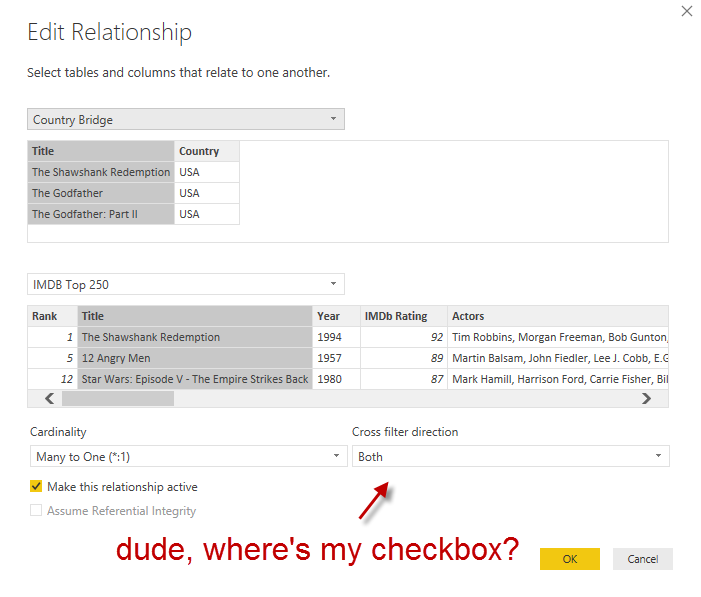
Ehrm.

So after a bit of digging, I found out that the following preview property must be enabled: Enable cross filtering in both directions for DirectQuery.
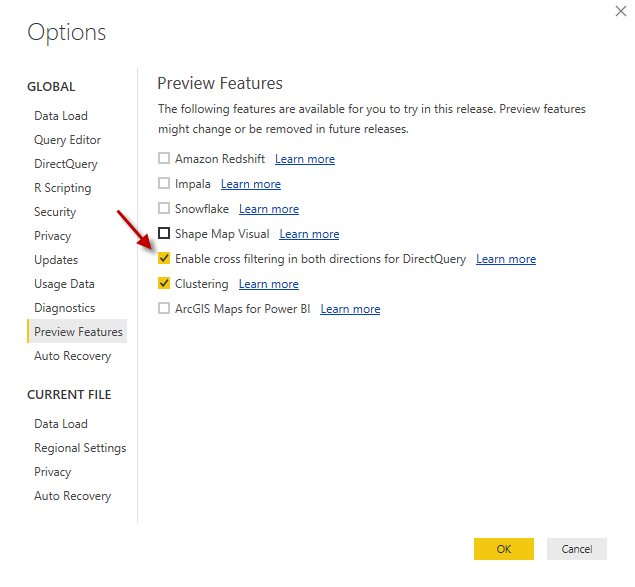
Quite confusing, since I’m not using DirectQuery at all. Anyway, once you enabled this feature – you don’t even need to restart Power BI Desktop – the checkbox is alive and kicking.
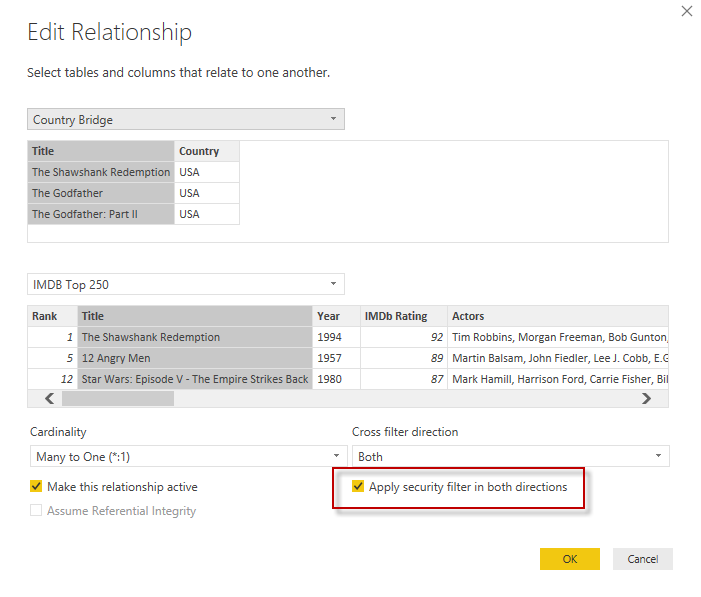
And all was well. Also, Kasper said he’ll fix it. Sweet. 
@Ko_Ver @Will_MI77 will fix it
— Kasper de Jonge (@Kjonge) February 8, 2017
