cant process ssas db on vm - error says source is encrypted and other things
-
hi i get the error you see below when trying to process my AR cube full. it is sourced by a sql db on the same server that theoretically is being connected to by my admin acct. my query on which sql engine db's might be encrypted comes up false on each. i made sure browser and all other sql services are running. i checked if remote conns are enabled and they are. does the community have a suggestion? this server was "lost" recently till one of our network guys rebooted what he calls an azure firewall. also our dba who is on vacay messed with TDE recently but as far as we know on a different vm, not this one.

-
error is clear - client does not support connection encryption.
change the connection strings to ensure that encryption is optional and trust server certificate. or follow required steps to fully enable encryption in both server and client.
have a look at https://techcommunity.microsoft.com/blog/sqlserver/odbc-driver-18-0-for-sql-server-released/3169228 amongst other possible links
-
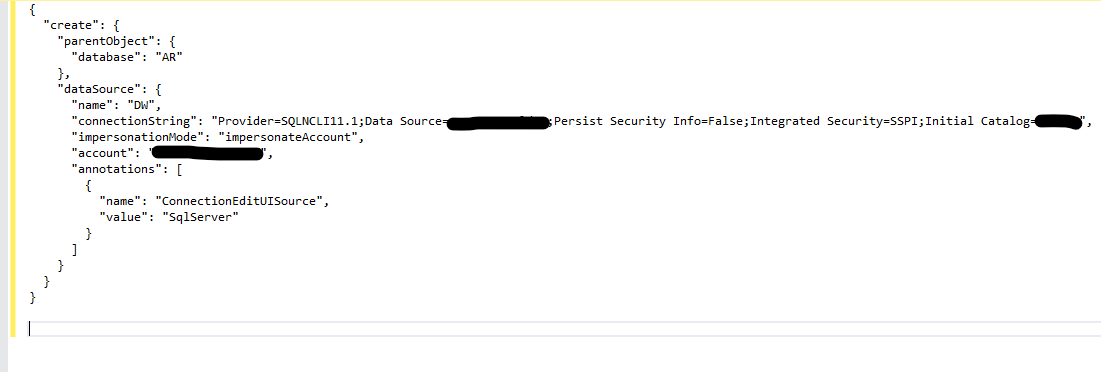
i'll post the conn string info (from ssas to the engine) images separately as my reply just disappeared. this conn string has never been a problem before. i'll poke around AI/the interned to see what i can change to make this work.
-
-
-
i "create or replaced" the conn script with the change you see below. I did the same changing encrypt=true. i tried with just trustserver...same error all 3 ways.
;TrustServerCertificate=True;Encrypt=False;
does anybody have any ideas? i thought i read somewhere that there is an azure firewall thing , possibly related to ports that can screw up ssas in particular. this server did get "lost" for a while till a network guy rebooted an "azure firewall".
-
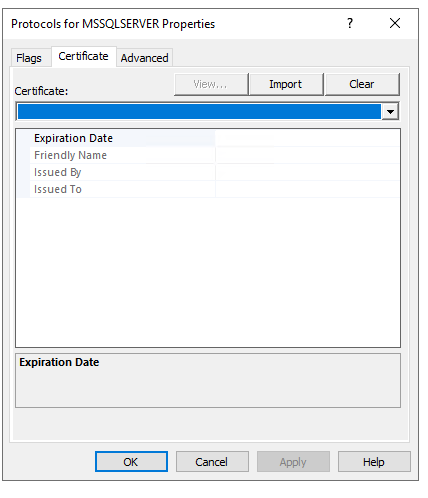
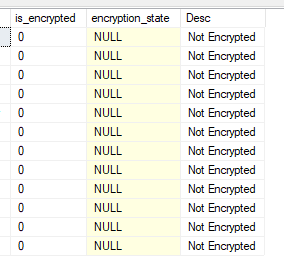
i'm out of my comfort zone but notice in the following 2 posts , there is no certificate. and no encryption. So how/why is ssas complaining about encryption?
-
-
-
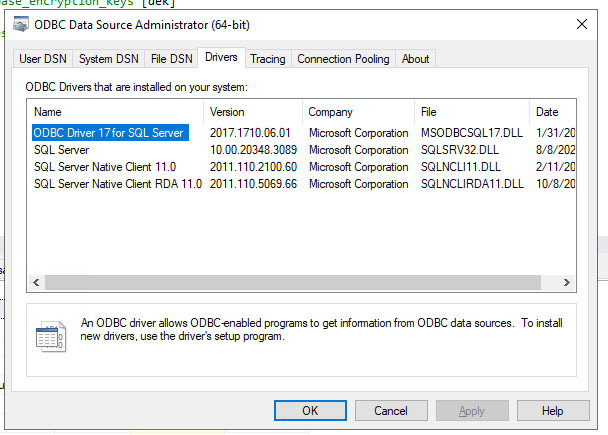
...and notice in the following 2 posts the lists of 64 bit and 32 bit drivers...i dont know why one runs C:\Windows\System32\odbcad32.exe for 64 and C:\Windows\SysWOW64\odbcad32.exe for 32.
-
-
-
The error looks like a firewall thing to me. Can't establish a connection.
I might connect to the source SQL Server and verify the source db is accessible. Meaning that TDE is working and the database is decrypted for connections. Then try from SSAS, set up a new cube/connection and see what happens.
Work through connections slowly to verify you can see an endpoint from each system and make a connection
-
thx steve, these are the steps i followed and i should mention that one of our network guys says all ports are open...
- from ssms on my local i connected with just "trust..." clicked and had no problem reading tables from that db. same success without trust clicked. not sure either way that proves anything about tde, especially if it isnt in play but im following your recommended steps. in neither attempt was encrypted clicked.
- created a separate cube database called ARpersteve with conn string ...trustservercertificate=true. It created but errored, as before , when i tried processing full.
i dont really know what you mean by working thru the connections but i am wondering now if using the native sql provider SQLNCLI11.1 was the best choice, this being a 2022 vm. I think we installed the native driver there but i think i am going to try substituting a different provider in that connection string. looking now for other choices. i believe that choice works on a different 2022 vm but will try an alternative provider anyway.
-
You need to connect from the SSAS server to the source db, not from your SSMS local. That's where the connection issues are. Your SSMS is a client, which has a different network path and authentication than the SSAS cube reading from the database server.



Viewing 15 posts - 1 through 15 (of 31 total)
You must be logged in to reply to this topic. Login to reply