cant process ssas db on vm - error says source is encrypted and other things
-
i tried MSOLEDBSQL (in ssas's conn string to the engine) instead of sqlncli11 but got the same error. it might be time to bring in MS.
-
thx steve, that was already done in step #2 following your recommendation. #1 just proved that db was accessible from another client.
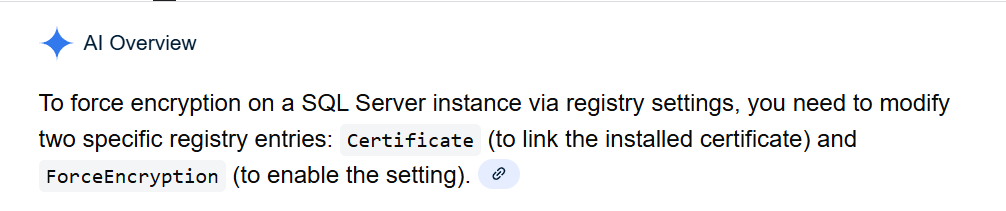
i'm wondering if the community has heard that there is another way to turn on encryption in sql server through registry keys? and if yes, how i can see whether that was done here and if that would be concealed from me looking at such settings the usual way.
-
turning on encryption for the server? Likely there is, but not sure I've seen this documented. Most of the server side items require the MMC for SQL Server Configuration Manager to set this.
For the client, it's setting the connection string property.
-
may have to open a ticket with MS. will post back here what, if anything, that i find out.
-

-
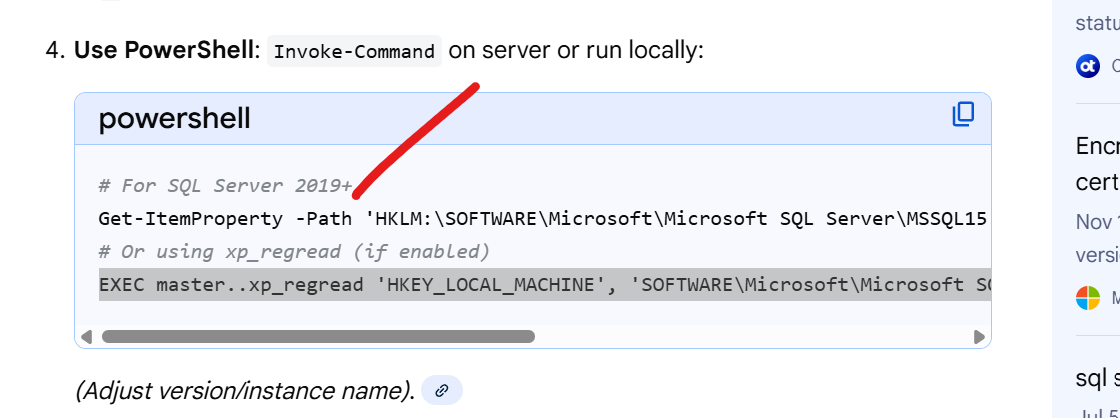
tried following the instructions shown below , thru powershell, to determine if certain known registry settings might have been set but basically the error thrown was that there is no folder called SuperSocketNetLib...not on any of the drives including c:...
not sure what the HKLM portion means but i eventually went with c:\program files\microsoft sql server\...mssql\supersocketnetlib and got the ps error mentioned
Get-ItemProperty -Path 'HKLM:\SOFTWARE\Microsoft\Microsoft SQL Server\MSSQL15.MSSQLSERVER\MSSQLServer\SuperSocketNetLib' | Select-Object ForceEncryption
-
i believe this is the problem. Does the community know what causes these values to be set to 1? Is that perhaps the default nowadays? I dont see them even in advanced ssas settings in ssms. 1=required.
in C:\Program Files\Microsoft SQL Server\MSAS16.MSSQLSERVER\OLAP\Config file msmdsrv.ini has these settings.
<Security>
<DataProtection>
<RequiredProtectionLevel>1</RequiredProtectionLevel>
</DataProtection>
<AdministrativeDataProtection>
<RequiredProtectionLevel>1</RequiredProtectionLevel>
</AdministrativeDataProtection>
-
this gets better and better. we see the same values on another vm's config where there is no issue with processing full an ssas db. we also see the problematic server's native client is an older version than the one we installed on the vm where processing works. i'm going to wait a day or 2 to see what the community thinks before we do anything.
-
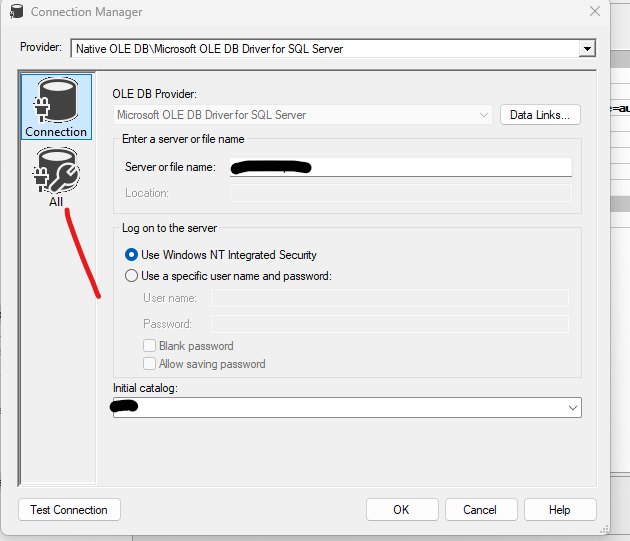
our dba got back from pto. He asked me to delete all 3 of the ssas db's there, recreate one and set trust cert to true on the connection's ALL filter. same error, something having to do with encryption. he suspected sql/ssas were leaving something in cache that was hosing this up. I think he's since changed the provider to msoledbsql (i had/left SQLNCLI11.1) , which lists different attributes in the ALL filter so i cant show you what this looked like when i was done. i am noticing i am an admin on ssas. which i believe was true before. i'm hoping our team agrees soon that a ticket needs to be opened with MS. One of our network guys is concerned they wont take it seriously because its only dev. My question to them is how can we test and move anything to prod without this vm issue being fixed.
-
wow, our dba spent all morning on this. he changed 1) the provider from the native sqlclni11.1 to msoledb... 2) he added a comma and port # to the conn string, 3) he put trusted = true back in the conn string, 4) he changed (for now) the acct impersonation to the service acct instead of my admin. OMG.
we did wonder if changing the native driver to a version we have elsewhere (call it server X) might have done the trick but we dont want to go down that rabbit hole right now. ssas has no issue acting as as a client there (Server X) with the native driver, no port, no trusted, my admin.
-
so it's working? Your message isn't clear.
-
thx steve, we should know soon. The remaining errors are manageable/migration ones that we know how to deal with. i will post results back here as soon as i get the missing objects in place and we can process again. it would be so nice to understand why this happened. i suspect a recent patch triggered this issue but have no concrete evidence. Right after that patch, we also saw some instability in that server that could be corrected mostly only with a reboot.
-
I love and hate patches. I've started to "defer" a whole series of them (VSCode, Redgate, etc.) to see if anyone reports instability since I think the DevOps thing is a very narrow blade. It can fix things quickly and break others. Which get fixed, but the time between break and fix can be weeks, which is annoying.
-
i got word from our network guys that their patches are OS level only. If i could make a living going down rabbit holes i'd travel this one because the distance would make me a wealthy man. In the mean time, we did process a cube on that server and are satisfied for the moment that the server will satisfy our needs. I'll mark the previous post about our dba as the forum solution.
-
That “source is encrypted” error usually isn’t about the SQL database itself—it’s about the connection between SSAS and SQL Server. Most of the time, it happens because SSAS expects encryption but the settings or driver don’t match. To fix it, make sure the SSAS VM can reach the SQL Server, update the data source to Encrypt=False (or Encrypt=Optional) and TrustServerCertificate=True, and install the latest OLE DB SQL driver. Also check if SQL Server’s “Force Encryption” is on and that firewalls aren’t blocking the connection.
Viewing 15 posts - 16 through 30 (of 31 total)
You must be logged in to reply to this topic. Login to reply