

One of the things I’ve been requesting for a number of years is cost information. I could see this coming in 2015 with the move to the cloud and need to justify the resources provisioned along with sizes. Doing that effectively needs cost information.
Redgate Monitor has added a bit of cost information, and the virtual machine section in the Estate tab contains this. This post looks at what is available (as of June 2026).
This is part of a series of posts on Redgate Monitor. Click to see the other posts.
Virtual Machines
When I first started managing VMs and moving database loads to them, one of the things that I was concerned about was the CPU and RAM usage. CFOs and lots of admins wanted these are 100% to get the most out of their investments.
I wanted something less to prevent my phone from ringing constantly.
When you pick select the Estate tab, you see a number of items, but since v143.0.2906, there is a Virtual Machines item.

If you select that, then you see all your virtual machines, along with the resource name, group, and various metrics. This is a quick overview of what’s running.
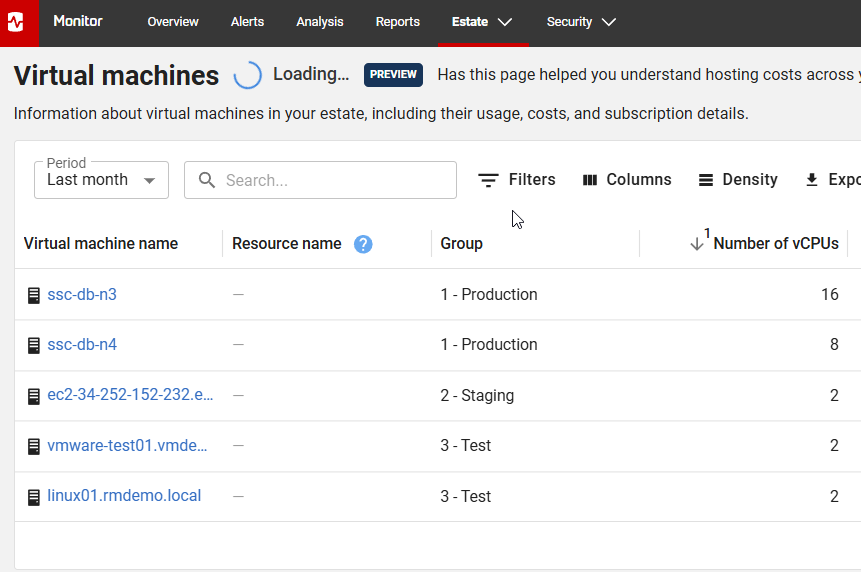
If you look at the list, some are local and some are in the cloud. In addition, to the right, I see the metrics that help me understand average usage in a few ways: CPU, memory, storage allocated and used, and costs.

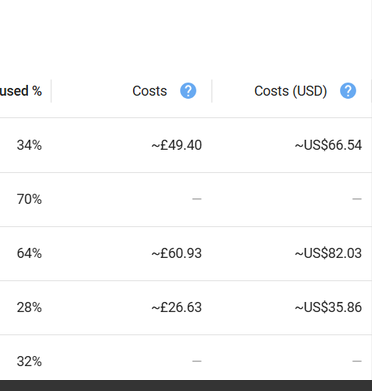
There aren’t any costs above as we filter that on the demo site, but if you provide cloud credentials, we use this to get some cost information. Here’s a shot from the doc site, which shows the costs in local currency (pounds Sterling for RG) and USD, which helps normalize the costs. You can read more about this on the doc page.
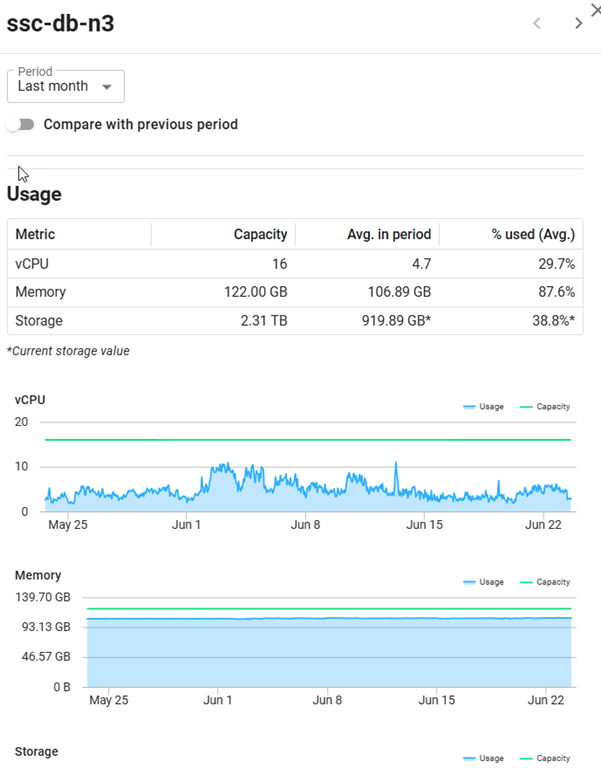
If you select a machine, a blade slides out with more details on usage. Here you can see the primary SSC server. This helps me decide if this is over or under provisioned based on data. I see CPU usage across a month, along with memory and storage (not shown).
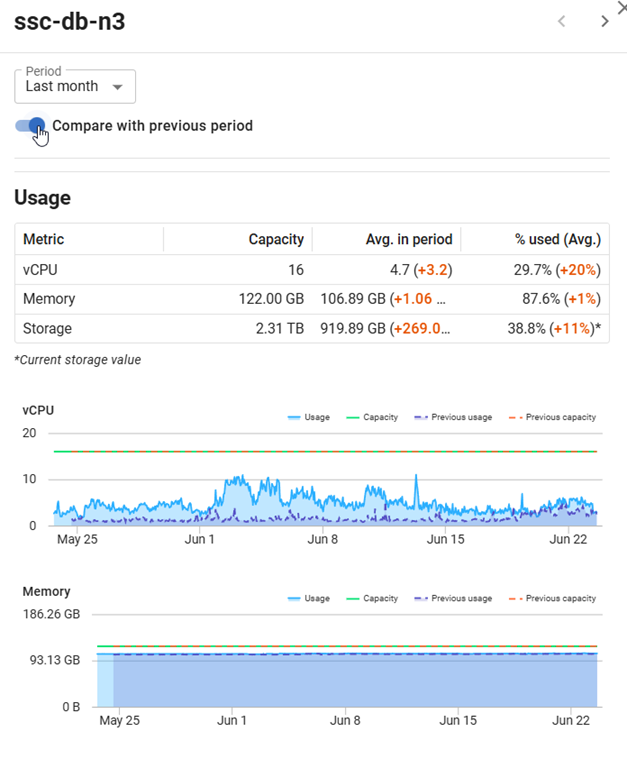
If I click the “compare with” toggle, I see the last two months overlaid, which is useful info. This helps me decide if last month was normal or an outlier. It does seem like June was a busier month than May, which is good. My boss likes busier.
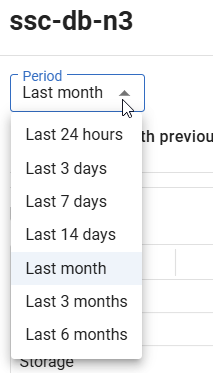
As far as data, I have choices for the period, going from the last day to 6 months.
It’s up to me to keep this data, and I have an entry as well in the Data Retention settings for this data.

There’s more coming, and I know there are plans to add PaaS data as well, but if there are things you’re interested in, please contact your account rep and let them know what needs you have and why. I think this is an important aspect of monitoring that will grow over time.
Summary
This post showed the first slice of work on costing information, with an emphasis on virtual machines. There is performance as well as cost data, so you can evaluate whether you are appropriately sized for your systems.
I’m looking forward to more information, including custom costs being added for on-premises machines, as well as PaaS services.
Redgate Monitor is a world-class monitoring solution for your database estate. Download a trial today and see how it can help you manage your estate more efficiently.