

 We’re a week late, once again my fault. I was still coming out of the holidays and forgot to check on my host. Luckily, Louis Davidson (who did have Feb) agreed to go early. He has a nice invite, and I am glad to answer.
This is the monthly blog party on something SQL Server/T-SQL/etc. related. I have about half of 2026 covered, but if you would like to host, I’d love to have you. Ping me on X/LinkedIn/BlueSky.
A Mistake
Since we aim for T-SQL, I decided to ping something I’ve done a number of times in T-SQL, and sometimes still break. However, a little testing has helped me (mostly) keep this from getting to production.
Always have testing in place.
I am good at T-SQL, but not amazing. I learn things from others all the time, and these days, take help from AIs, though I do test and double check what they do.
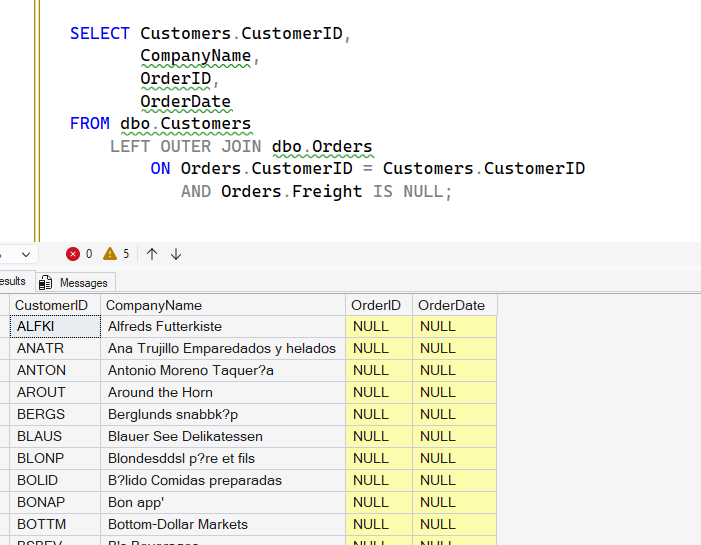
One of the places I’ve struggled with is with outer joins. Usually left/right outer joins where I am trying to get a list of things from a join, but filter out some of the missing items. Here’s an example from Northwind. I want a list of customers joined to orders, but I might have a way where customers filter out those who haven’t been charged freight. There’s likely some business reason, but it escapes me now.
If I run this query, I get lots of stuff.
That doesn’t seem right. If I check, I see this:
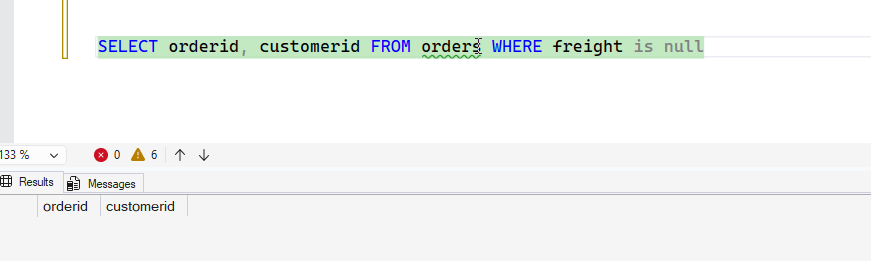
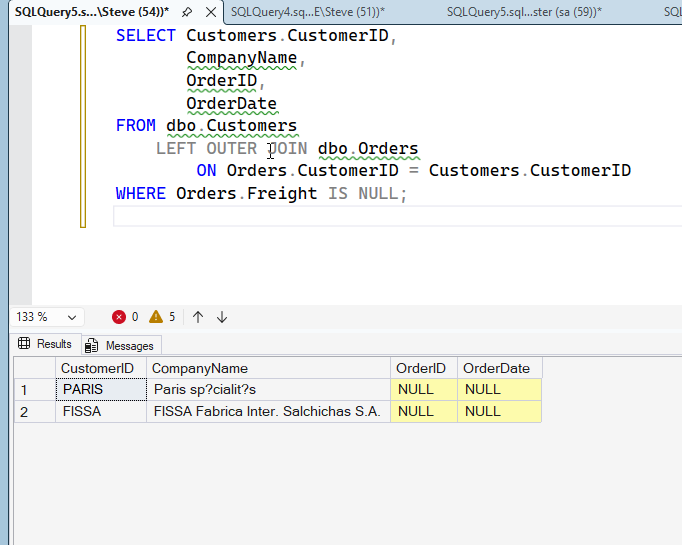
What’s the problem here? Well, the main issue is one I keep doing, fortunately, I catch this. If I move the Freight IS NULL to WHERE instead of the ON, it works. You can see this below.
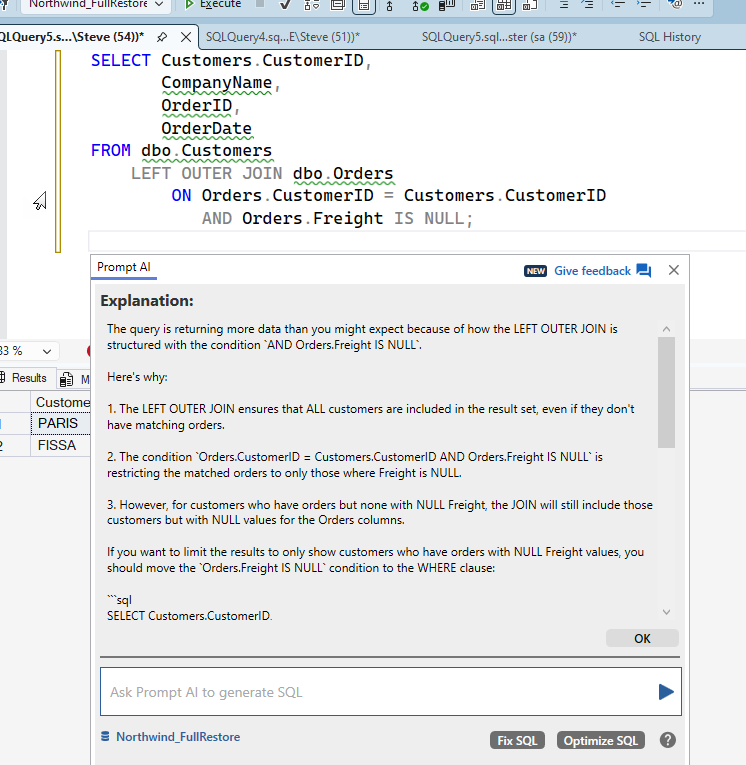
If I see too much data, which can be hard to catch in large result sets, I can ask Prompt AI.
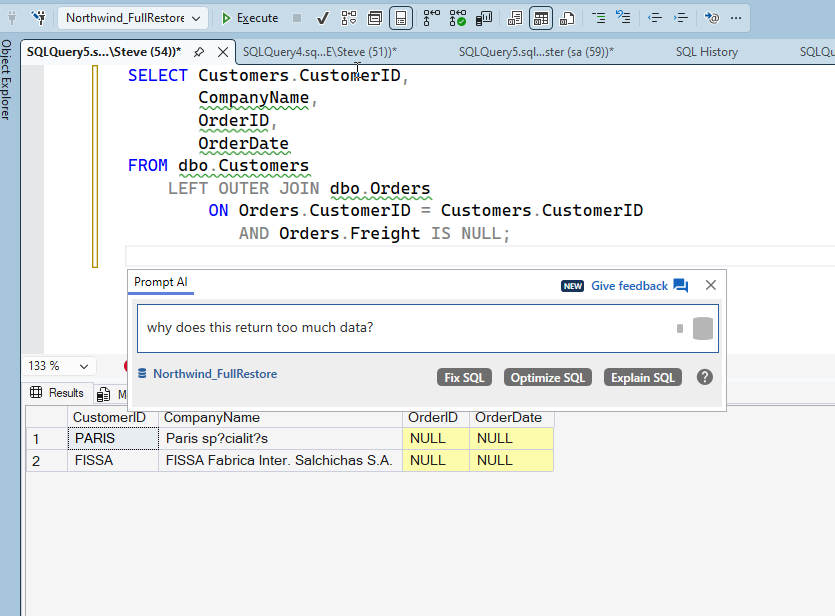
I get the response I’d expect from most AIs.
How do I test for this? Well, the best way is to have test coverage for queries. For example, I might build a test like this:
EXEC tsqlt.NewTestClass @ClassName = N’QueryTests’ — nvarchar(max)
go
CREATE OR ALTER PROCEDURE [QueryTests].[TestCustomersWithoutOrders]
AS
BEGIN
— Arrange
— Create temporary table to hold expected results
DECLARE @Expected TABLE
(
CustomerID nchar(5)
)
— Insert the expected result – customers with no orders
INSERT INTO @Expected
SELECT CustomerID
FROM dbo.Customers
WHERE CustomerID NOT IN
(
SELECT DISTINCT CustomerID FROM dbo.Orders WHERE CustomerID IS NOT NULL
)
— Act
— Create temporary table to hold actual results
DECLARE @Actual TABLE
(
CustomerID nchar(5)
)
— This should be the query that’s being tested
INSERT INTO @Actual
SELECT DISTINCT
Customers.CustomerID
FROM dbo.Customers
LEFT OUTER JOIN dbo.Orders
ON Orders.CustomerID = Customers.CustomerID
WHERE Orders.CustomerID IS NULL
— Assert
— Check that we have exactly 2 results
DECLARE @ActualCount INT =
(
SELECT COUNT(*)FROM @Actual
)
IF @ActualCount <> 2
BEGIN
EXEC tSQLt.Fail ‘Expected exactly 2 customers without orders, but got ‘,
@ActualCount;
RETURN;
END
— Check that we got the expected customers
IF EXISTS
(
SELECT 1
FROM @Expected e
WHERE NOT EXISTS
(
SELECT 1
FROM @Actual a
WHERE a.CustomerID = e.CustomerID
)
)
OR EXISTS
(
SELECT 1
FROM @Actual a
WHERE NOT EXISTS
(
SELECT 1
FROM @Expected e
WHERE e.CustomerID = a.CustomerID
)
)
BEGIN
EXEC tSQLt.Fail ‘The actual set of customers without orders does not match the expected set.’;
END
END;
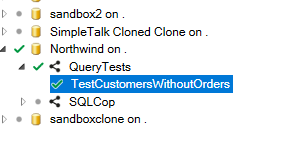
That’s a lot of code, but I can see it works. I get two customers back, which is what I expect. Lines 53-58 have my query being tested above. If I run the test, it passes.
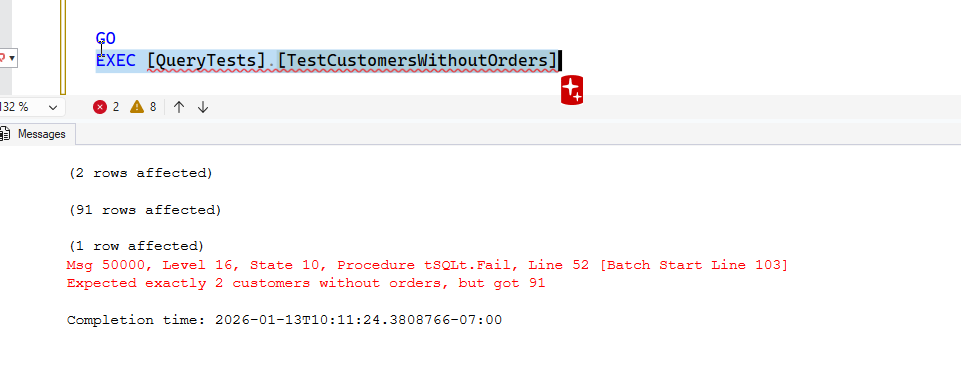
If I change those lines to put the filter in the ON clause (and remove WHERE), it fails.
Ideally I’d have this in a proc so I can change/tune this and compare plans, run tests easily, etc.
This is a mistake I still make at times today, albeit rarely. Now I write some tests to look for my mistake. Maybe that’s the thing I’ve learned the most: have tests for my code.