

Data build tool (dbt) is an open-source command line tool that helps analysts and engineers transform data within their warehouses. It already assumes that data is extracted and loaded into raw tables. The dbt core framework is written in Python with the translations defined as a combination of SQL scripts, Jinga Template Language, and YAML files. Developers might think the ephemeral model is only a place holder for a table that has not been materialize yet. However, there are more exciting uses of the model when macros and the Jinga language are used.
Business Problem
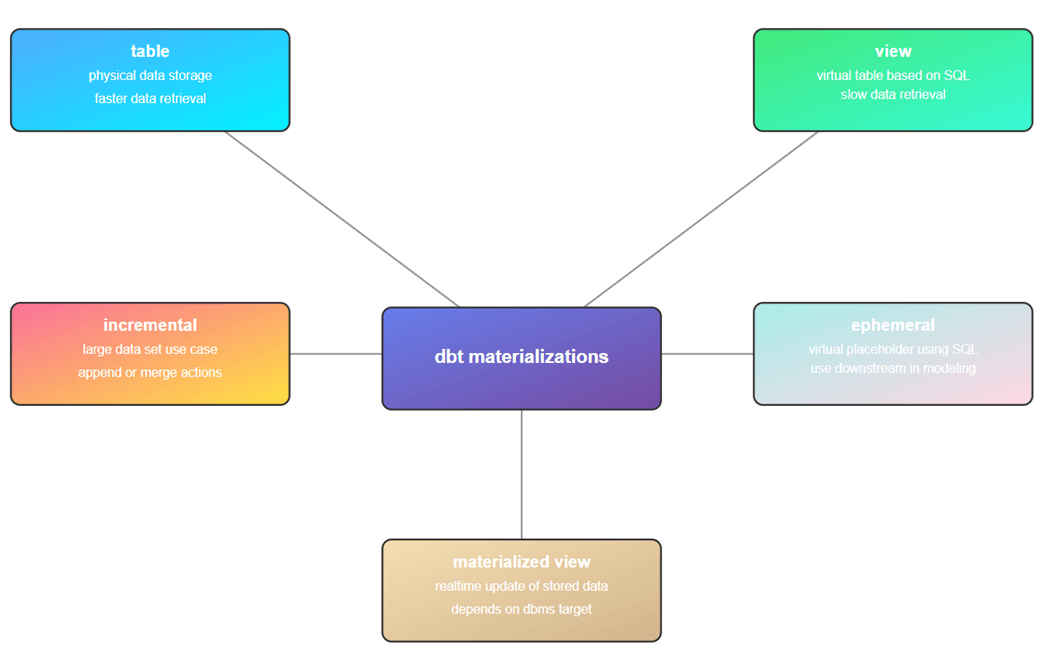
Our manager wants the development team to explore how data definition language (DDL) and data control language (DCL) statements can be used with the data build tool (dbt). The traditional use of the tool is to transform data using a medallion architecture (data quality schemas) within the data mart or data warehouse. Typically, various SELECT statements are used to materialize the existing tables into new objects. Please see the diagram below about supported types. By the end of this article, we will learn that the ephemeral model can be used for much more.
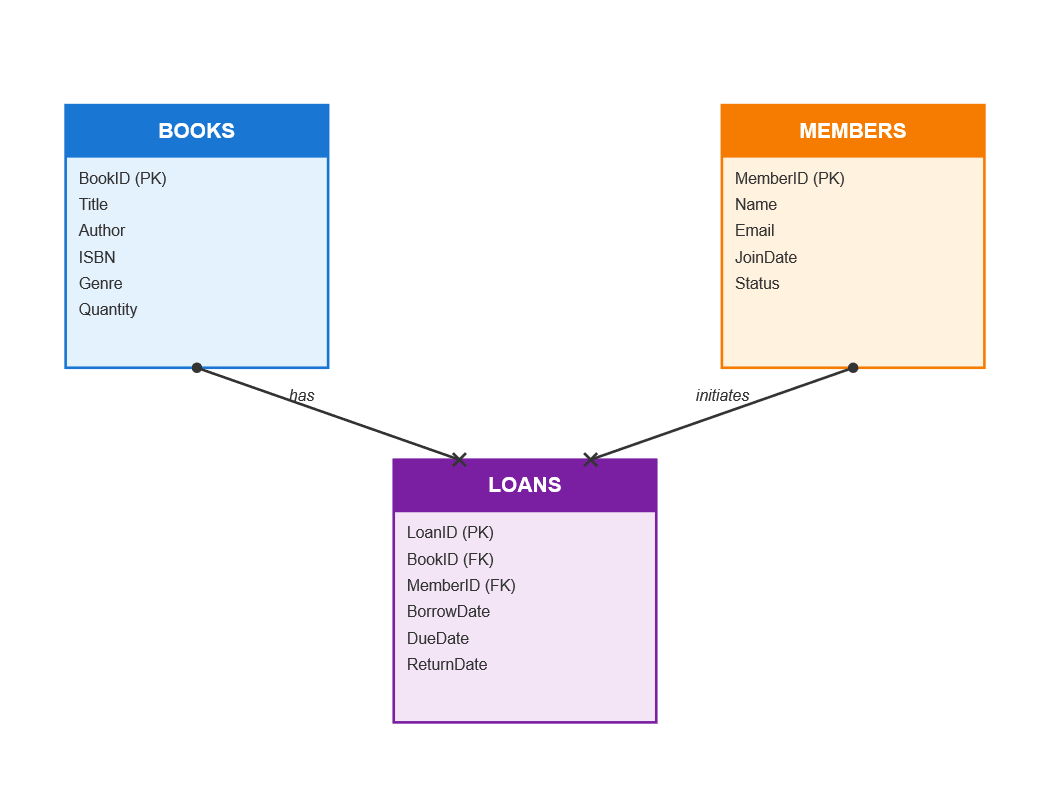
Library Schema
If you are not using Generative AI yet, I suggest you learn before you are left behind. I used Visual Studio code with a Git Hub copilot subscription to generate a sample library database schema and populate it with data. Check out this link to learn more. In short, a library has books and members. Each member might want to take a book out on loan for a period of time. Don’t forget to return that before otherwise a late fee is charged!
The first step when deploying a data mart is to create a database. Can we do that using the data build tool?
Understanding Materializations
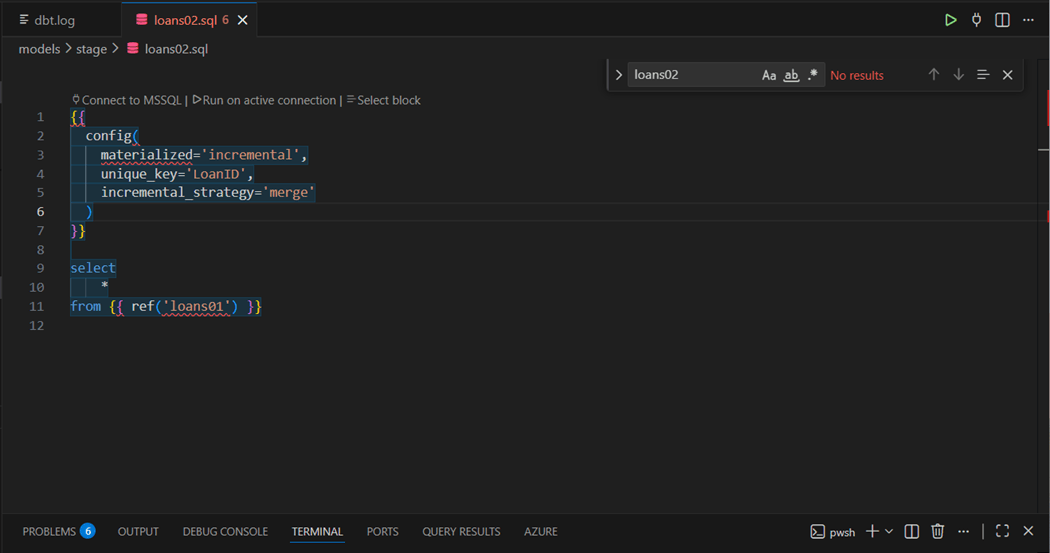
Before we can store and execute all types of SQL commands, we need to know what each model type does. Within another dbt project, I am using the “dbt seed” command to load data into tables for books, loans and members within the [data_raw] schema. Each table has a post-fix of ’01’ at the end of the SQL file name to make it unique within the DAG. The “loans02.sql” file is saved in the stage folder. We can see it is an incremental merge without a where clause. This load pattern is sometimes called an UPSERT.
How does dbt work? One can either look at the code base of dbt in GitHub or review the executed SQL statements that are stored in the dbt.log file. The framework seems to use a lot of SQL views. The code below creates a temporary view for [data_stage].[loans02] target table. Because this is the first execution of the model, the framework is smart enough to select into the target table versus merging the raw table into the stage table.
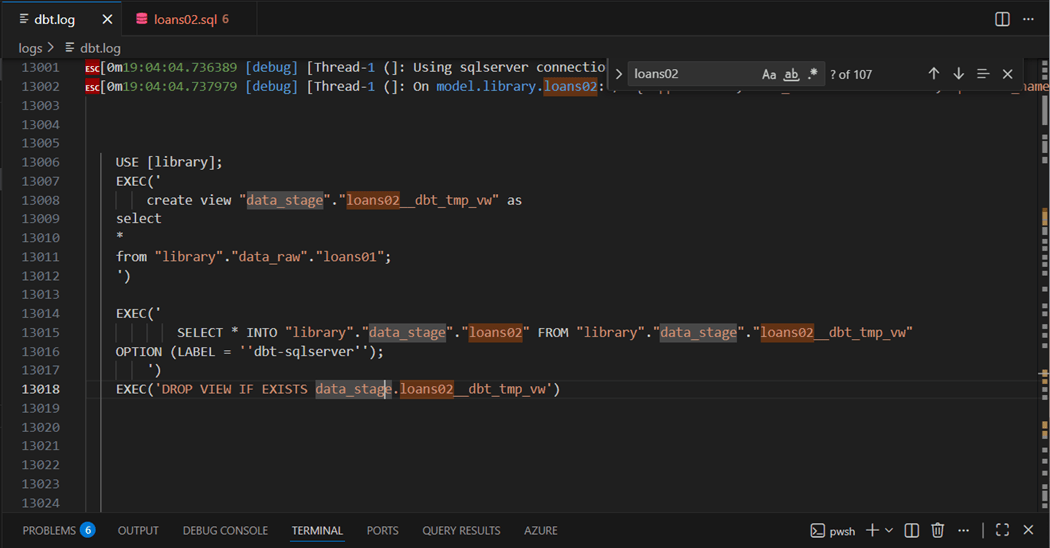
Even if we try to leverage SQL Injection, we will fail since CREATE VIEW can be the only statement in a single batch. I suggest you investigate the SQL code generated by all the materializations supported by dbt.
However, there is a silver lining to our story. The ephemeral model does not compile into code. Instead, they are compiled and stored into the target directory. The stored code referenced as a Common Table Expression further down the line. But this compiling only happens if there is SQL code in the file. What happens if we only use macros and/or the Jinga Language?
One Foundational Macro
In the macros folder, create a file named exec_tsql_cmd with an SQL extension. Place in the following code into the file and hit save.
{% macro exec_tsql_cmd(my_sql) %}

{% if execute %}
  {{ log("Start - execute sql command ( " ~ my_sql ~ " ). ", info=True) }}
  {% set results = run_query(my_sql) %}
  {{ log("End - execute sql command. ", info=True) }}
{% endif %}

{% endmacro %}
This macro take a string parameter called my_sql. If the dbt action is consider an execution, then we log the start of the macro, we execute the built in run_query macro with the string parameter, and we log the end of the macro. That was simple enough.
I was hoping to wrap the Jinga language is some type of try-catch logic. However, the dbt engine halts when the adapter receives an error from the SQL Server database engine. Any failures are logged in the dbt.log file.
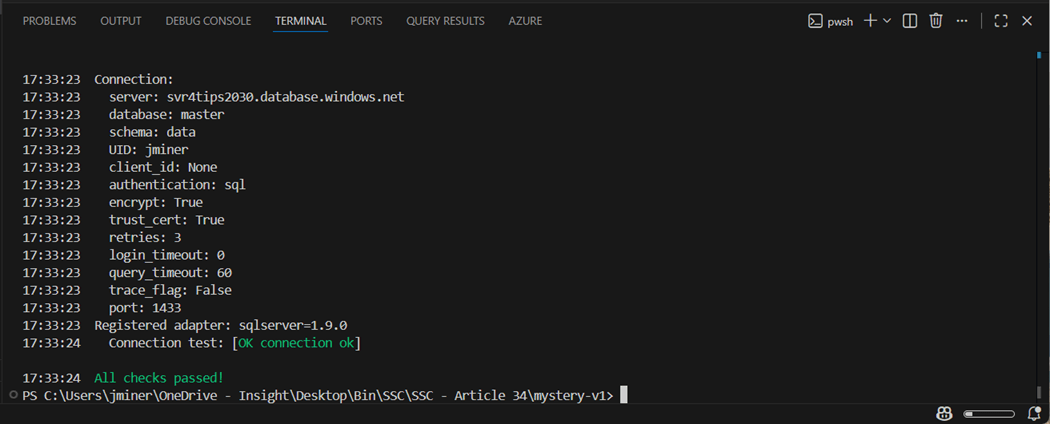
There is one more missing piece to the puzzle. To create a database, many management systems require you to be in system database such as master. One feature I did not discuss was the ability to store many different connection details in the profiles.yml file. The image below shows the “dbt debug --profile master” statement was executed from the terminal window inside Visual Studio Code and a successful connection test was performed.
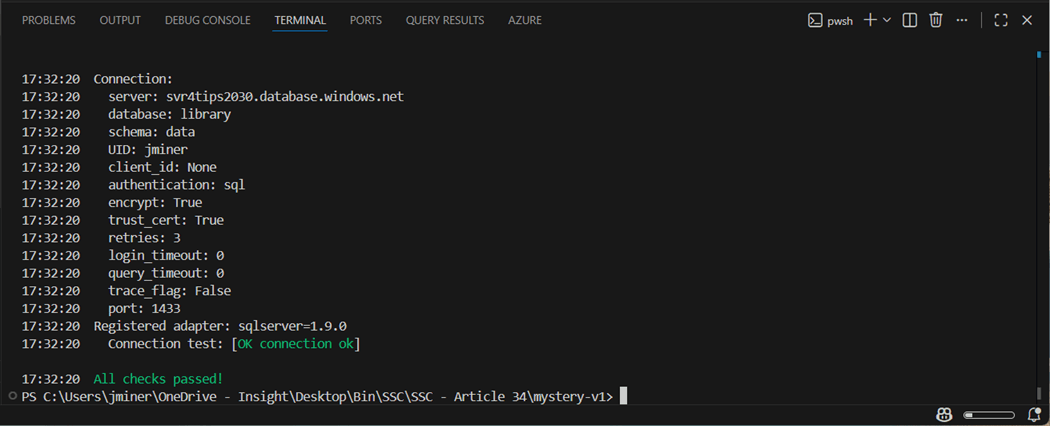
The second profile allows you to connect to the library database that does not exist at this moment. If we jump forward, we can see that a successful connection can be made with the “jminer” account once the database is created.
To be SOX compliance, there should be a separation of duties. Thus, the project that uses elevated privileges to create databases should not be stored with in the same project in which data is transformed within a single database. This is even more important when automation is used and people outside of the data team might be involved.
Now that we have the ability to connect to different databases and execute any SQL statements, let us try coding the following examples in the next few sections.
| Example | Description |
| 1 | Create database |
| 2 | Create schemas |
| 3 | Make tables |
| 4 | Comment on tables + columns |
| 5 | Secure by role + schema |
| 6 | Purge tables, views, and schemas |
Create Database
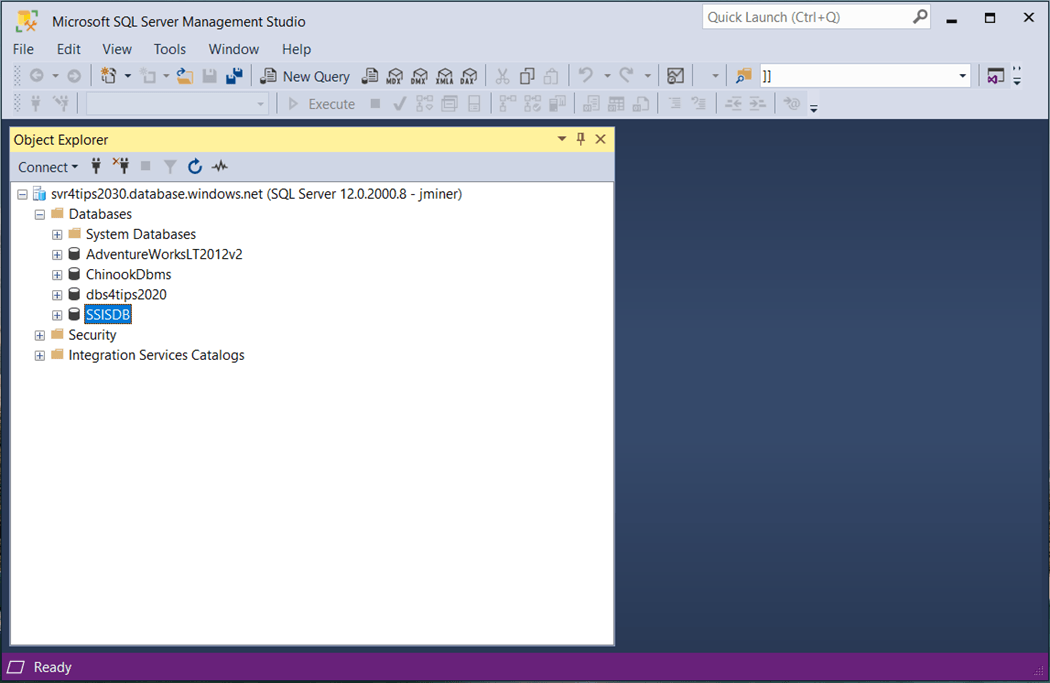
The image below shows the Azure SQL Server, named svr4tips2030, with four different databases.
Executing the macro from an ephemeral model is very easy. The first line states model type. The second block of code sets a multiple line SQL statement to a variable called “query”. The last block of code calls the macro with the SQL statement.
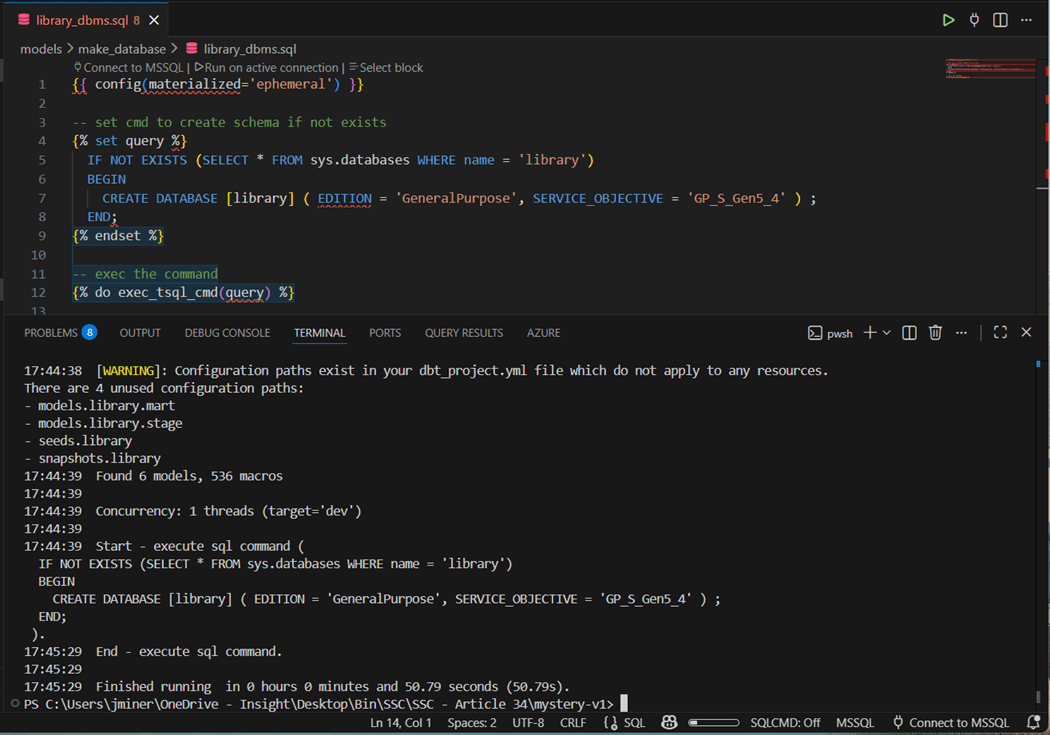
The print statements show the start and end of the macro. If the end never prints, than a database error will exist in the dbt.log file.
Again, it is essential to choose the correct profile when working with multiple databases. Thus, the “dbt run --profile master --select library_dbms.sql” is the correct syntax to kick off our ephemeral model that creates the library database. Our first coding example is now complete.
Create Schemas
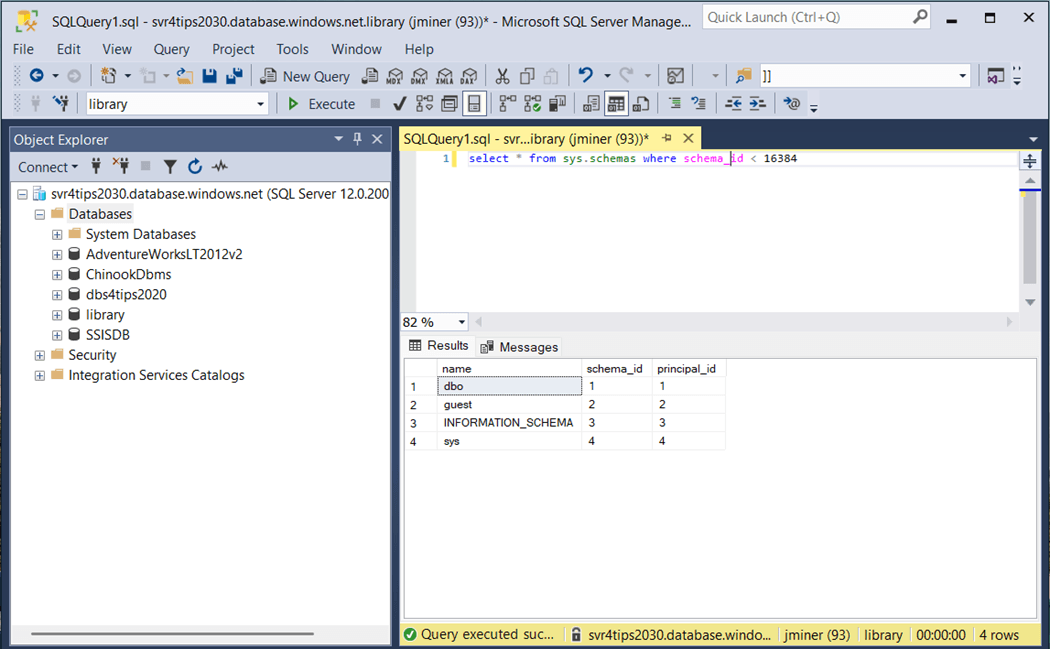
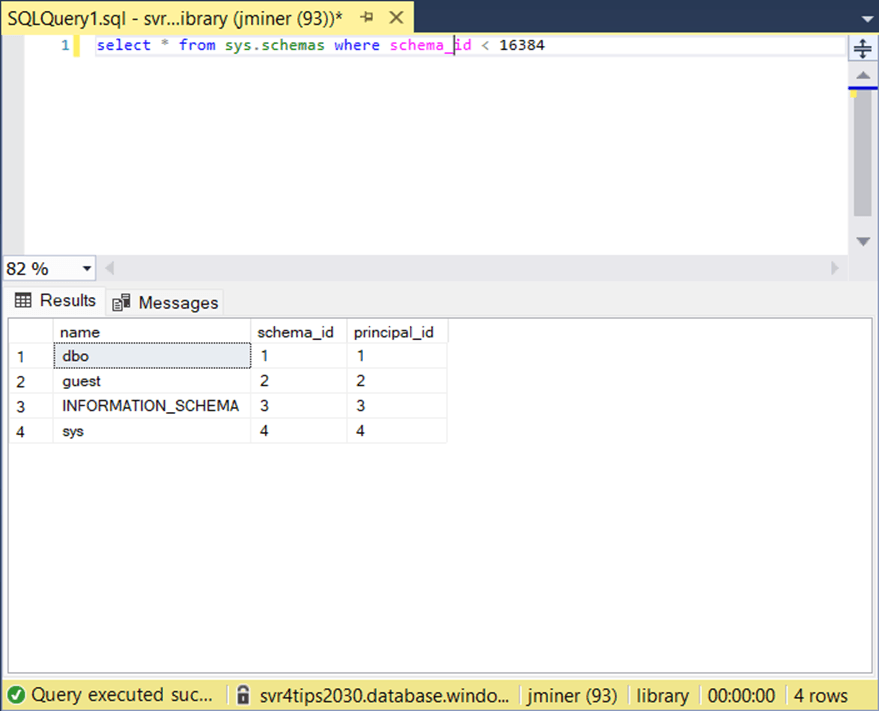
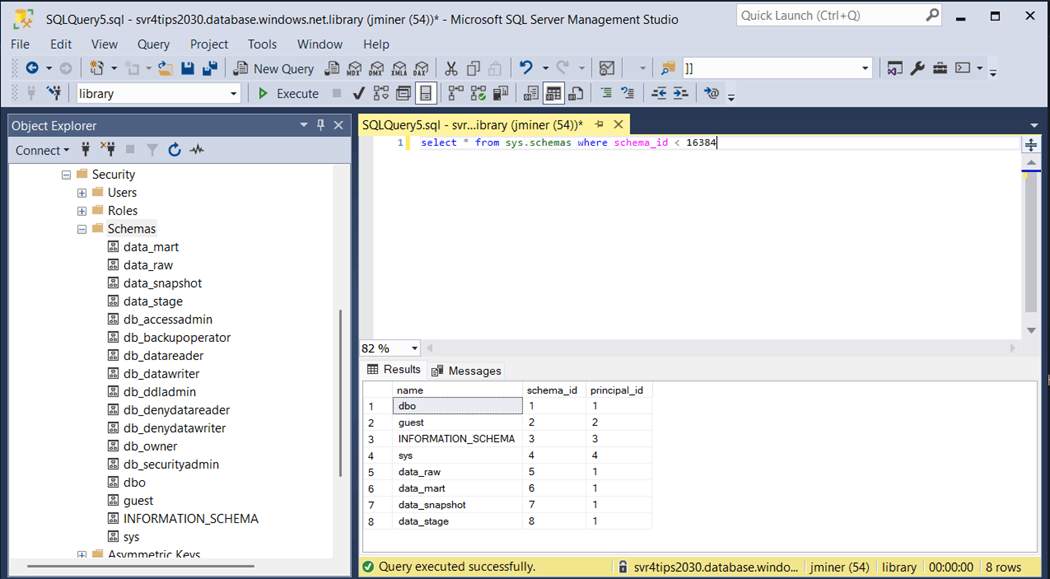
The system catalog views are quite handy to validate the existence of a given object. The image below shows the default schemas for every database. Even thought the data build tool creates the schema if it does not exist, lets compose a SQL file for each schema we want to exist in the database.
The image below shows the code for the “data_mart” schema. I generated files for the mart, raw, stage, and snapshot schemas.
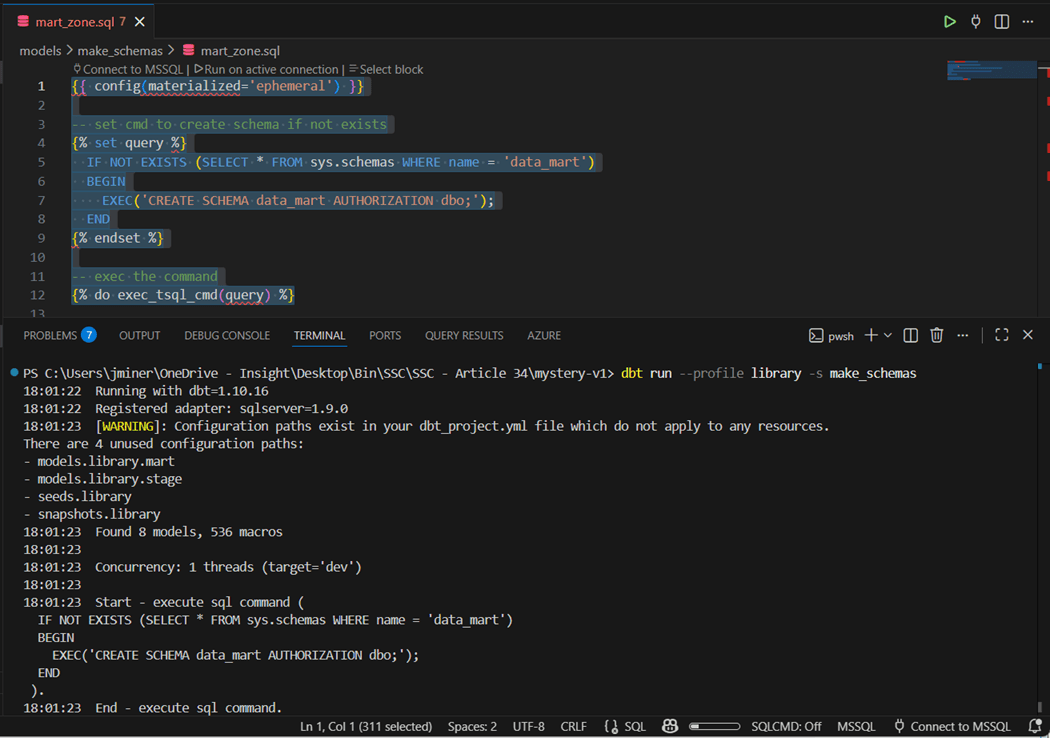
The image below shows the successful execution of all code in the “make_schemas” directory.
It is more important than ever to secure data. Many database developers forget the fact that security can be granted at the schema level. Thus, the tables in raw, snapshot and stage schemas are not ready for reporting. Thus, the curators of the system should have access to these objects. On the other hand, the mart schema should be read only to report developers.
Create Tables
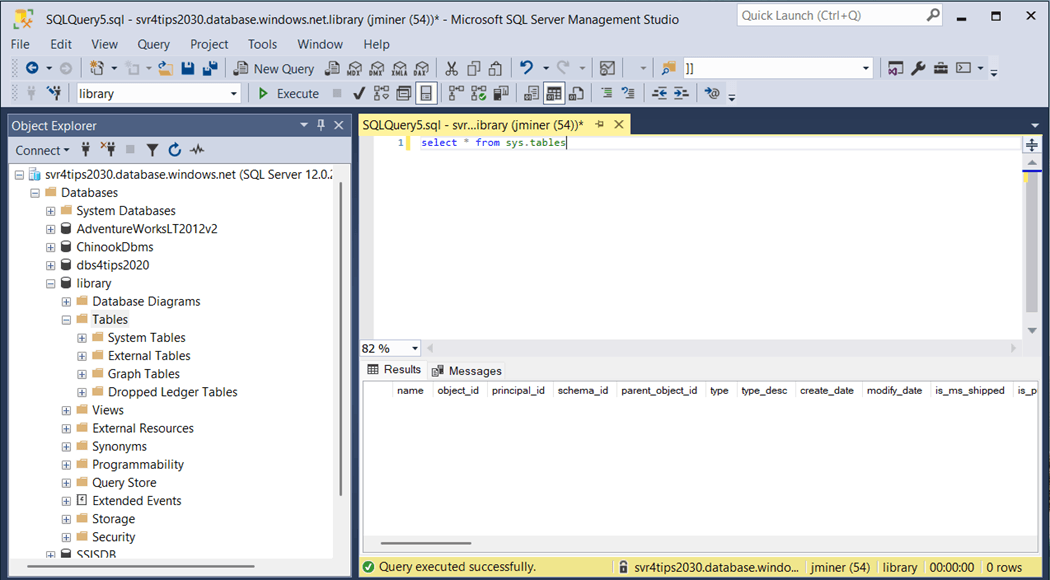
We can write a query to see if there are any tables. Additional, we can use the object explorer in SQL Server Management Studio to show that no user defined tables have been built.
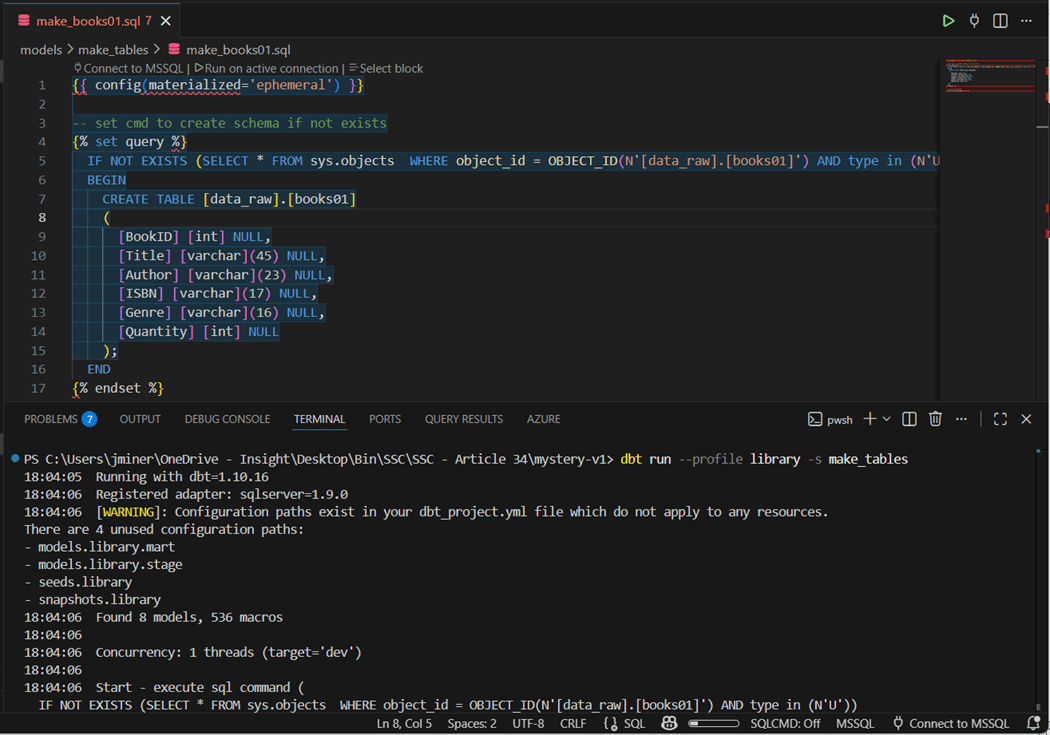
Unless we are using a tool like Fivetran to load data into the target system (database or warehouse), one must create the destination table for the process. The image below shows the Transaction SQL statement. The same code pattern is being used to set a variable to the statement and call the macro to execute the statement.
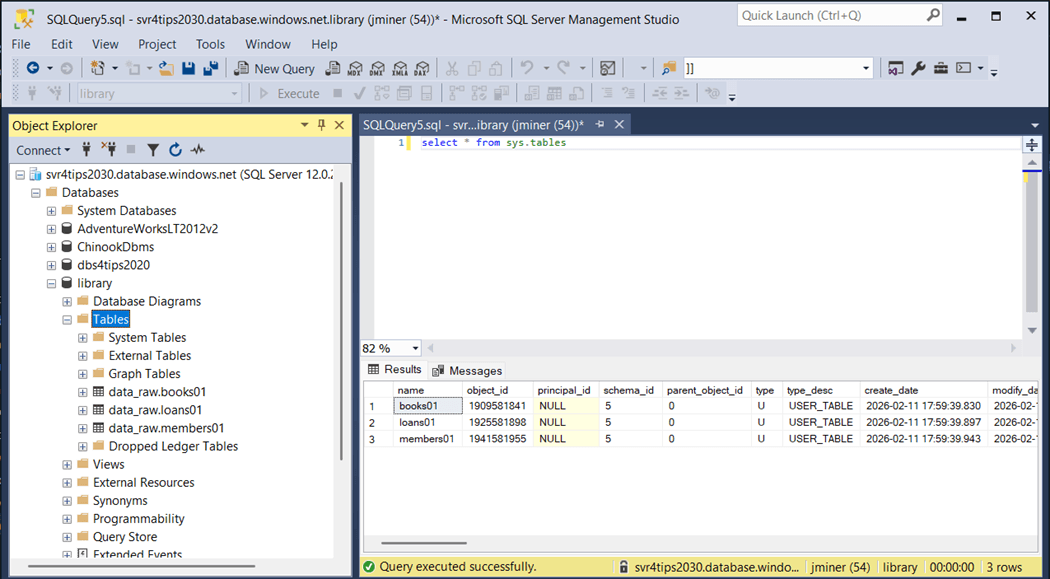
We can re-run our query to list the tables built in the database. We know have a table for each source in the raw quality zone.
If you are writing your own ELT process to move data into the warehouse, creating the landing tables in the raw zone is an important task.
Add Comments
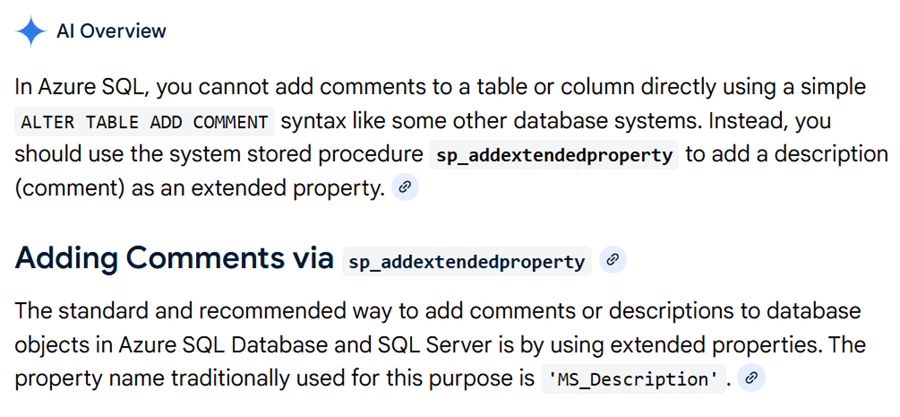
Many database systems allow you to use the ALTER TABLE command to add comments to both the table and columns. Here is a Microsoft Fabric suggestion that I submitted to make that change. Additional metadata, which is sometimes referred to as tagging, is very important for Generative AI. Let us ask AI how to add comments in Azure SQL Database. We can see that a system stored procedure needs to be called.
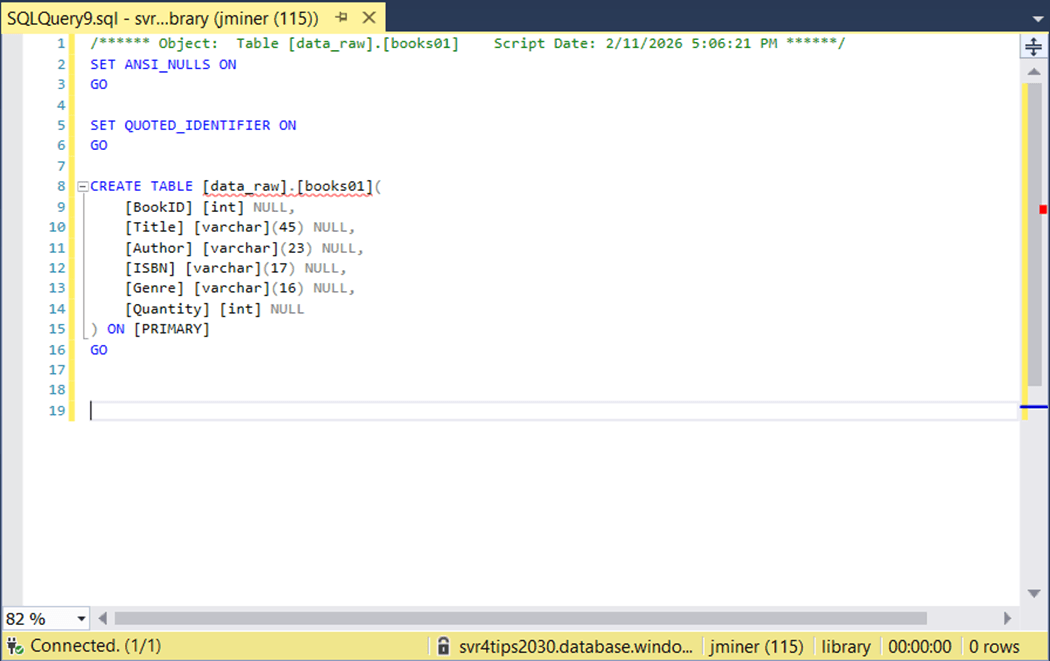
The easiest way to find comments on the table and columns is to script out the table. The image below shows no comments have been added.
Adding comments for a table is just a single call to the custom macro named exec_tsql_cmd that we created earlier. However, if a table has one hundred columns, do we have to create one hundred code files? For some reason, we can’t call this macro more than once in a single code file.
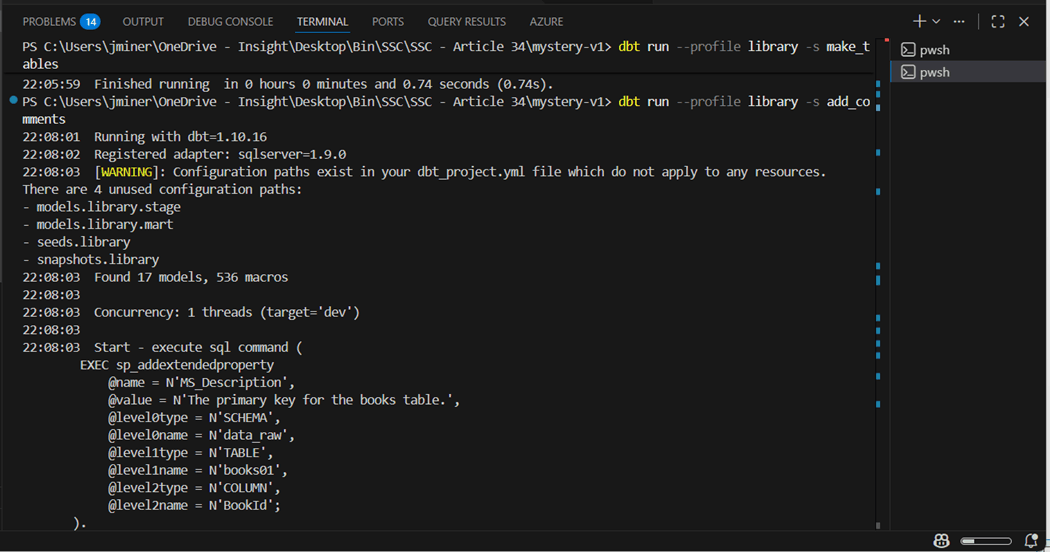
The above image shows the setting the comment at the table level. We have to get a little more creative for the column comments. The Jinga language in dbt supports the creation of dictionaries as a named variable using the set function. Thus, an array of key value pairs is need as input. We can use a for loop to iterate over the input, create dynamic SQL for column descriptions, and execute the custom macro to complete the task. Here is a reference to the Jinga Template language if you can not find what you need on the dbt labs website.
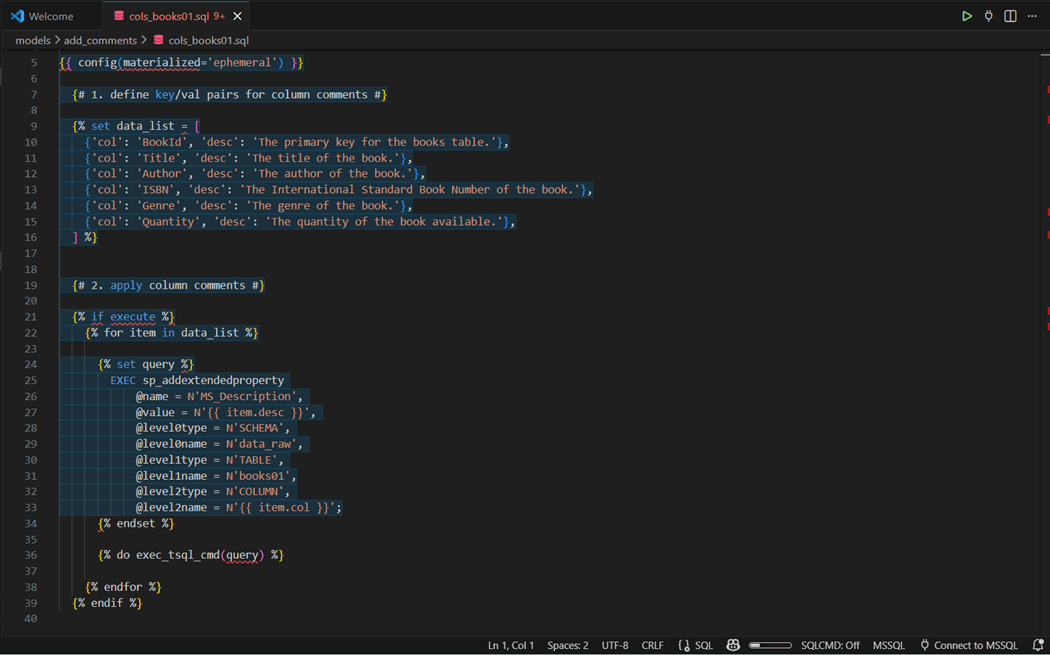
By using a predefined array and for loop, we can reduce commenting a table to two files. One for the table description and one to apply the key/value pair data to each column. To test if the models worked correctly, execute the following command “dbt run -- profile library -s add_comments”. This assumes two files exist for each of the three tables.
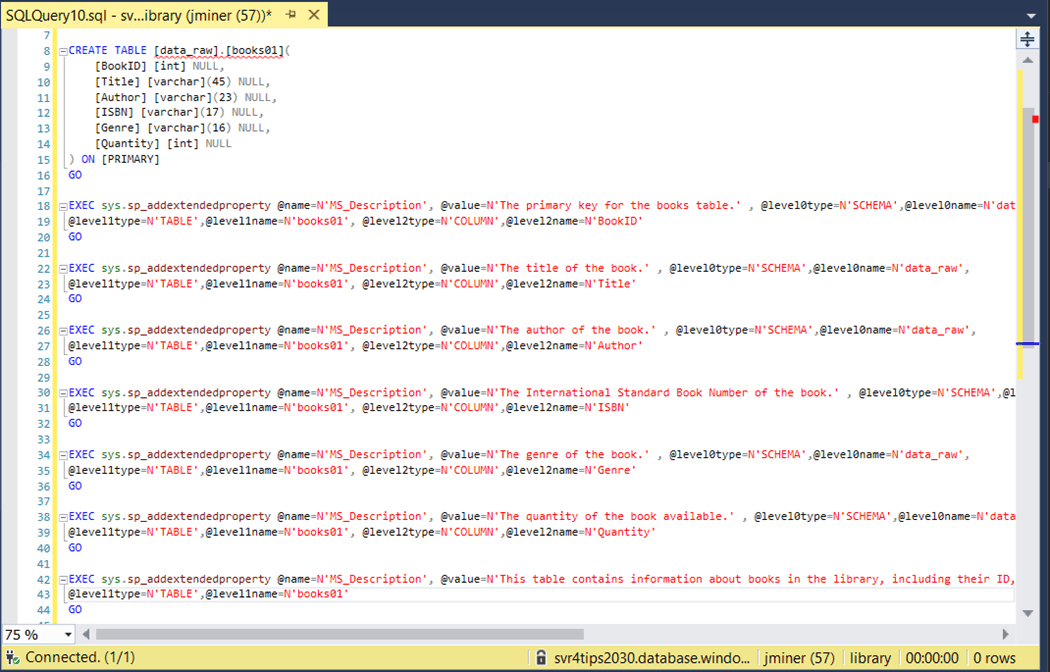
The image above shows that all table and column descriptions (comments) have been added to the books table. In the next section, we will talk about security our objects at the schema level.
Zone Security
The medallion architecture assumes that each zone can be secured separately. For this example, I will be using the login named svcacct01 that has rights to the svr4tips2030 server. In real life (IRL), I would be using an Entra Security group instead of a SQL Server login.
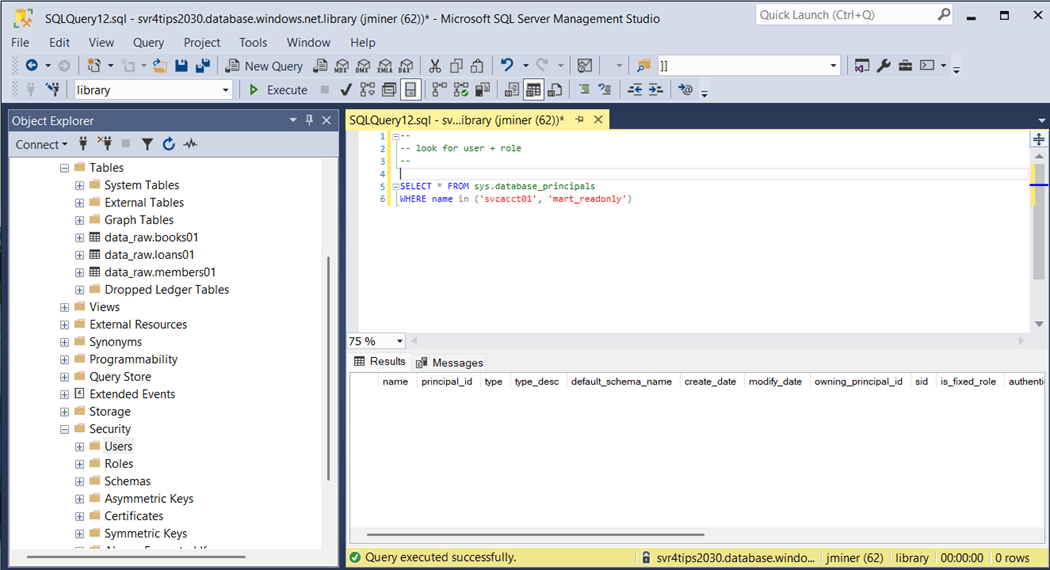
What is amazing about the macro we created is the fact that we can send multiple T-SQL statements to the database engine. In the object explorer within the Visual Code dbt project, we can see a folder for each of the tasks we talked about. Right now, we are going to look at the “secure_mart_zone.sql” file.
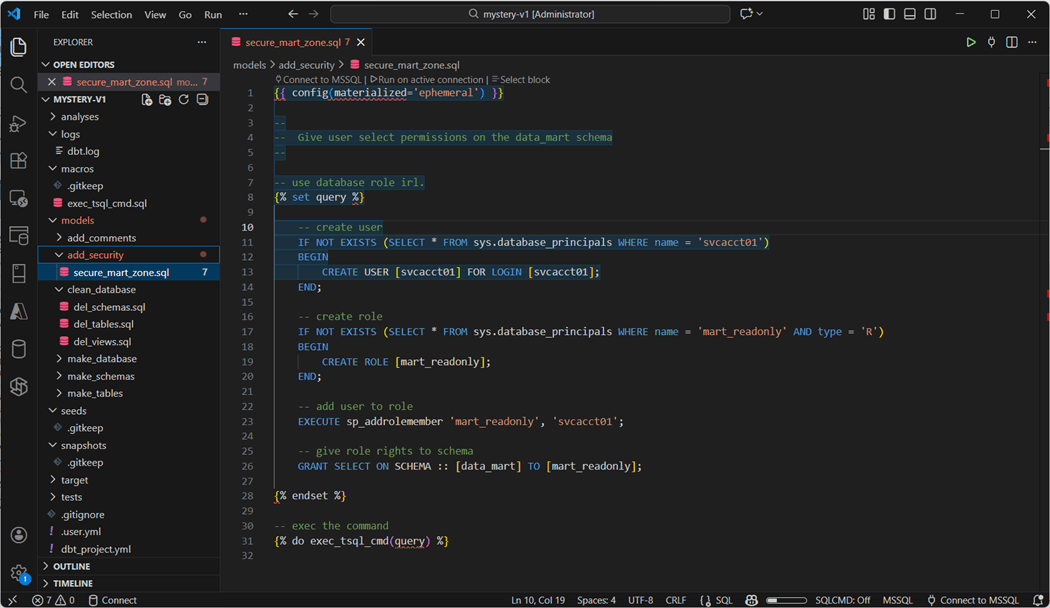
The algorithm for apply securing is detailed below.
- Create database from [login] if needed.
- Create database role named [mart_readonly].
- Add the to the [role].
- Grant the [role] select privileges on the [schema].
The image below shows both the database user and database role have been created. I suggest you try out the security by logging in as svcacct01.
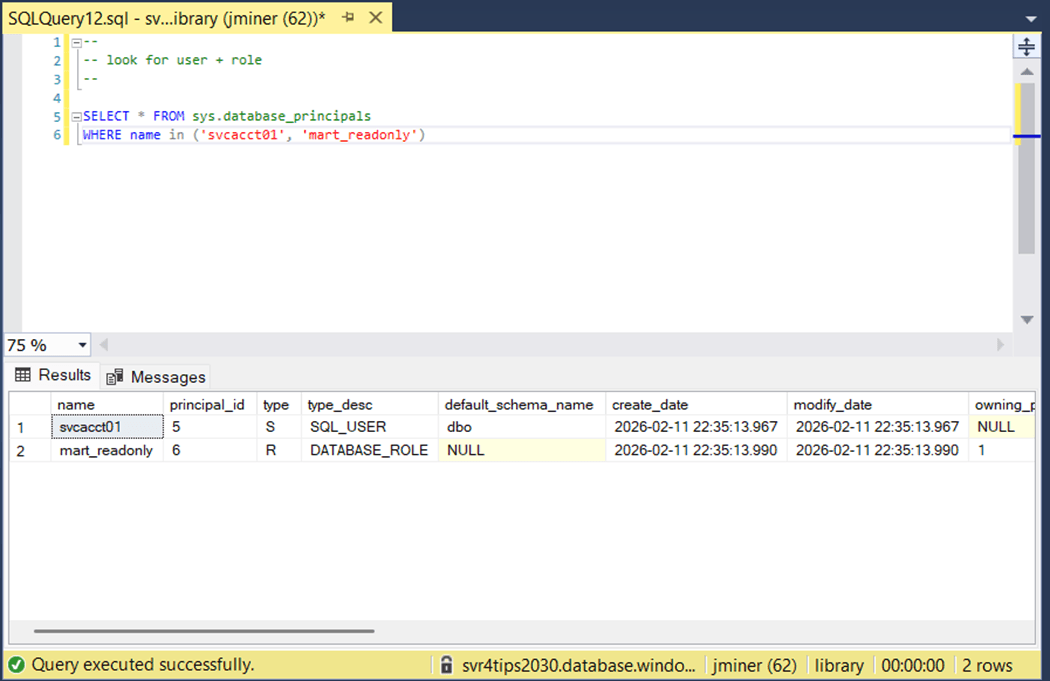
Applying security at the schema level allows tables to be dropped and recreated without effecting access. However, any newly created tables will have to have comments re-added at the end of the process.
Database Cleanup
Since this is only a demonstration, we might want the ability to drop all views, tables, and schemas. That is the correct order to run the models. The image below shows how to write dynamic transact SQL that will remove all views. Of course, the database user defined in the profile must have the correct rights.
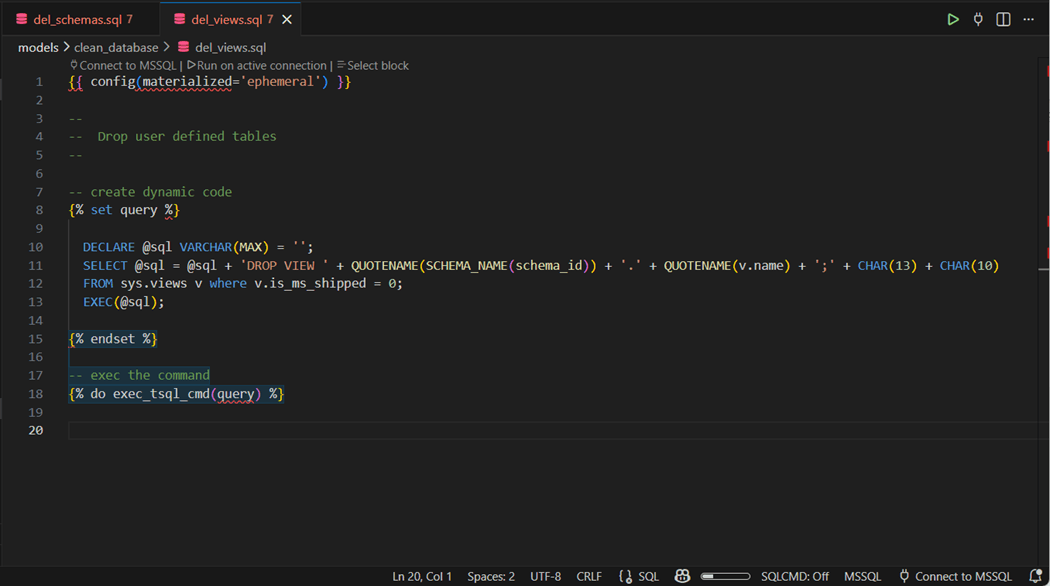
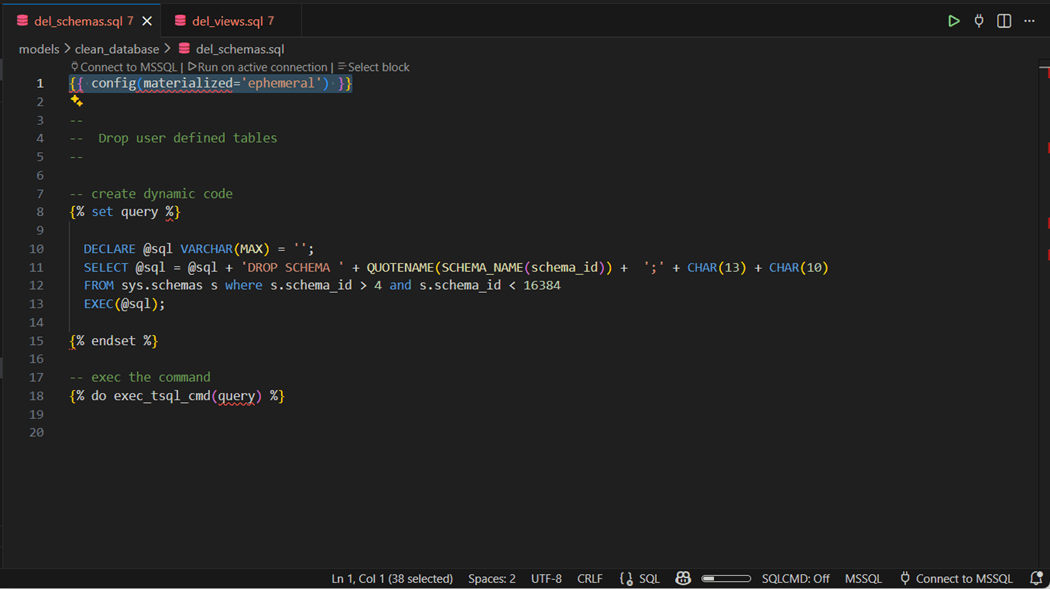
The above T-SQL code creates a dynamic string to drop all views. This string is executed via our custom macro. The catalog view named sys.views can be replaced with sys.tables to create a similar set of code to remove all tables. Now that all the database objects are removed, we can finally drop the schemas. The sys.schemas catalog view was used with a filter to just select user defined objects by id.
Summary
The data build tool is an immensely powerful framework. While the documentation does not say that ephemeral models can be used to execute SQL commands, we have show that a little Jinga syntax and a user defined macro can fix that issue. Today, we have unraveled many use cases of this macro. The table below is a summary.
| Use Case | Description |
| 1 | Create database objects |
| 2 | Drop database objects |
| 3 | Add comments for Generative AI |
| 4 | Add security to our model |
It is very important to make sure dbt projects that create and drop objects are hidden away from the average developer. These projects should be controlled by a select group of administrators. The credentials used by the profile should be secure stored.
There can be a debate about security. If there is constant churn on Entra Groups that are given access to the schemas, then you might want to give the developers the ability to create security scripts. These scripts will be reviewed before pushing to the next SDLC environment. However, with prudent planning changes should be handle by the Entra Security administrator. Of course, the developers should always comment the data models.
In summary, the ephemeral models are the gateway to controlling your warehouse with DDL and DCL statements. Please see my git repository for the details on unraveling this model type.
The dbt framework now supports Python models. Extraordinarily complex programming that cannot be achieved with ANSI SQL can now be done with Python. I will be talking about how to enhance your information by using this type of model.