

This series has examined several changes to the T-SQL language in SQL Server 2025. We've have previously discussed some of the generic functions and the fuzzy string matching. Now we turn to JSON, which is a data structure being used more and more in applications, and it is being stored more often in relational systems.
We have had some JSON functions in previous versions, but in SQL Server 2025 we get two new functions: JSON_OBJECTAGG and JSON_ARRAYAGG. We'll look at the first of these in this article, though you may want to familiarize yourself with these other functions from past versions:
- ISJSON
- JSON_ARRAY
- JSON_MODIFY
- JSON_OBJECT
- JSON_PATH_EXISTS
- JSON_QUERY
- JSON_VALUE
- OPENJSON
A future article will examine JSON_ARRAYAGG.
This is part of a series on how the T-SQL language is evolving in SQL Server 2025.
Note: Some of these changes are already available in the various Azure SQL products.
JSON as a Data Format
JSON is a good format for data, and is more compact than XML. It assembles lots of data into a hierarchical document, as opposed to a relational format, using braces, {}, and brackets, [], to separate out the various pieces. It works as a key:value pair, with the key being a name (akin to a column name) and the value being the data (what's stored in the column). It includes support for arrays and nesting elements together. This article won't delve into the details of JSON, as there are other articles on SQL Server Central that cover this.
However, JSON can be slower and more resource intensive to query. The server often has to read more data to get your results, even with JSON indexes. As a result, you might consider deserializing the JSON and pulling out the important data to store in a relational structure is a good idea. That being said, you may want to return JSON to the application and these functions can help you do so.
Let's look at these two functions.
JSON_OBJECTAGG
The JSON_OBJECTAGG functions is designed to construct a JSON document from a series of inputs. This takes one or more inputs for the keys and values and returns a JSON object string of the type nvarchar(max) type by default. If the RETURNING JSON syntax is included below, then the return type is JSON. The syntax is:
JSON_OBJECTAGG( json_key_value [json_null_clause] [RETURNING JSON]
The json_key_value is the key value pair you're including in the document. The json_null_clauses can be one of the following:
- NULL ON NULL - if the value of the parameter is NULL, then a JSON NULL is used. This is the default.
- ABSENT ON NULL - if the value of the parameter is NULL, then the property is omitted.
This function lets you serialize relational (or other data) into a JSON string or object that can be acted on by other T-SQL functions or returned to an application. Let's look at a few examples of how this works.
Constructing a Document from Values
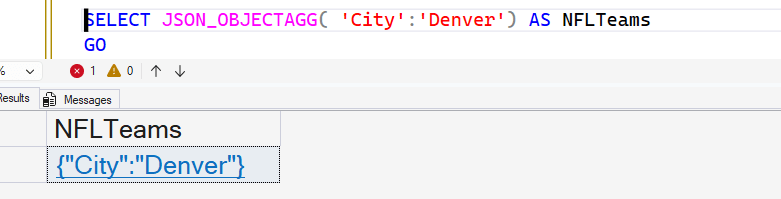
The simplest way t0 create a document is pass in scalar values. Here's an example of creating a simple document:
SELECT JSON_OBJECTAGG( 'City':'Denver')
GO
This gives me the following results:
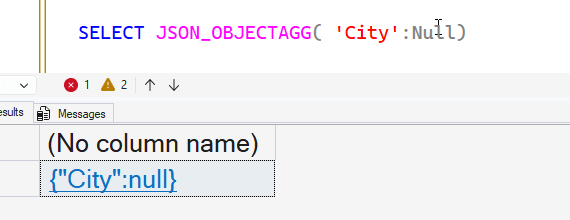
If I were to include a NULL, I would get NULL back, as you expect.
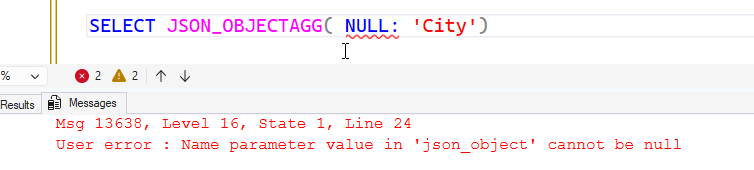
If I try to pass in a NULL for the key, I get an error. I think this error should say key value, and I've reached out to MS to see if this is a bug, or the docs should be adjusted to say name rather than key. The correct term is key, so I suspect a developer did a poor job of entering the error message.
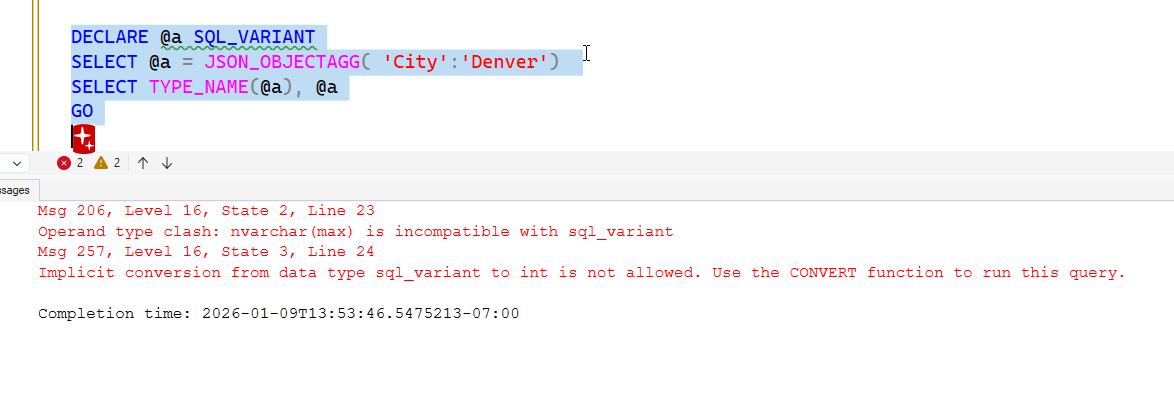
If I go back to a working piece of code, I can test the return value by assigning this to a sql_variant. If I do so, I get an error, but note that the error mentions nvarchar, which is the return type.
If I use the RETURNING JSON optional argument, I still get an error, but I can see the type is JSON now.
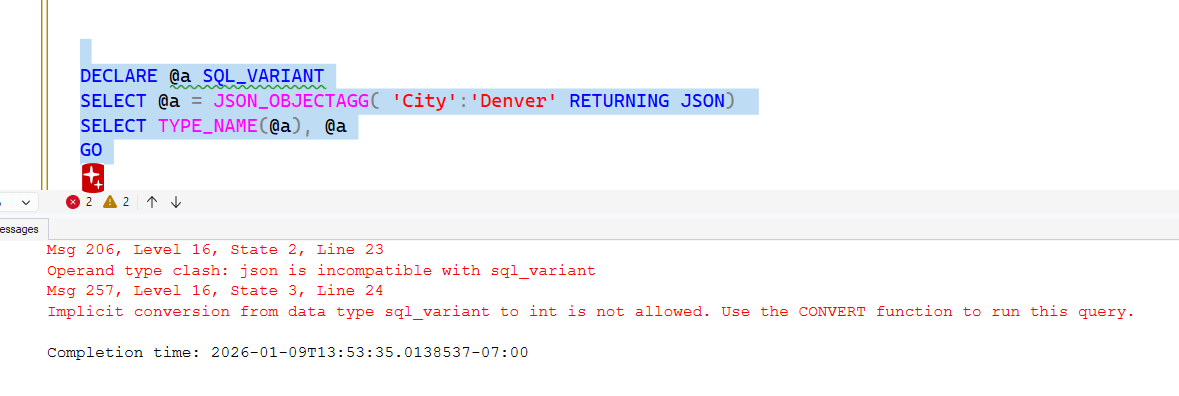
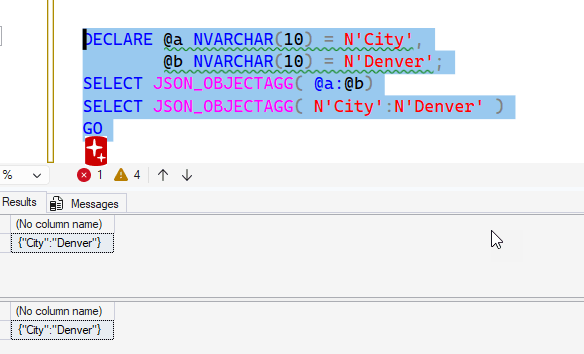
I can send in nvarchar parameters, which work fine. I'll use variables and explicit N' strings below, both of which work.
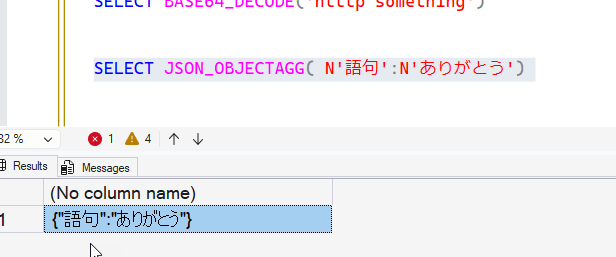
If I choose Unicode, those work as well:
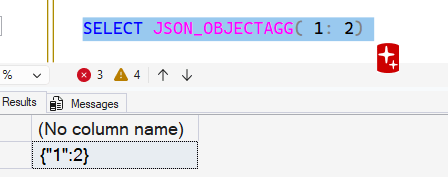
I can send in two scalar numeric values directly as parameters, but notice that the first is converted to a string, which is the type for a key. A key must be a string. The value can be numeric.
That's not terribly useful since no one wants a single key:value pair as an object. We want lots of items in a JSON document that we send to a client. Let's see how to dot his.
Creating a Document from a Table
The more useful case for this function is producing a JSON document from values in a table. Let's look at an example. I have this table, which I created with Prompt AI. The comment at the top was what I typed and then asked the AI to implement it as a prompt.
-- create a table to hold nfl teams and their cities, then use JSON_OBJECTAGG to create a json object of team:city pairs
CREATE TABLE dbo.NFLTeams
(
    TeamID INT IDENTITY(1, 1) PRIMARY KEY,
    TeamName VARCHAR(50) NOT NULL,
    City VARCHAR(50) NOT NULL
);

-- Insert some sample NFL teams and their cities
INSERT INTO dbo.NFLTeams
(
    TeamName,
    City
)
VALUES
('Cowboys', 'Dallas'),
('Eagles', 'Philadelphia'),
('Packers', 'Green Bay'),
('Chiefs', 'Kansas City'),
('49ers', 'San Francisco'),
('Broncos', 'Denver'),
('Seahawks', 'Seattle'),
('Patriots', 'New England');
Here is my data.
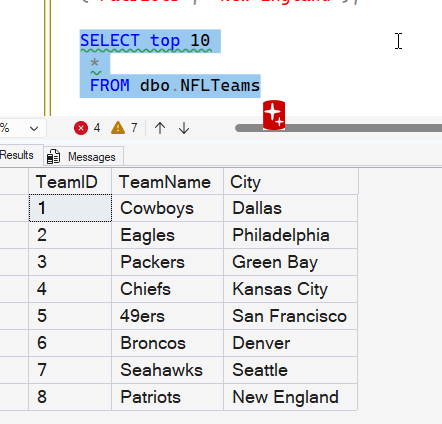
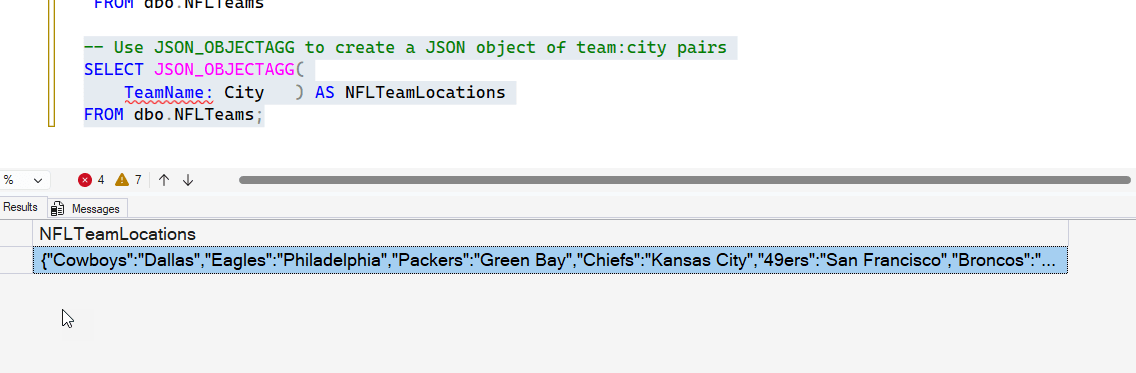
Now, I can use JSON_OBJECTAGG to take this data and construct a JSON object. In this case, each row becomes a key:value pair in one document. I'll use this code (from Prompt AI).
-- Use JSON_OBJECTAGG to create a JSON object of team:city pairs
SELECT JSON_OBJECTAGG(
    TeamName: City   ) AS NFLTeamLocations
FROM dbo.NFLTeams;
The results give me all the team names as the key and the city as the value.
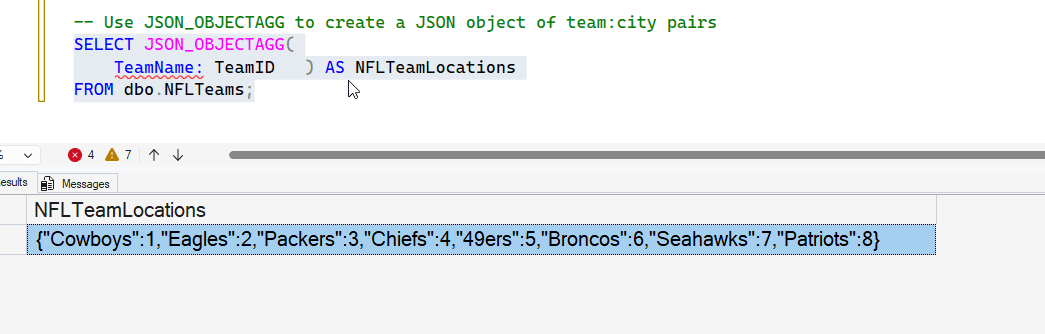
These are strings. What if I change this query to use the TeamID as the value (since the key cannot be a numeric). If I do that, I get these results. You can see that the TeamID is a numeric value in the result.
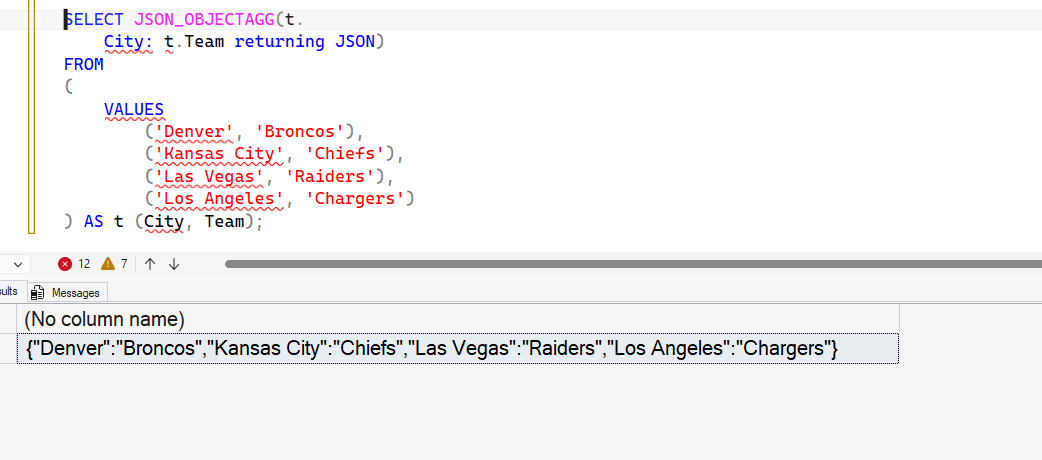
This allows me to assemble a series of items easily from a table. I can even do this on the fly from the VALUES clause (a table valued constructor). This is a table, after all.
What about more complex data? I'll add a column to this table with more data:
-- Add a TeamDescription column to the NFLTeams table
ALTER TABLE dbo.NFLTeams ADD TeamDescription VARCHAR(1000) NULL;

-- Update the table with team descriptions
UPDATE dbo.NFLTeams
SET TeamDescription = CASE TeamName
                          WHEN 'Cowboys' THEN
                              'The Dallas Cowboys, often referred to as "America''s Team", have won five Super Bowl championships and are one of the most valuable sports franchises in the world. Their home stadium, AT&T Stadium, is known for its massive size and iconic design.'
                          WHEN 'Eagles' THEN
                              'The Philadelphia Eagles won their first Super Bowl title in 2018 (Super Bowl LII). They have a passionate fan base and a strong rivalry with other NFC East teams. The team plays at Lincoln Financial Field.'
                          WHEN 'Packers' THEN
                              'The Green Bay Packers are the only community-owned franchise in major American sports. Founded in 1919, they have won 13 NFL championships including 4 Super Bowls. Lambeau Field is one of the most historic venues in sports.'
                          WHEN 'Chiefs' THEN
                              'The Kansas City Chiefs, led by quarterback Patrick Mahomes in recent years, have won multiple Super Bowls including back-to-back victories. They play at Arrowhead Stadium, known for setting noise records.'
                          WHEN '49ers' THEN
                              'The San Francisco 49ers have won five Super Bowl championships, primarily during their dynasty years in the 1980s and early 1990s. The team is named after the gold prospectors who arrived in Northern California during the 1849 Gold Rush.'
                          WHEN 'Broncos' THEN
                              'The Denver Broncos have won three Super Bowl championships and are known for their "Orange Crush" defense of the late 1970s and the John Elway era. They play at Empower Field at Mile High.'
                          WHEN 'Seahawks' THEN
                              'The Seattle Seahawks won Super Bowl XLVIII and are known for their "Legion of Boom" defense and the "12th Man" fan base. They play at Lumen Field, one of the loudest stadiums in the NFL.'
                          WHEN 'Patriots' THEN
                              'The New England Patriots dominated the NFL for two decades under coach Bill Belichick and quarterback Tom Brady, winning six Super Bowl championships between 2001 and 2019, establishing one of the greatest dynasties in sports history.'
                          ELSE
                              'Team description pending'
                      END;
GO
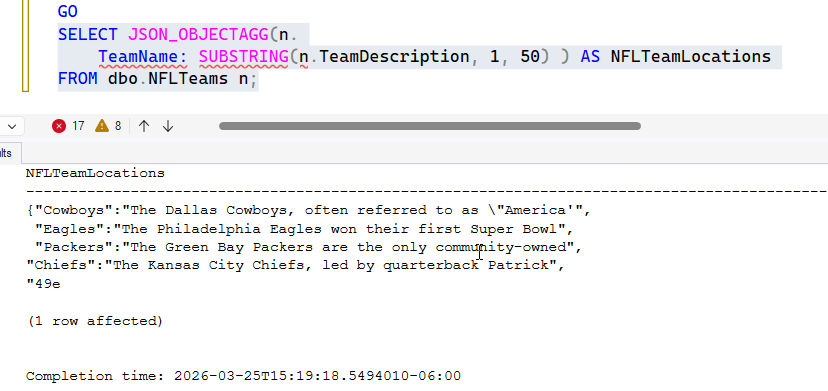
Now I'll use the function, and I'll add a substring in there to limit the size of the data. If I do this, I get these results. I've put the results in text and hit Enter a few times to make this easier to read. Note, my SSMS limits the total results, but you can see that this works well as a way to create a document. What's more, notice that in the first description, the double quotes are escaped out. This ensures we have valid JSON.
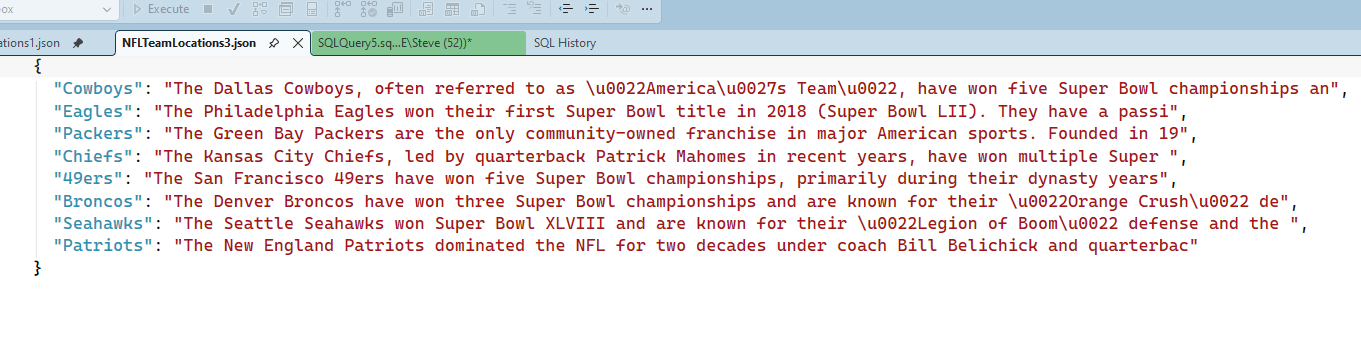
If I add RETURNING JSON, I have this query. Note I am returning more data in the document.
SELECT JSON_OBJECTAGG(n.
    TeamName: SUBSTRING(n.TeamDescription, 1, 100) RETURNING JSON) AS NFLTeamLocations
FROM dbo.NFLTeams n;
When I get the results and click the document, it opens to show this. Note the escaped quotes.
What about datetime values? This same result should apply with other time types, but I'll run this code:
ALTER TABLE dbo.NFLTeams ADD YearEstablishedDateTime DATETIME NULL;
GO
UPDATE dbo.NFLTeams
SET YearEstablishedDateTime = YearEstablishedDate
GO
SELECT JSON_OBJECTAGG(n.TeamName: n.yearEstablishedDateTime RETURNING JSON) AS NFLTeamLocations
FROM dbo.NFLTeams n;
GO
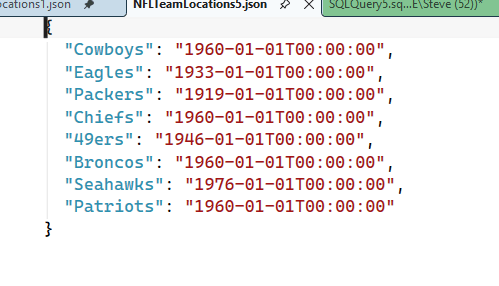
I'm getting a datetime value. The resulting document from my query is this one, where I get proper datetime values that work in JSON:
Summary
In this article, we've looked at one of the two new JSON functions in SQL Server 2025. JSON_OBJECTAGG constructs a JSON document from the values passed into it. This is a pretty simple function, but it does give you the ability to assemble a document from key:value sets of data and return this to a client, which might be expecting (and can easily de-serialize) JSON. We can send in multiple data types, use functions, and the function will return proper JSON, including escaping invalid characters and returning good datetime data.
There are many JSON functions in SQL Server at this point and they are useful in different situations when your application is storing JSON data in the database.
