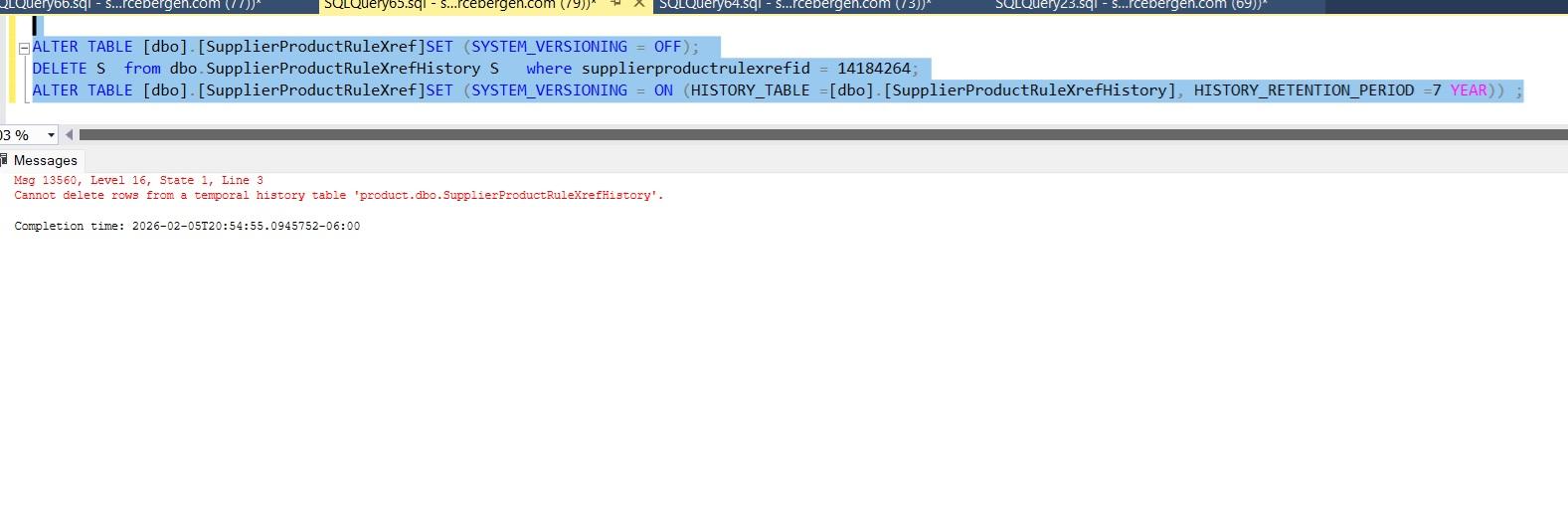
Why the following cmds in sequence do not work
-
I need to delete rows from both the temporal main and history tables.
The temporal main table can get deleted without issues.
For the temporal history tables, I code to turn system versioning off, issue the Delete, then turn system versioning back on.
If I execute manually each of the below cmds one at a time, they all work without an error.
But if I execute the whole 3-line unit of code, it errors.
I have hundreds of temporal history tables to delete so I cannot be executing the cmds one at a time...
Appreciate your attention and help.

-
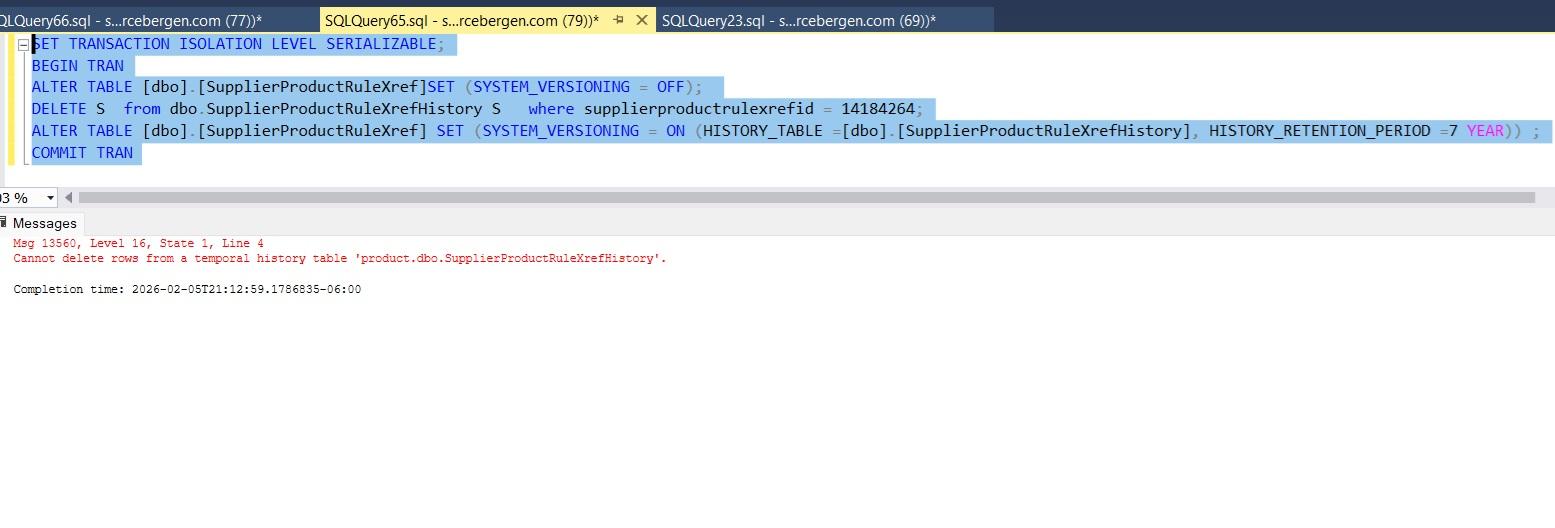
Serializing made no difference... Manual run of each cmd takes sub-seconds...
-
Try putting 'GO' after each statement.
ALTER ...
GO
DELETE...
GO -
scroll down to "Use custom cleanup script approach"
-
This works. I will have to take the dynamic sql approach as coded on the article. Thank you very much!
-
I am coding an sproc so I cannot code many GOs. Thanks for helping!
-
The reason those three commands don’t work when you run them all together in one shot, even though each runs fine when executed one-by-one, is that SQL Server treats batches as units and some statements (like altering system versioning on a temporal table) have to be separated into their own batch; if you send them all in “one sequence” without batch separators the server still compiles them together, which can cause errors or unexpected behavior. In tools like SSMS you need to break the script into separate batches with GO between the ALTER, the DELETE, and the next ALTER so that each runs independently in the right order, just like running them manually one at a time
-
Update the MSFT learn article with Dynamic sql allows me to save the sproc successfully at create procedure/alter procedure (aka at definition update) time. However at run time ( aka when I execute the sproc, it failed with the exact same error...) --- it still sees the table as temporal so the system versioning off.
Executed manually in 2 separate sprocs (1 that deletes the main temporal tables and turns off versioning , the follow on sproc can delete the temporal history OK as it does not see them as temporal anymore). It is a kluge.
Any comments or suggestions from anyone will be much appreciated.
Viewing 8 posts - 1 through 8 (of 8 total)
You must be logged in to reply to this topic. Login to reply