Execute as failure
-
Security has long been a problem for me. Every time I think I understand something, along comes another issue to show me that I don't.
I want to have an application on start-up query some information from a sort of status table, to see what it is allowed to do. I have a schema called RO into which I put all views and procedures that I want anyone to be able to view or execute. Any user has select and execute privileges on this entire schema. The procedure reads from a table, but obviously, I do not want to give all users permission to read the table directly.
When I have a new user run the procedure directly, he gets an error about permission to access the underlying table. I tried adding
execute as user = 'dbo'
into the procedure, and now the user gets error #15517, that he does not have permission. What is the point of EXECUTE AS if the user first needs some extra permission? I thought the whole point of such a command is that the AUTHOR of the procedure, who does have the necessary permission to read from the table, is allowing someone else to execute this procedure, which does only specific tasks, so that the less-privileged user may do certain things which his normal permissions do not cover.
I have studied tutorials on schemas, roles, logins, permissions and all of this until my brain is leaking out of my ears, and I still don't know what is going on. Can anyone clear this up for me?
-
have faced this ISSUE
one toooooooooooo many times
lots of ideas come to mind
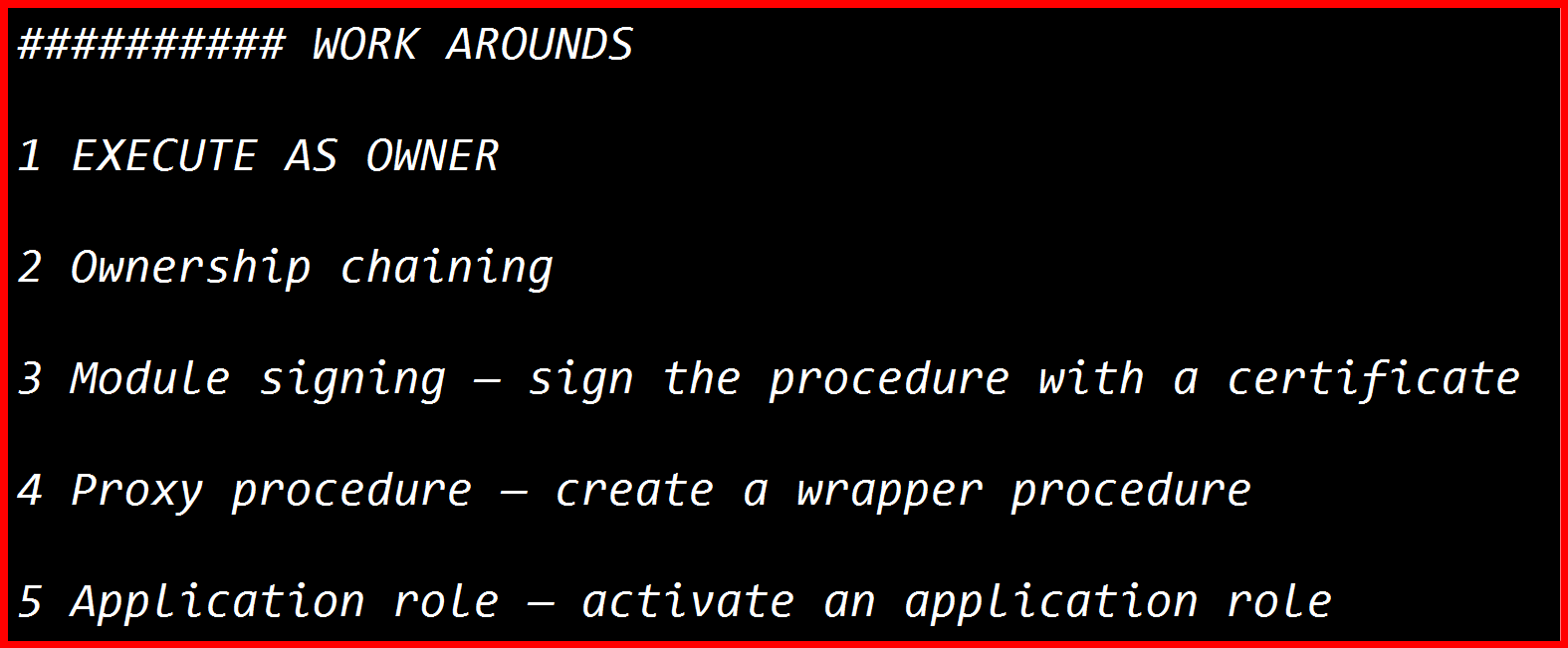
some sort of workaround which is very easy to implement
-
Just a "shot in the dark", try EXECUTE AS OWNER instead of the dbo thing.
--Jeff Moden
RBAR is pronounced "ree-bar" and is a "Modenism" for Row-By-Agonizing-Row.
First step towards the paradigm shift of writing Set Based code:
________Stop thinking about what you want to do to a ROW... think, instead, of what you want to do to a COLUMN.Change is inevitable... Change for the better is not.
Helpful Links:
How to post code problems
How to Post Performance Problems
Create a Tally Function (fnTally) - naumon765 wrote:
have faced this ISSUE one toooooooooooo many times lots of ideas come to mind some sort of workaround which is very easy to implement
So... what's your "some sort of workaround which is very easy to implement"?
--Jeff Moden
RBAR is pronounced "ree-bar" and is a "Modenism" for Row-By-Agonizing-Row.
First step towards the paradigm shift of writing Set Based code:
________Stop thinking about what you want to do to a ROW... think, instead, of what you want to do to a COLUMN.Change is inevitable... Change for the better is not.
Helpful Links:
How to post code problems
How to Post Performance Problems
Create a Tally Function (fnTally) -
Assuming the stored procedures contain no dynamic SQL, you shouldn't need EXECUTE AS for this at all.
If RO and dbo are both owned by dbo, SQL Server's ownership chaining allows a user to execute a procedure without having direct permission on the tables referenced by that procedure.
For example:
CREATE ROLE MyRole;

GRANT EXECUTE ON SCHEMA::RO TO MyRole;

ALTER ROLE MyRole ADD MEMBER NewUser;
NewUser now has EXECUTE permission on the procedures in the RO schema, but does not need SELECT permission on the underlying tables.
So if the new user is getting a permission error on an underlying table, I'd be looking for something that is breaking the ownership chain or otherwise differs from the assumptions above. The fact that the procedure's creator can execute it does not mean that the procedure has inherited the creator's SELECT permission. It is the ownership chain that allows the procedure to access the table without checking the caller's permission.
EXECUTE AS is a separate mechanism. It changes the security context under which the procedure executes and isn't required simply to allow a less-privileged user to execute a procedure that accesses tables they cannot access directly.
Also, GRANT EXECUTE ON SCHEMA::RO TO MyRole grants the permission to the role, not automatically to an arbitrary user. The user must actually be a member of that role, hence the ALTER ROLE ... ADD MEMBER statement above.
So the first thing I'd investigate is why the ownership chain isn't working, rather than trying to solve it with EXECUTE AS.
-
classic SQL Server security gotcha
and you’re not alone in hitting it.
EXECUTE AS doesn’t automatically grant permissions
— it just changes the execution context to another principal.
If that principal doesn’t have the required rights, you’ll still get blocked.
-
Jeff

- Jeff Moden wrote:
Just a "shot in the dark", try EXECUTE AS OWNER instead of the dbo thing.
Thank you, I'll try that Monday. My external access is limited to my normal account, which has full access to everything, since I am the sole author/developer/HNIC for all this. I had the IT department create a second account for me with zero special privileges, and that is the one I am trying to make to this run from, but it is only accessible from work.
But what is the difference? I have left 'dbo' as owner of everything in this DB, and tried to control access via schemas and memberships in roles. Since dbo is the owner of the table, the procedure and the RO schema, shouldn't those two statements be equivalent?
- pdanes wrote:Jeff Moden wrote:
Just a "shot in the dark", try EXECUTE AS OWNER instead of the dbo thing.
Thank you, I'll try that Monday. My external access is limited to my normal account, which has full access to everything, since I am the sole author/developer/HNIC for all this. I had the IT department create a second account for me with zero special privileges, and that is the one I am trying to make to this run from, but it is only accessible from work. But what is the difference? I have left 'dbo' as owner of everything in this DB, and tried to control access via schemas and memberships in roles. Since dbo is the owner of the table, the procedure and the RO schema, shouldn't those two statements be equivalent?
Execute as owner gives me an error in SSMS.
Execute as 'owner' alters the procedure, but the client throws the same error as before.
- Jonathan AC Roberts wrote:
Assuming the stored procedures contain no dynamic SQL, you shouldn't need EXECUTE AS for this at all. If RO and dbo are both owned by dbo, SQL Server's ownership chaining allows a user to execute a procedure without having direct permission on the tables referenced by that procedure. For example:
CREATE ROLE MyRole;GRANT EXECUTE ON SCHEMA::RO TO MyRole;ALTER ROLE MyRole ADD MEMBER NewUser;
NewUser now has EXECUTE permission on the procedures in the RO schema, but does not need SELECT permission on the underlying tables. So if the new user is getting a permission error on an underlying table, I'd be looking for something that is breaking the ownership chain or otherwise differs from the assumptions above. The fact that the procedure's creator can execute it does not mean that the procedure has inherited the creator's SELECT permission. It is the ownership chain that allows the procedure to access the table without checking the caller's permission. EXECUTE AS is a separate mechanism. It changes the security context under which the procedure executes and isn't required simply to allow a less-privileged user to execute a procedure that accesses tables they cannot access directly. Also, GRANT EXECUTE ON SCHEMA::RO TO MyRole grants the permission to the role, not automatically to an arbitrary user. The user must actually be a member of that role, hence the ALTER ROLE ... ADD MEMBER statement above. So the first thing I'd investigate is why the ownership chain isn't working, rather than trying to solve it with EXECUTE AS.
No, there is no dynamic SQL. I did learn that a few years ago, the hard way, in this forum.
I think I have something screwed up in the chaining, as you suggest, but I can't figure out what it might be. And I clearly just don't understand the security model as a whole. I put this all together years ago, when I understood even less than I do now, and simply kept trying things until I got a functioning setup. Can you maybe just answer a few questions for me?
This creates the login to the server – every member of PM2 (the paleontological department) is allowed to log in to the server.
USE [master]
GO
/****** Object: Login [NMP\pm2] Script Date: 24.08.2026 14:04:37 ******/
CREATE LOGIN [NMP\pm2] FROM WINDOWS WITH DEFAULT_DATABASE=[master], DEFAULT_LANGUAGE=[us_english]
GO
But first off – do I even need a login for the department? I just found this on Microsoft's learn site:
User based on a Windows user that has no login, but can connect to the Database Engine through membership in a Windows group. CREATE USER [Contoso\Fritz];
User based on a Windows group that has no login, but can connect to the Database Engine through membership in a different Windows group. CREATE USER [Contoso\Fritz];
Can I just create users directly, and not even have a server login? None of them need to log in to the server, but they need to be able to access the database via an MSAccess application. Maybe I'm doing this all wrong from the very start.
-
- Create login (AD group)
- Add AD Group to required database
- Grant Execute to the required SP's/Functions
DO NOT add individual users to the database - always a group.
and yes they need a login (directly or indirectly through an AD group)
- frederico_fonseca wrote:
- Create login (AD group)
- Add AD Group to required database
- Grant Execute to the required SP's/Functions
DO NOT add individual users to the database - always a group. and yes they need a login (directly or indirectly through an AD group)
I'm trying to get away from Windows groups. That requires the IT department to manage the groups, and getting them to act can be a chore. Instead, I want to let all members of the department in, then manage permissions of individual users, by assigning them to roles. I have all their names in the DB anyway, including what level they operate at in the department, so I can simply assign them to the proper role(s) myself, and not rely on the IT guys.
But I'm still grappling with permissions as a whole. I've been discussing the matter with an AI agent, and it seems that I've been going at it all wrong from the start - schemas are not the proper way to assign permissions, and I built pretty much the entire system that way.
-
that approach would not be allowed in many shops - access to any (windows) system should be controlled by AD groups and membership of those managed by the appropriate team (not the DBA team) following good review standards and approvals by service/data owners. - sql server access may have exceptions (not always) for service accounts to be added directly, but never individual users. this including DBA's.
-
In addition to what Frederico notes, what about separations/terminations? Easy to leave a security hole as the DBAs aren't notified as people move/leave.
I would always have windows auth/Kerberos if possible. Windows accounts in Windows groups.
Local SQL Roles, and the windows groups in SQL Roles.
- frederico_fonseca wrote:
that approach would not be allowed in many shops - access to any (windows) system should be controlled by AD groups and membership of those managed by the appropriate team (not the DBA team) following good review standards and approvals by service/data owners. - sql server access may have exceptions (not always) for service accounts to be added directly, but never individual users. this including DBA's.
That's not really an issue for me. I'm a one-man show here. Nobody else in the institution has much interest in what I do. The database is strictly for this department and has zero impact elsewhere. The IT department made me a virtual server in one of their monster systems and pretty much leave me alone. I had to argue a bit to get the Windows domain groups set up at all - there was quite a bit of discussion about whether I was just inventing things to make their lives difficult, but eventually they caved and did it. I'm trying to avoid interacting with them as much as I possibly can, and converting to my own access control is a step in that direction.
Viewing 15 posts - 1 through 15 (of 19 total)
You must be logged in to reply to this topic. Login to reply