Error in SSRS configuration when trying to select/change the Database
-
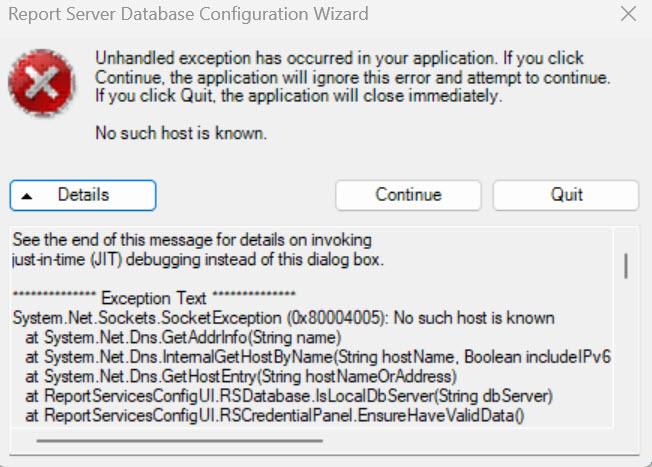
I had some issues with my local (development) report server. After not having much luck I decided to uninstall and reinstall. I am now in the Configuration process where I can change the database to point to my existing Report Server database. I get past the step where I point to my current ReportServer DB, but in the next step I get the following error. I am trying to use the SA login, which I know is correct.

I'm not sure where to go from here.
I had posted this elsewhere on this site, and the contributor suggested that I check my local network connections to the DB. When making the connection to my server, I need to prefix the server name with NP, so NP:SERVERNAME in order to connect. I'm not sure if that's the issue or it's something else, but my feeling is that something maybe as simple as a registry setting is missing or incorrect.
If anyone has seen this before or has a suggestion on getting past it, I would greatly appreciate it. This is my development machine so this is where I create and update all of the reports before I publish to production, so I'm kind of in limbo right now.
Thanks!
Bob
-
Thanks for posting your issue and hopefully someone will answer soon.
This is an automated bump to increase visibility of your question.
-
Still looking for an answer on this one, so hopefully someone can chime in.
-
Since you MUST prefix with "NP:" that means you are using named pipes to connect. I've never done that before. I ALWAYS use TCP/IP to connect to my SQL instances from any tools I use, including SSRS.
The error you are getting is unrelated to the credentials, it is telling you that the hostname doesn't resolve. My guess here is that you have a typo when entering your machine name. IF SSRS and SQL Server are both hosted on your machine, you should be able to use localhost for the server name, but you'd still need either the port or the instance name when connecting.
If it is all hosted locally, then there is no problems with the network as network is not involved. The problem from the error is that the hostname is wrong. My GUESS is you put the instance name in there and not the server name followed by "\" and then the instance. For example if your SQL instance is called "SQLServerDemo1", you are only putting in "SQLServerDemo1" as the server and that's not a known host (no DNS entry and no SQL alias). IF I am right, then entering "localhost\SQLServerDemo1" should fix things.
The above is all just my opinion on what you should do.
As with all advice you find on a random internet forum - you shouldn't blindly follow it. Always test on a test server to see if there is negative side effects before making changes to live!
I recommend you NEVER run "random code" you found online on any system you care about UNLESS you understand and can verify the code OR you don't care if the code trashes your system. -
Thanks for the reply.
Unfortunately, prefixing with Localhost did not work. I can only connect to the SQL server with NP:ServerName and then I can see all of the databases and I can select the ReportServer database. I'm not sure why TCP/IP is not working in the report manager.
Nevertheless, I'm still getting the error. I'm sure there is something wrong with the configuration somewhere, or maybe in the registry, but I'm not sure what. I may have no choice but to open a ticket with Microsoft, but I'd rather chew tin foil!
-
My opinion - registry changes for SQL Server configuration are only going to give you grief and break things long term.
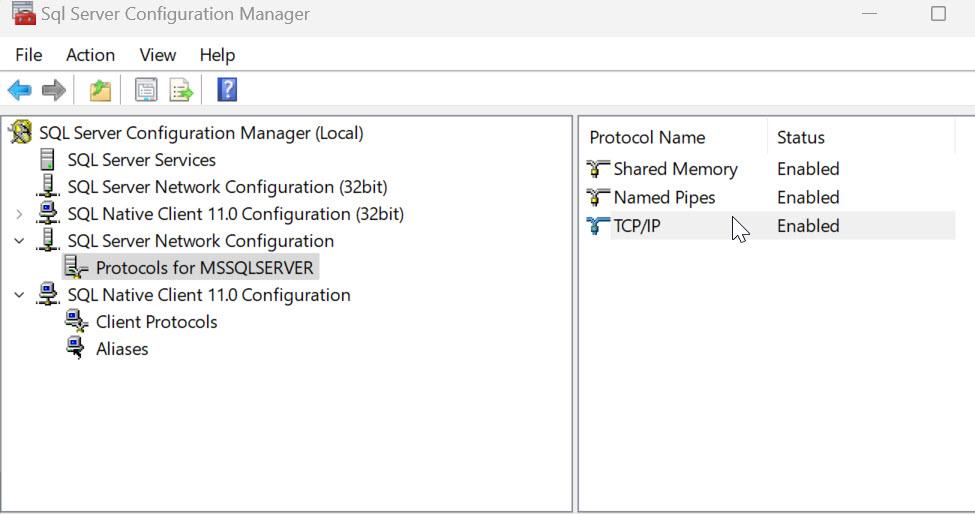
Use the SQL configuration manager to check if TCP/IP is enabled. If you only have named pipes enabled, that'll likely be the problem and an easy fix - turn on TCP/IP.
The above is all just my opinion on what you should do.
As with all advice you find on a random internet forum - you shouldn't blindly follow it. Always test on a test server to see if there is negative side effects before making changes to live!
I recommend you NEVER run "random code" you found online on any system you care about UNLESS you understand and can verify the code OR you don't care if the code trashes your system. -
Thanks again.
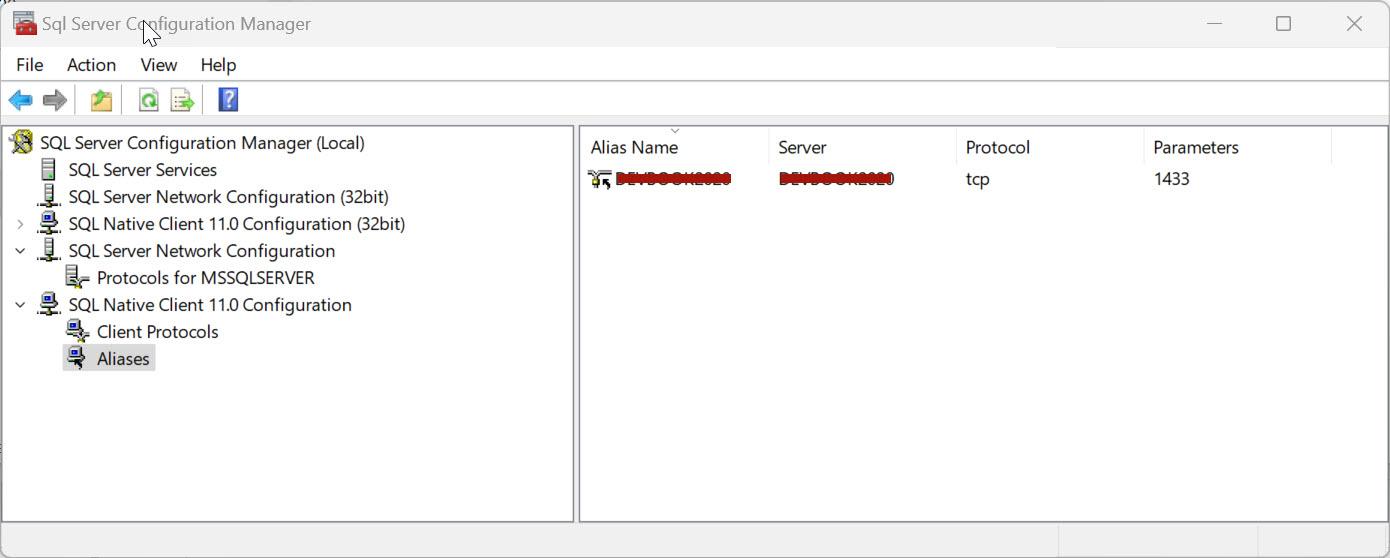
I do have TCP/IP enabled (see below).
Viewing 7 posts - 1 through 7 (of 7 total)
You must be logged in to reply to this topic. Login to reply