Analysis of Locking Issues on Secondary Replicas in AlwaysOn Availability Groups
-
We have an AlwaysOn architecture with four replicas: two running in synchronous commit mode (cluster) and two in asynchronous commit mode. On the primary replica, we run SSIS workloads. The secondary replicas are used for reporting, with read-only operations routed through ApplicationIntent = ReadOnly. We also enabled AG load balancing to distribute the reporting workload across the secondary replicas.
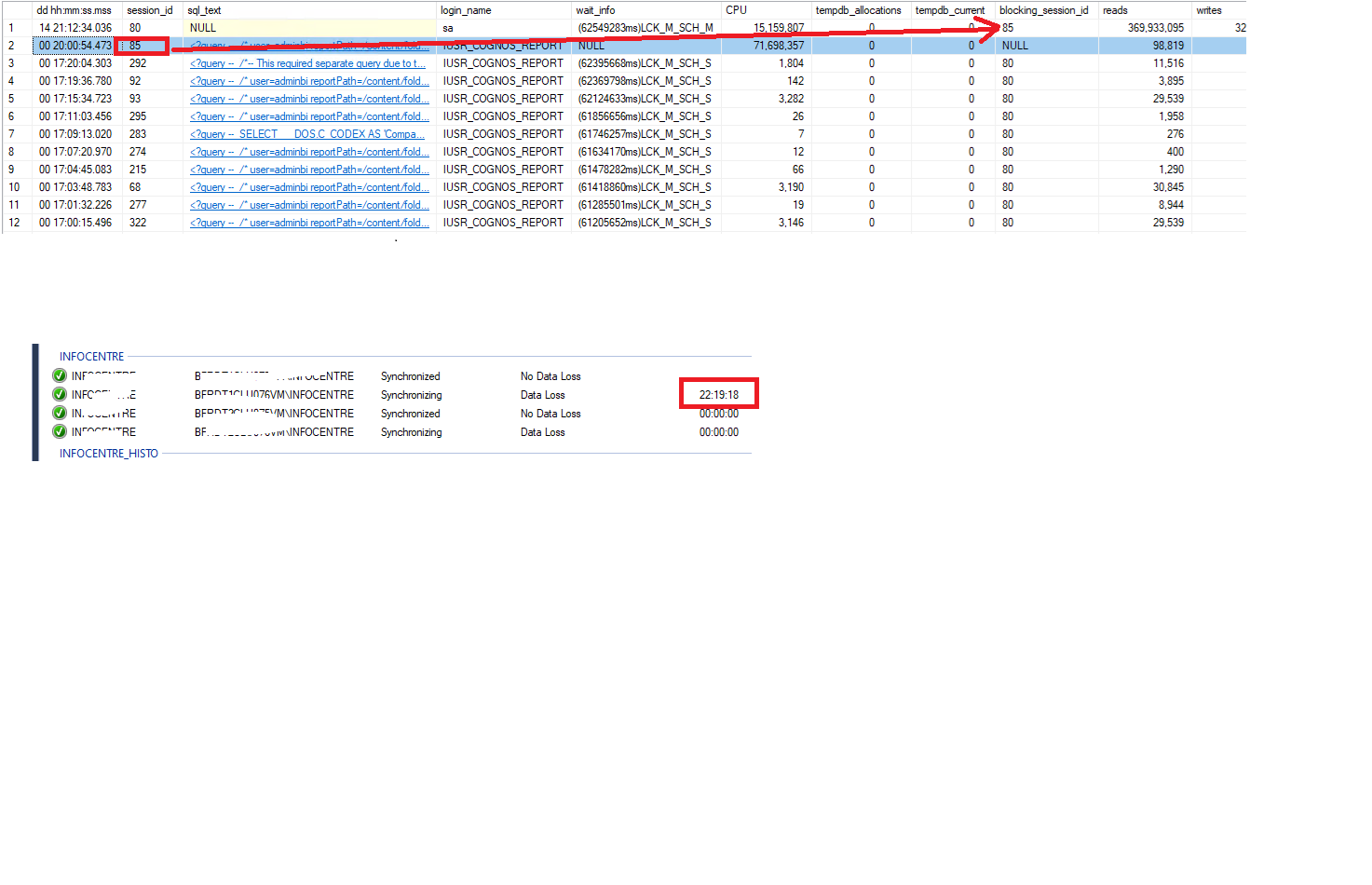
However, we are observing that some reports take longer than expected. This leads to LCK_M_SCH_* locks on the secondary replicas, which slow down the AG synchronization process and can even cause the replication to be suspended.
We are considering two potential approaches to mitigate this issue:
Switching all replicas to asynchronous commit mode, to prevent the primary from being impacted by blocking on the secondary replicas.
Enabling READ_COMMITTED_SNAPSHOT (RCSI) to reduce read-related locking on the secondary replicas and minimize the impact of reporting queries on the redo thread.
Do you have any recommendations or experience with these approaches, or any additional suggestions to help reduce or avoid these locking issues in this scenario?

-
I would first try to optimize the report queries before changing the Always On architecture. From an experienced DBA, most likely table indexes are needed somewhere and/or the overall query is just inefficient in form. You should also look at your index maintenance routines and are you regularly updating your tables stats. Poor stats can lead to unnecessary locking and high CPU utilization.
Tung Dang
Azure and SQL Server DBA Contractor / Consultant
SQL Brainbox - SQL Server Monitoring Tool -
Another approach which may not be ideal due to it being a lot of work to impelment but could work in your situation would be to build up a "reporting" SQL server instance that contains snapshot data rather than realtime data AND you can massage the data to a format that is easier to consume for reporting purposes. Build up an ETL process that syncs data for reporting purposes.
I find a lot of end users when they need realtime data will use the application to review the data rather than a reporting infrastructure and the reporting infrastructure often can be used to see snapshot data.
Now as for the solutions you proposed, I'd like to mention that the async approach stops things on the primary waiting for secondary to commit and removes risk of primary side blocking due to secondary lag, but redos on secondaries can still be blocked which will make log queues grow, can still result in AG sync being suspended, and your read reporting queries will still block the redo locks.
With RCSI, you still have the locks happening so you will still have the same locking as the report queries are going to be blocking schema level locks.
Your best bet is going to be query tuning or workload migrations. I'd personally start with query tuning over index tuning as adding indexes impacts CRUD operations and if the system is already under load and has performance issues, then adding indexes may make those worse.
My absolute first step would be to replicate this in a test environment - once you can reproduce the problem reliably without any end user impact, you can play around all day doing query tuning or index management or whatever you want and nobody will even notice. Indexes will help SELECT performance but you want to make sure you have few indexes but make sure they are covering indexes for your queries. I say "few" indexes as each index needs to write the entire index to disk. You also need to understand the original intent of AOAG's - it is for availability, not analytics. That doesn't mean you can't do analytics on it, but it wasn't the original intent. It's like OLTP databases are generally not tuned for OLAP purposes.
I would strongly encourage you to migrate to having a dedicated SQL instance for your reporting purposes and have a good ETL process to pre-aggregate data and denormalize schemas so that your reports will perform faster. The exception being if SOME reports need realtime data, but even in those cases, I imagine they don't need ALL realtime data and you could use the reporting instance for the majority of the data and your data pull from the read only replica could be much lighter and combine the data either in the reporting framework or over a linked server query on the reporting instance. It is a HUGE change in how you do your work, but start small - start with one of the reports that is running forever and impacting your AG, find all the datapoints you need, build an ETL process in SSIS (or equivalent), put that data on the reporting server, and build the report off of the pre-aggregated data. If you do go this approach, I do recommend combining the data in the reporting framework and not with a linked server as you can avoid cross-server query plans and you have lower risk of locking on the AG. Plus it is easier to troubleshoot if you have fewer systems talking to each other. Report->Server is going to be the easiest to troubleshoot. Report->Server A->Server B can be a lot more challenging to troubleshoot and if you need more hops, can become nearly impossible to troubleshoot.
One last solution I have seen used before is a bit of a hack - use Excel to pull and parse the data. Excel pulls the relevant data from the production system tables, then combines and parses it in Excel. The select pulls relevant data from the needed tables using powerquery, which is also used to combine the data and then present it back to Excel to the user. The advantage to this is if you have complex joins that are causing the performance issues, they are now happening on the client side instead of server side which can greatly help server side performance BUT comes at the cost to the end user which is going to be a slow experience building the report each time they click "refresh all" on the data and can lead to new bottlenecks as performance is now on the client machine (memory, network, CPU) instead of server where network is generally much faster for server-server communication.
The above is all just my opinion on what you should do.
As with all advice you find on a random internet forum - you shouldn't blindly follow it. Always test on a test server to see if there is negative side effects before making changes to live!
I recommend you NEVER run "random code" you found online on any system you care about UNLESS you understand and can verify the code OR you don't care if the code trashes your system. -
This was removed by the editor as SPAM
-
This was removed by the editor as SPAM
Viewing 5 posts - 1 through 5 (of 5 total)
You must be logged in to reply to this topic. Login to reply