

I was messing around with SQLCMD and I realized something I hadn’t known. I’ve never tried it, but the batch separator has to be separate, which I’ll show.
Another post for me that is simple and hopefully serves as an example for people trying to get blogging as #SQLNewBloggers.
The Batch Terminator
The default batch terminator in SQL Server tools is “GO”. We tend to use this in SSMS, and many of us know to type this in SQLCMD when we use it. In SSMS, we sometimes need it. Here’s an example where I create a proc and add a RETURN, which some people think means the proc ends.
It doesn’t.
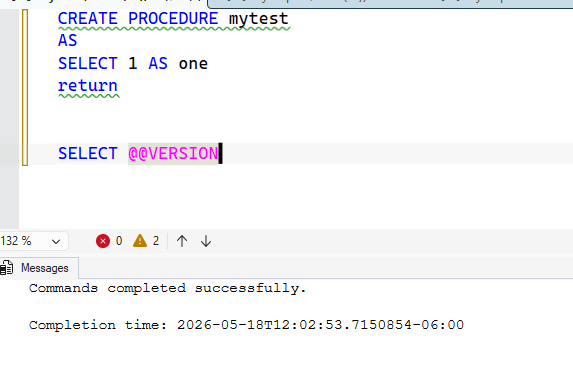
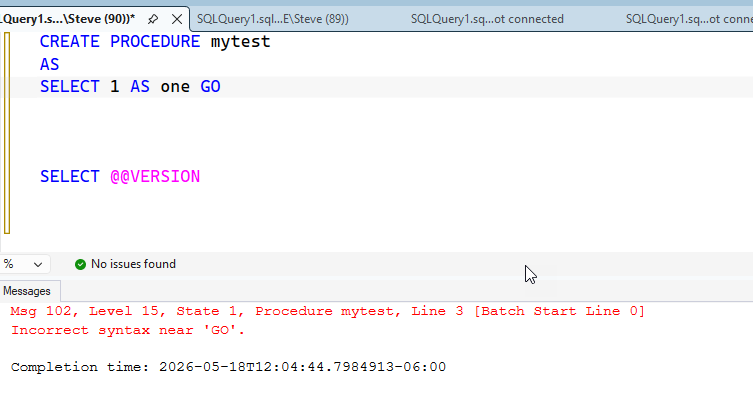
The SELECT @@VERSION is a part of the proc. Now, if I drop the proc and then add a GO at the end of a line, , I get this:
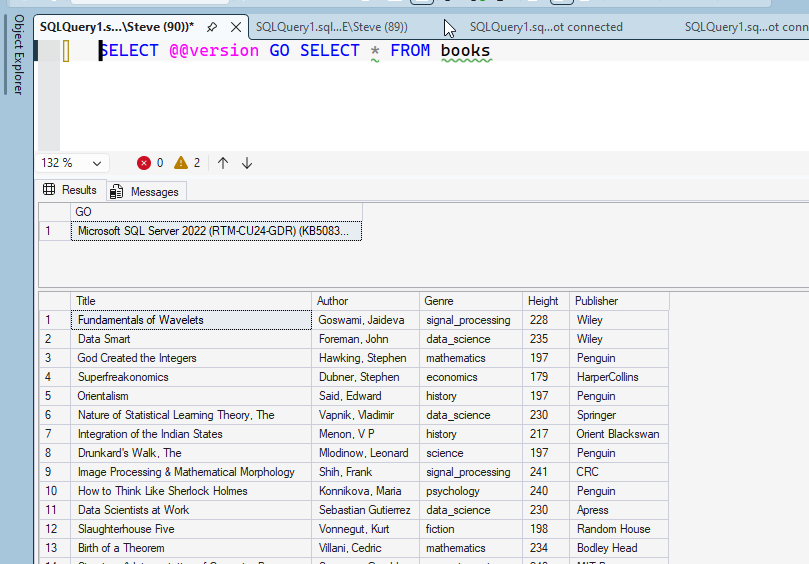
Makes sense. Let’s try two commands. In this case, the GO is skipped and I get two results.
Using SQLCMD
If I run SQLCMD and enter that code, I get a new prompt. That’s because the batch separator in SQLCMD is a batch terminator. This is in the SQLCMD docs, and since I haven’t terminated a batch, nothing happens.
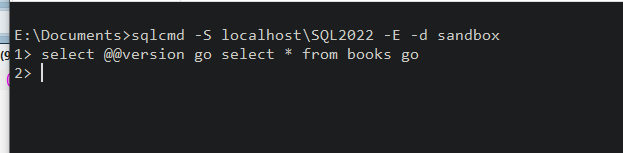
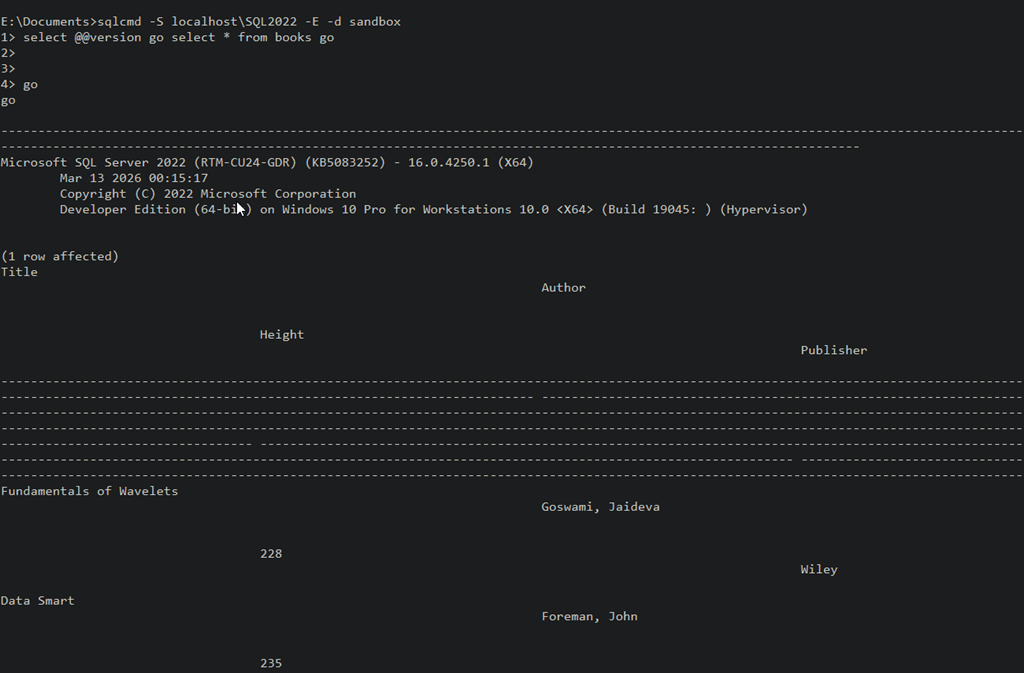
If I hit enter, I get a new prompt. This continues until I enter a go.
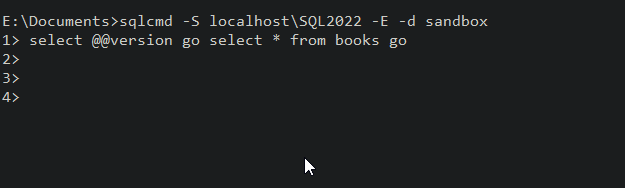
Once I enter Go, I’ll see my results.
A good thing to know, as you might think you can enter “select * from @@version go” and think it might execute. It won’t, as you see below:
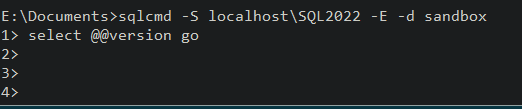
This isn’t likely a problem for most people as they’ll instinctively enter GO if something doesn’t run, but newbies might miss this.
SQL New Blogger
This was about a 10 minute post, based on an experiment to see if I could get something to run quickly. Since I ran the experiment, I captured some screenshots and built this post.
Showcase continued learning, especially in this era of AI where you might need to guide an LLM along a better path.