

Data build tool (dbt) is an open-source command line tool that helps engineers transform data using SQL scripts. However, there are limitations to what can be done with the Structure Query Language (SQL). That is where dbt Python models can be used to perform complex tasks. A dbt Python model is a function that reads in dbt sources or other models, applies a series of transformations, and returns a transformed dataset. One requirement is the target system must support Python natively. Thus, we are going to explore how to use dbt with Azure Databricks.
Business Problem
Our manager wants the development team to explore how to use Visual Studio code, Data Build Tool, and Azure Databricks to build a data model in Unity Catalog. The first step is to understand how to use the dbt commands with the Azure Databricks SQL warehouse. Features like materialized views are available in this target system. The second step is to learn how Python models, using a standard Spark cluster, can be used to make REST API calls to sanitize existing data. At the end of the article, the data engineer will have a full understanding of how SQL and Python models work with Azure Databricks.
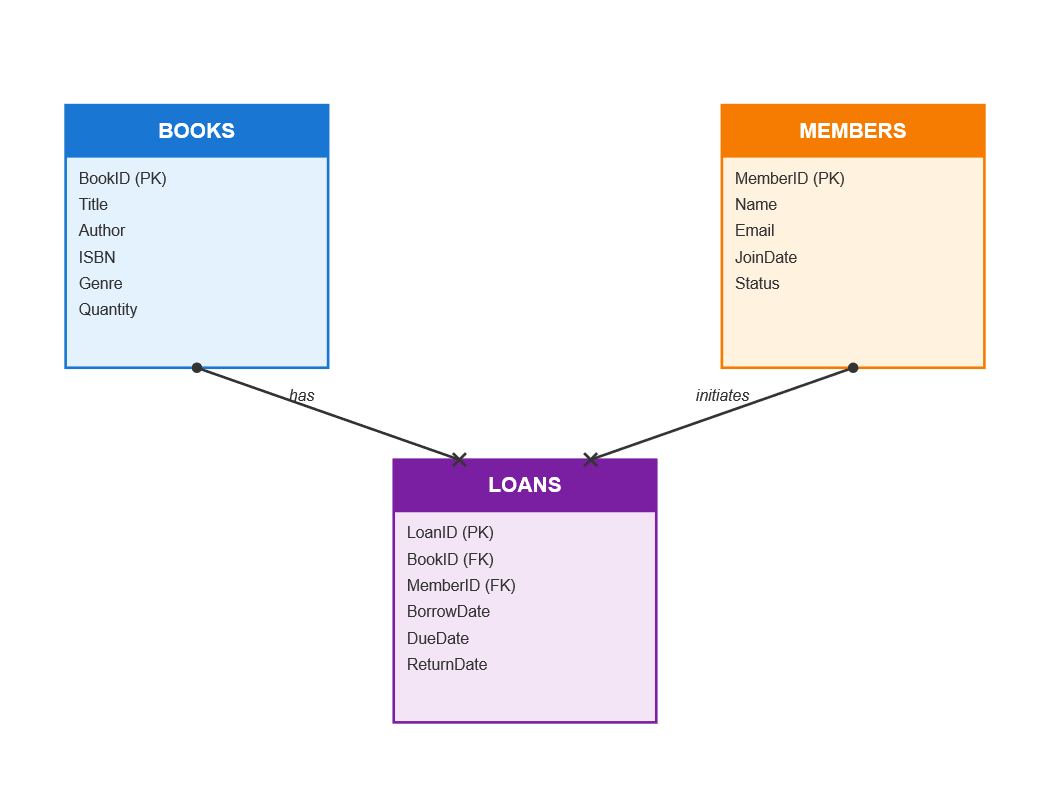
Library Schema
We will be revisiting this schema today. In short, a library has books and members. Each member might want to take a book out on loan for a period of time. To make a dimension model, we will be adding the dates table.
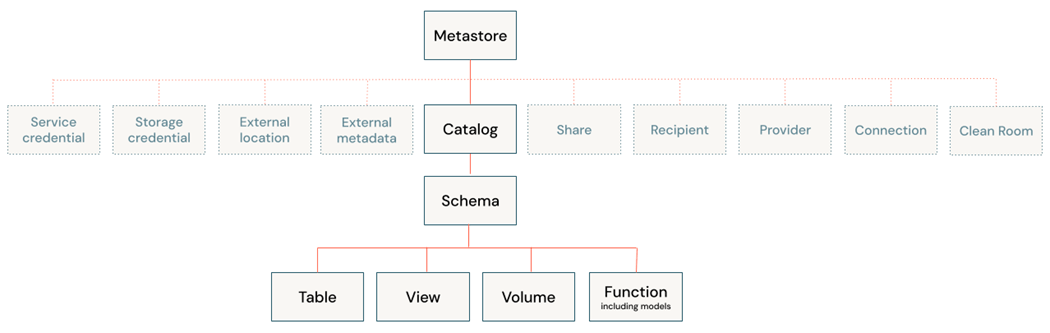
Before any work can be done, we need to have a new catalog defined for our team.
Unity Catalog
This article assumes that the Metastore already exists with one or more catalogs. Today, we want to add an additional catalog for this proof-of-concept exercise.
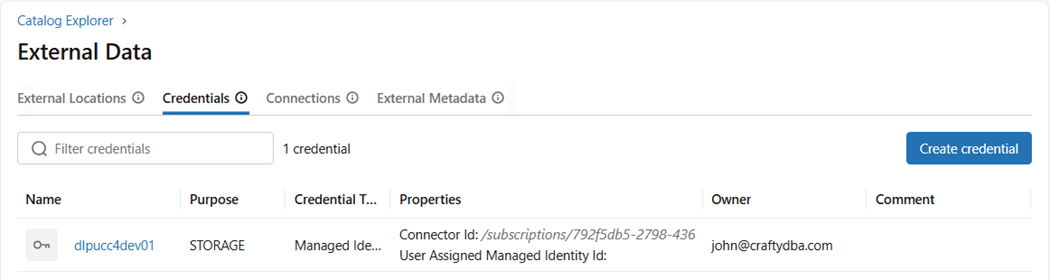
To create a catalog, we need to define an external location. To define a location, we need to have a storage credential. We are lucky that the storage credential already exists. It uses the Azure Managed Identity of the Databricks workspace. See this link for more information on credentials.
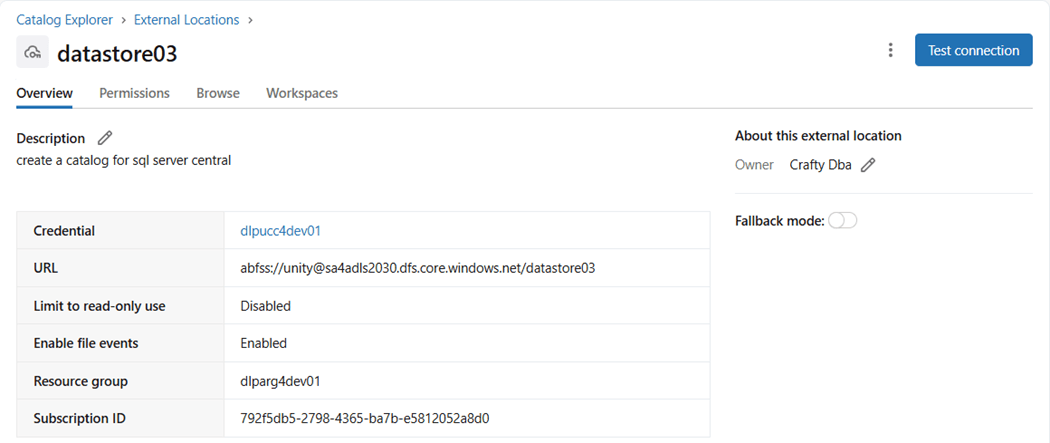
The next step is to define a location where the managed catalog with store data. We already have an Azure Storage Container named unity that exists within an Azure Storage Account named sa4adls2030. This is why you should not rush a deployment without a code review. If I could turn back the clock, the container would be named sc4unity to follow naming conventions.
The last step is to create the catalog. One can do it via the graphical user interface. The results of the deployment are shown below.
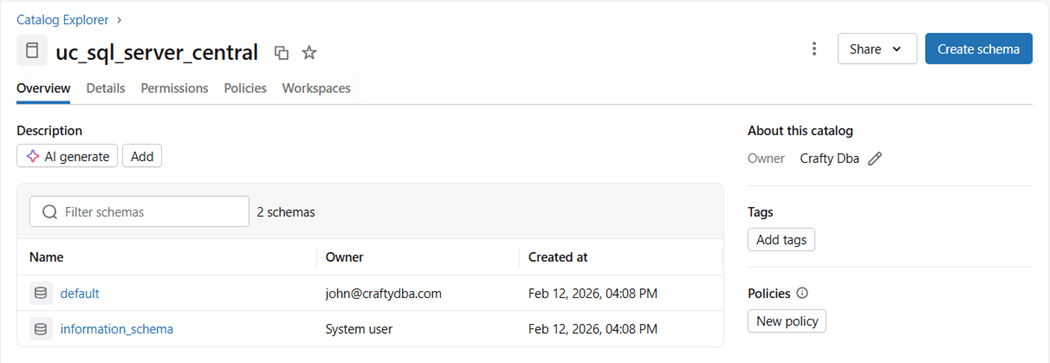
Another way to create a catalog is to use Databricks Spark SQL which is shown below. The name of our catalog is uc_sql_server_central.
%sql
create catalog if not exists uc_sql_server_central
managed location 'abfss://unity@sa4adls2030.dfs.core.windows.net/datastore03';
Now that we have a new catalog, we can create a project to populate it with schemas, tables, and views.
Databricks SQL Models
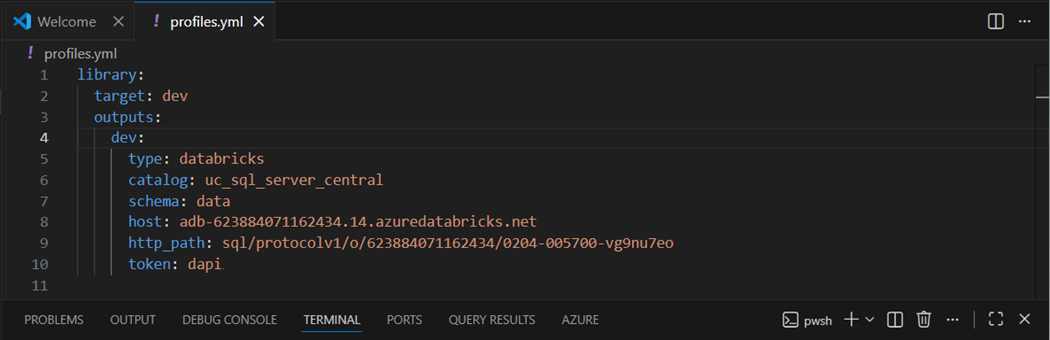
This section will review the steps necessary to build the library schema using Azure Databricks SQL Warehouse as the computing service. We will be using only SQL models in this section. I already created the SQL Warehouse named whsSqlServerCentral. Please navigate to the “connection details” section on the web page to find the server host name and HTTP path. Both will be needed to configure the “profiles.yml” file.
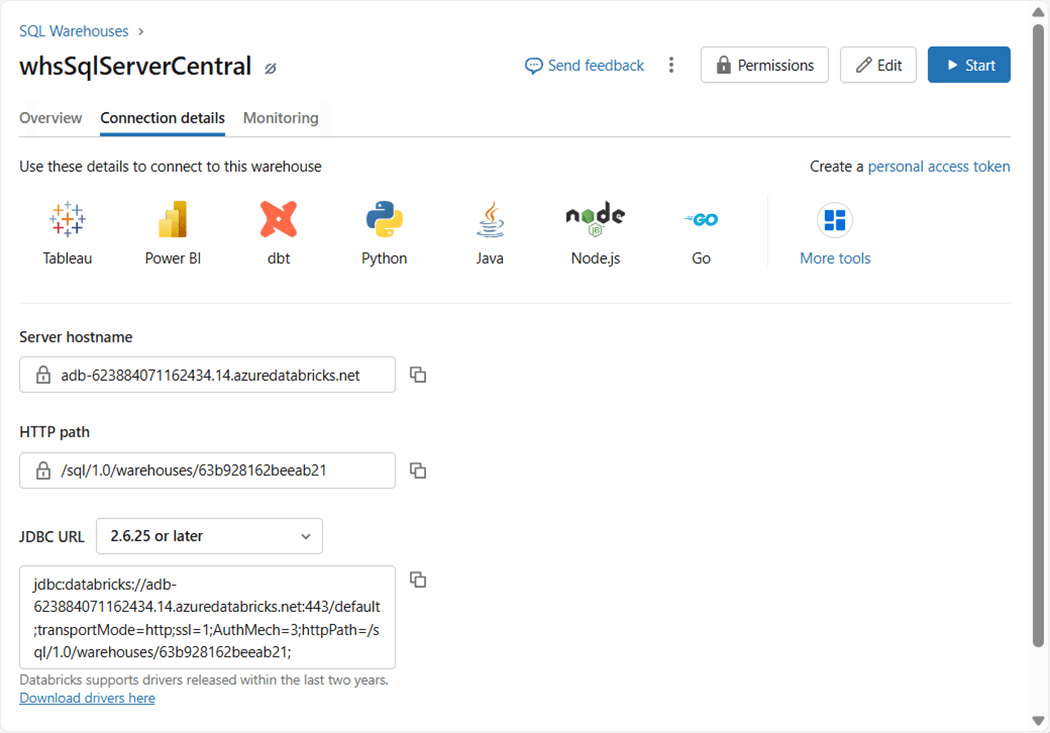
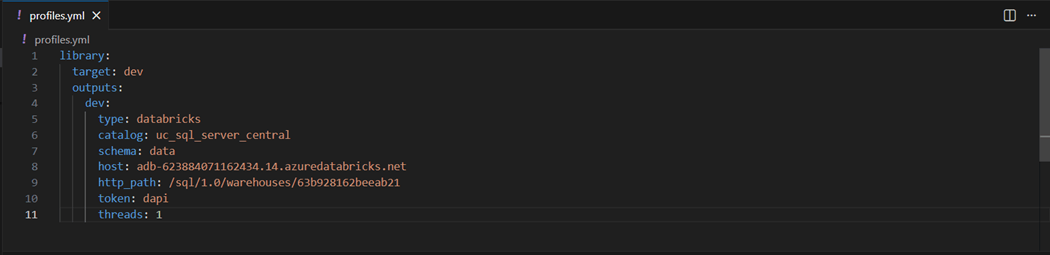
The image below shows the configured profiles file. Please see the documentation on how to create a personal access token. This type of authentication will be used by the data build tool for connectivity. Replace the value of “dapi” with your access token value.
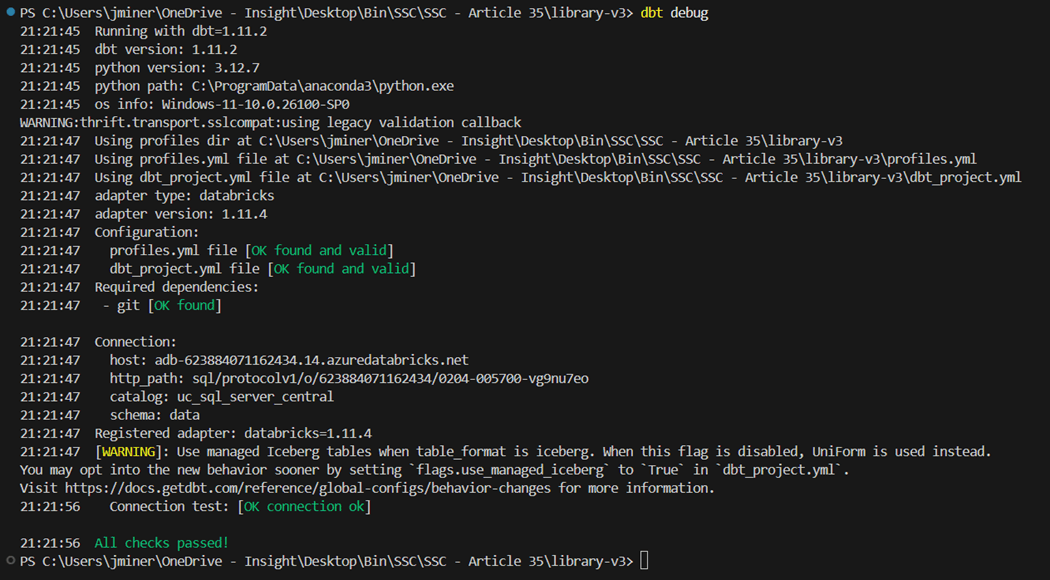
Please execute the “dbt debug” command to validate the connection to our Databricks Serverless SQL warehouse compute.
Execute the “dbt seed” command to populate the load the four tables of the library schema.
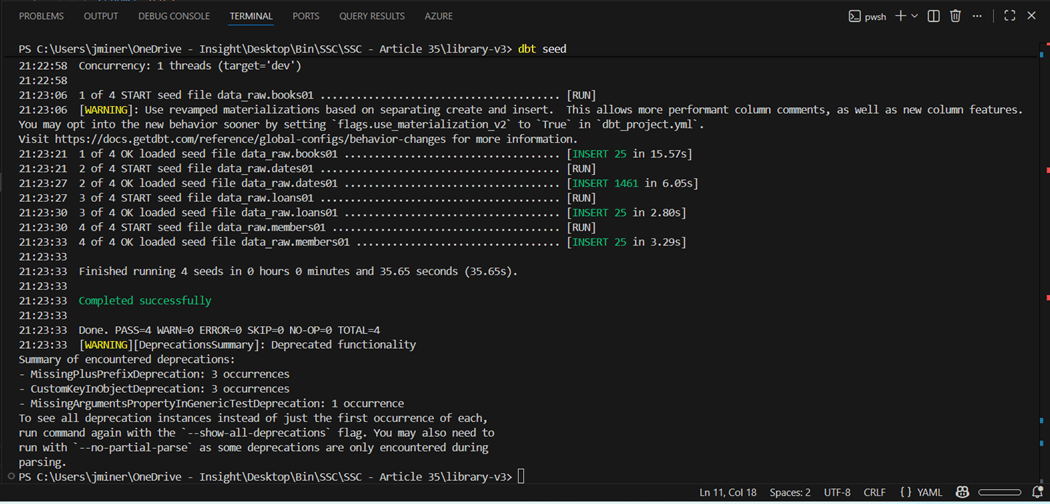
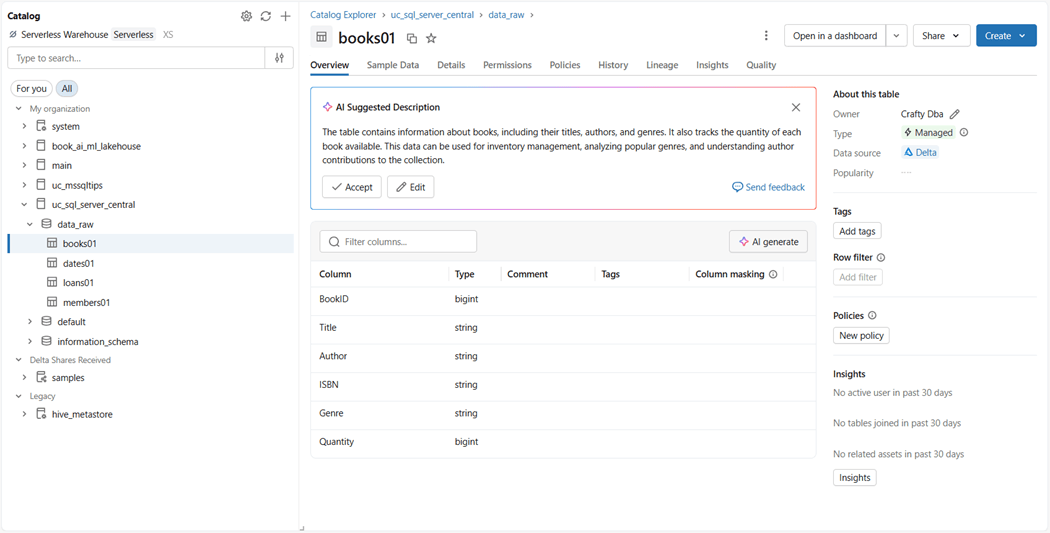
We can use the unity catalog explorer to look at the schema, tables, and sample data. The image below shows a successful build.
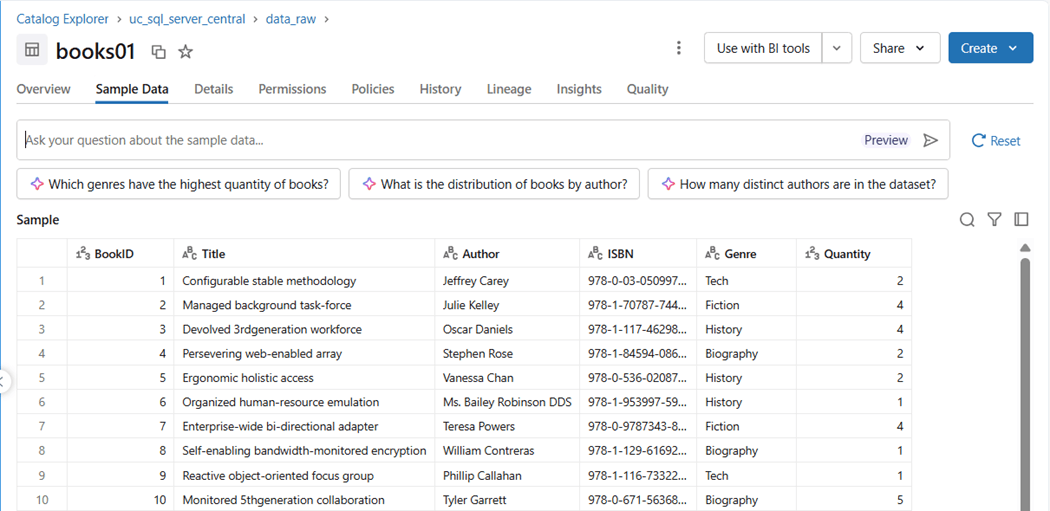
The number of rows returned by the SQL editor is the topmost one thousand. You can verify this is the same in the catalog explorer. The image below shows ten rows from the books01 table.
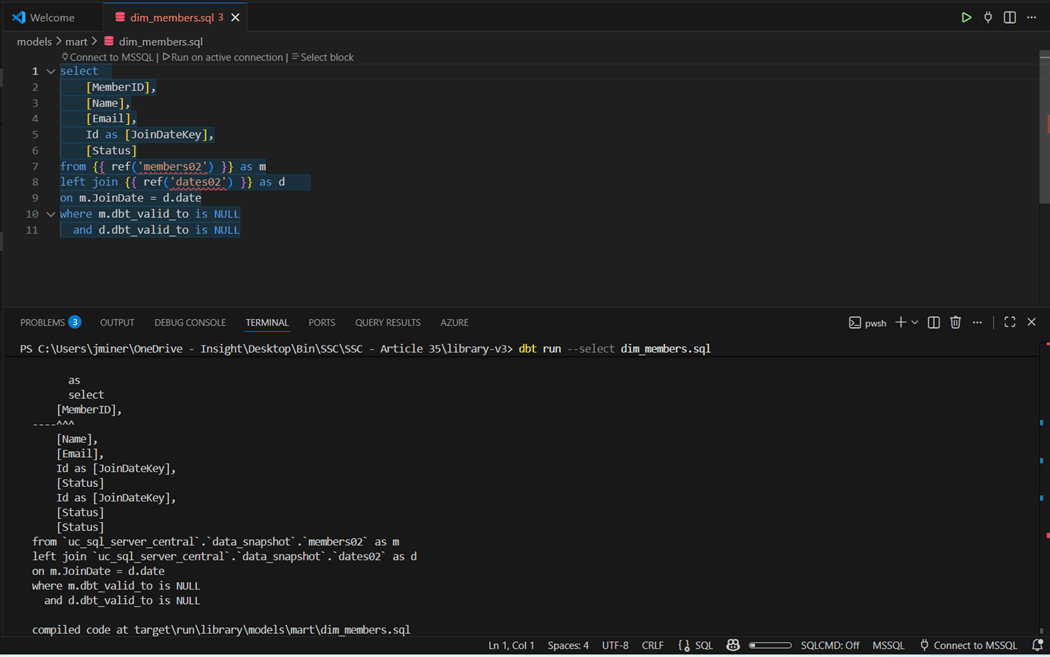
This is where a model that works with Azure SQL Server might not work with Azure Databricks SQL. The “dim_members.sql” is using “[]” to escape names. This is not valid syntax in a Spark environment.
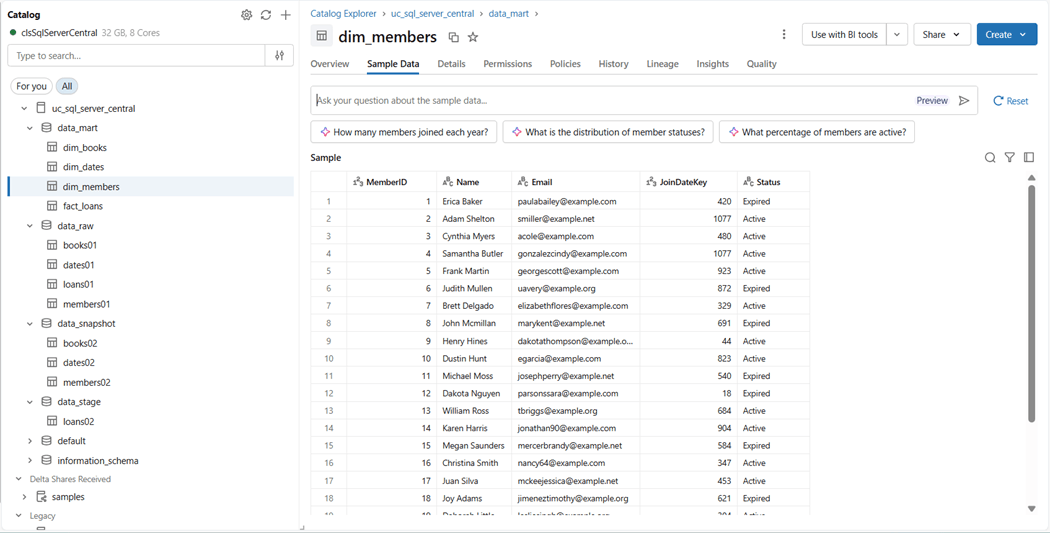
Since all the table and column names did not need escaping, I just removed the brackets from the SQL script. The image below shows raw, stage, snapshot, and mart schemas have tables. The members dimensional table that failed compilation beforehand is now populated with data.
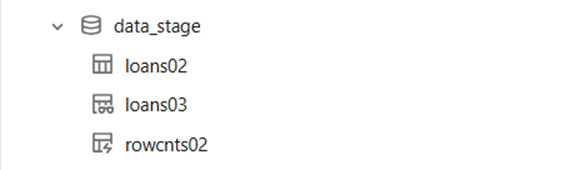
The current model only has tables. Let us add a view named loans03 and a materialized view named rowcnts02. The image below shows three different icons to the left of the catalog object.
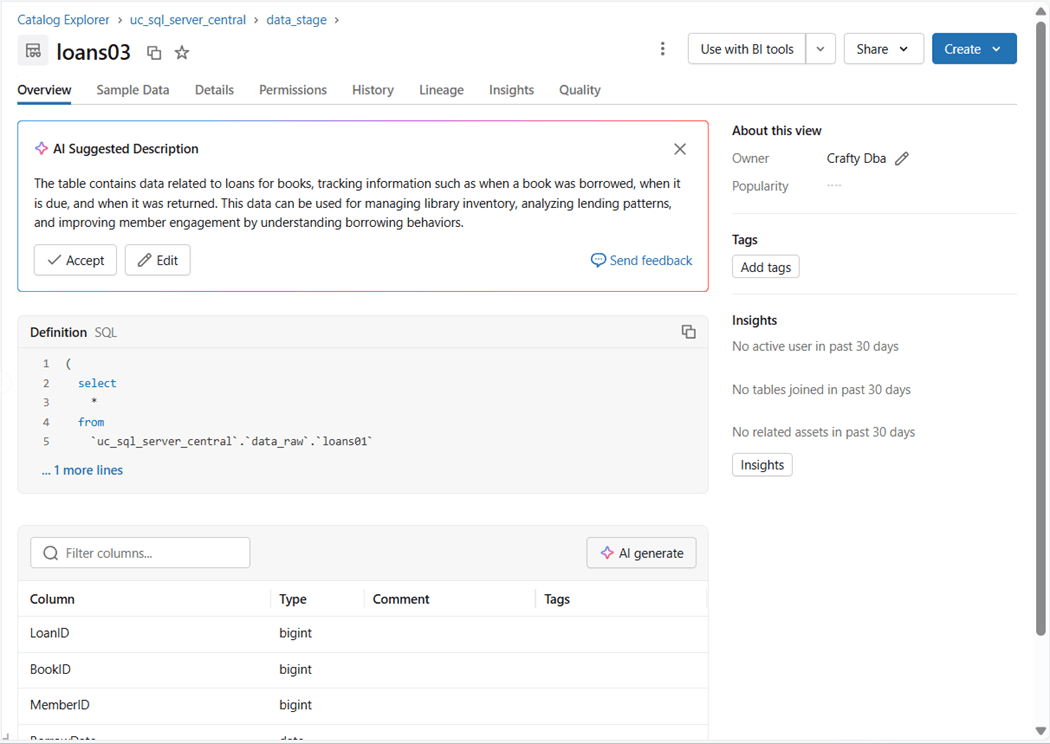
We can examine the details using the catalog explorer. The image below shows the loans03 model deployed as a simple view.
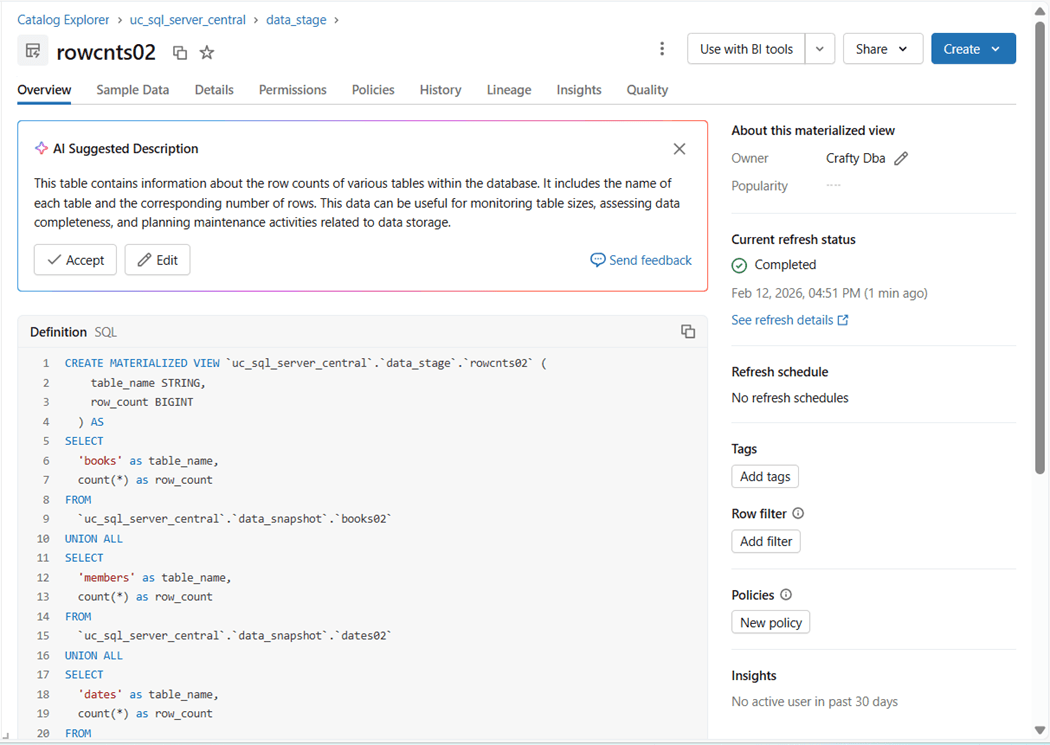
The materialized view named rowcnts02 requires a Databricks SQL Warehouse as a computing requirement. I was able to build all the other objects using an interactive cluster.
We can see that three tables in the library schema have twenty-five rows of sample data while the dates table spans several years.
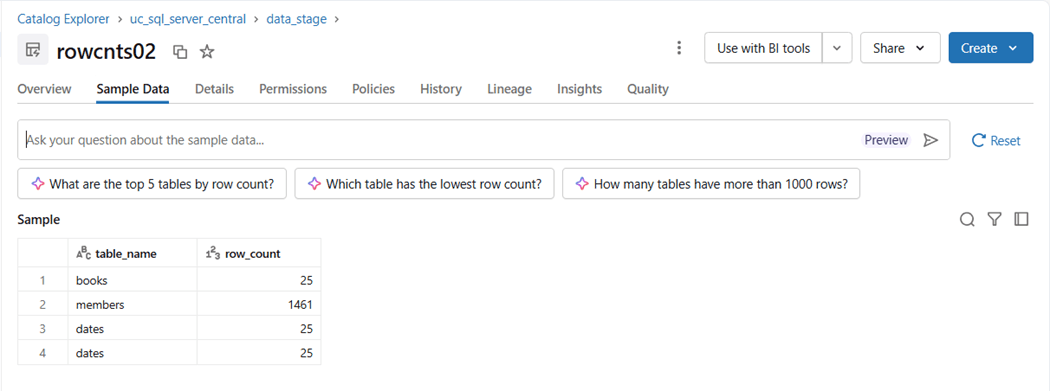
To recap, we can execute all SQL models using an Azure Databricks SQL Warehouse. Just be cognizant of syntax and functions that might be Spark SQL specific. Today, we saw that escaping names in Transact SQL is different from escaping names in Spark SQL.
Databricks Python Models
To explore Python Models, we need to have a business case. For instance, marketing has a list of addresses that they want to do a physical mailing to. How can we clean up those addresses? There are several internet service providers that geo-locate an address. We are going to use Azure Maps which is the successor of Bing Maps API.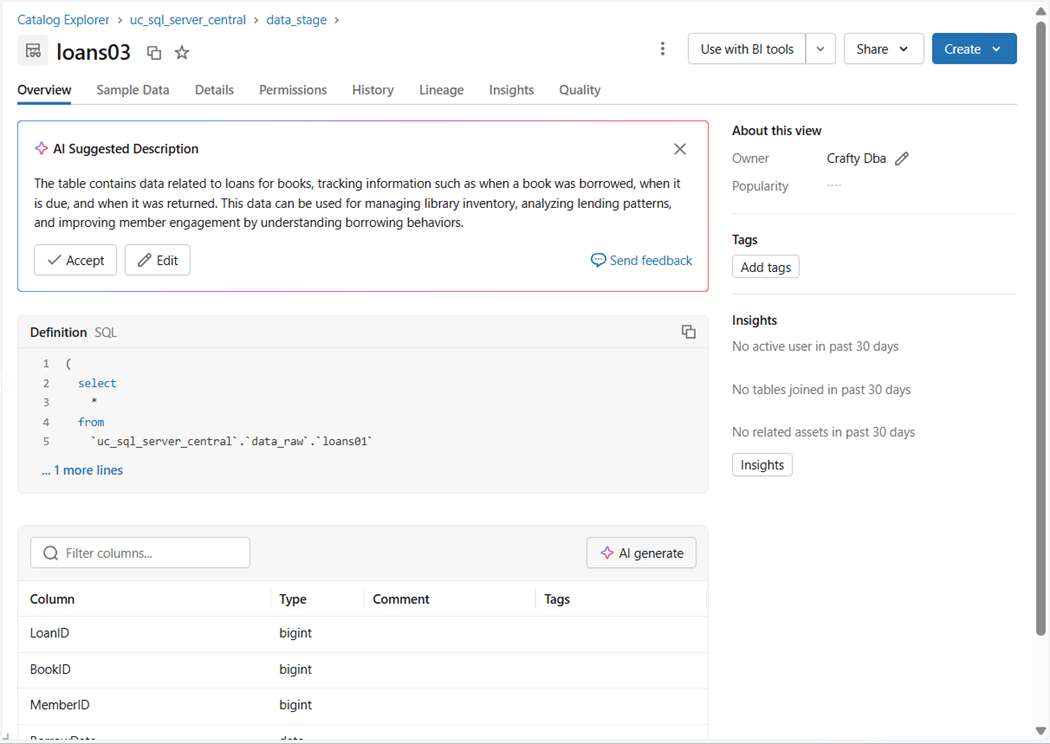
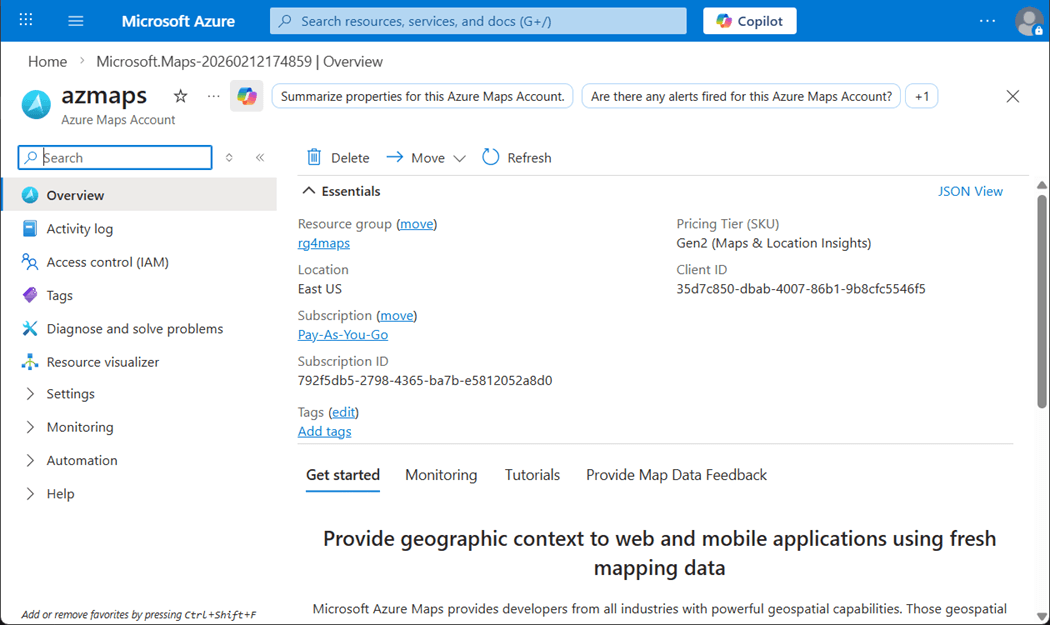
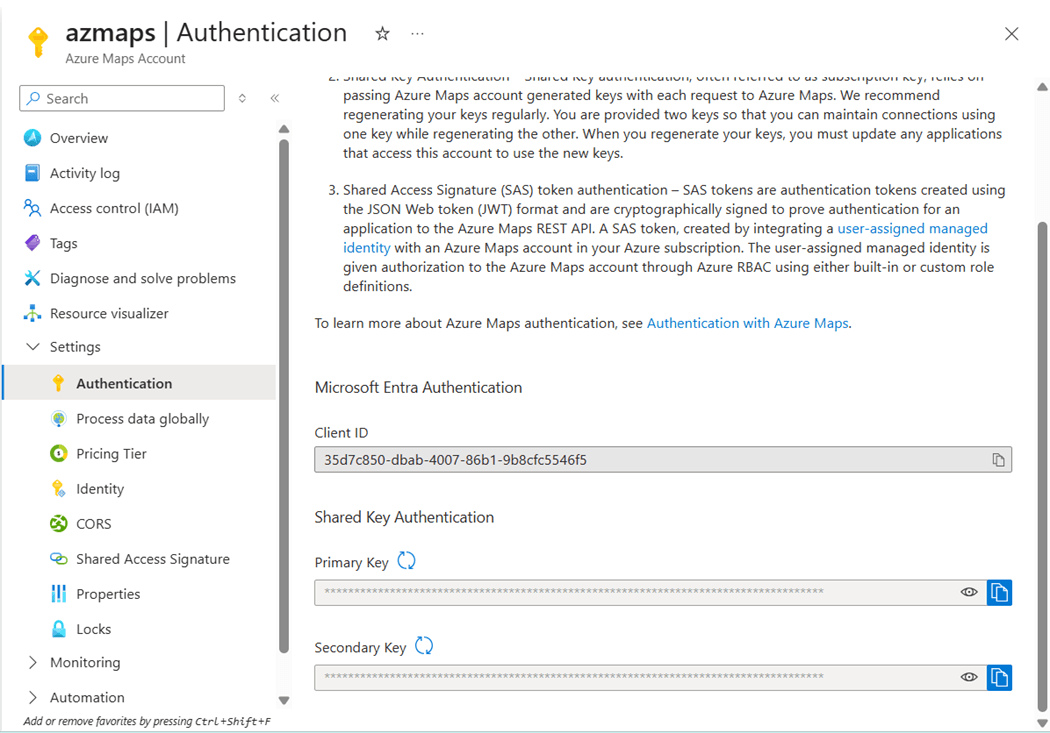
The above image shows the deployment of the service. Please navigate to the settings and authentication page that contains the shared key. Store this information in windows notepad for later. We will need it for the python model configuration.
I am going to grab a screenshot for the dbt labs documentation site on Python Models. We want to create a program that takes an API key and mailing address as input. The function will clean and/or add information such as formatted address, postal code, longitude, and latitude to the output.
The three big supporters of Python Models are Snowflake, Big Query, and Spark. I did take a look at dbt-fal project to add Python models to relational database management systems such as SQL Server. However, this code base was in sunset status in April 2024. Additionally, I gave up after one hour on trying to figure out the right dependencies for pip to complete the installation.
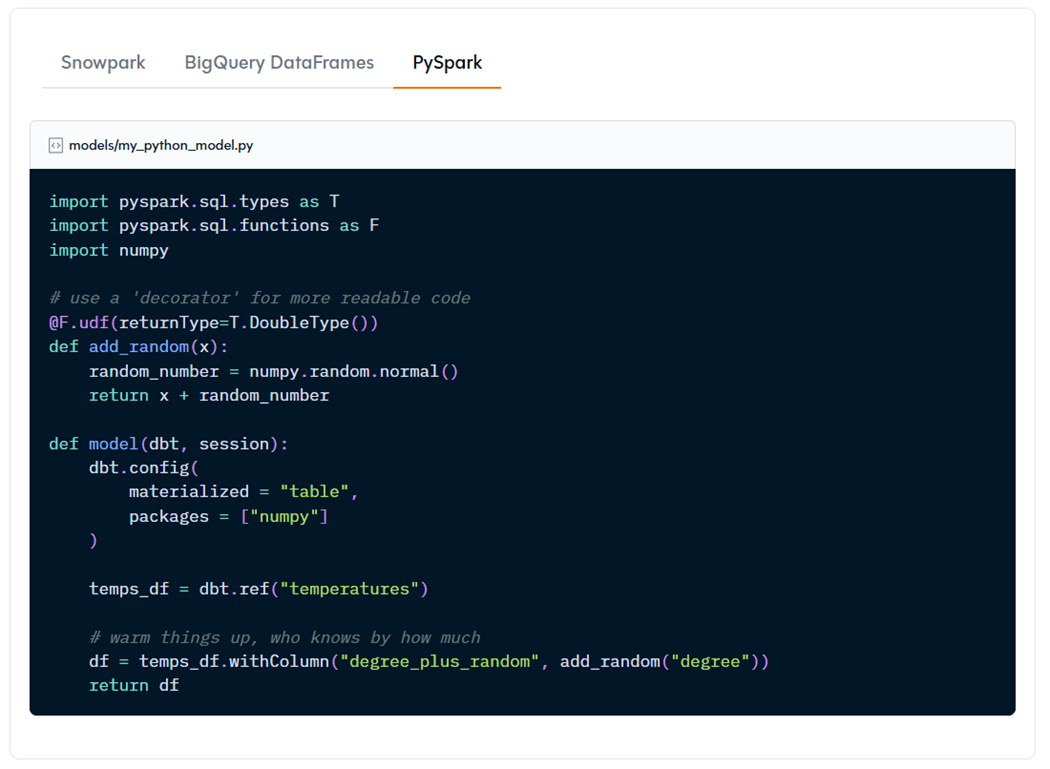
Two keys items to note. The “dbt” and “session” objects are always required as part of the “model” function. The dbt class allows you to run Python code in context of your dbt project and DAG model. The session class is just a pointer to the Spark Session when using Azure Databricks as a target. I do not like the above code example since it forces me to prefix each function (F) or type (T) library call with an identifier. Our final model will using a user-defined function (UDF) so that it can be applied to the Spark Dataframe.
I need to spend more time in the future researching the config property. I think the packages property is just for documentation. We need to change our profile to use an interactive cluster instead of an SQL warehouse. We need to add two libraries that are used to talk to Azure Maps. The image below shows the cluster named clsSqlServerCentral is configured correctly.
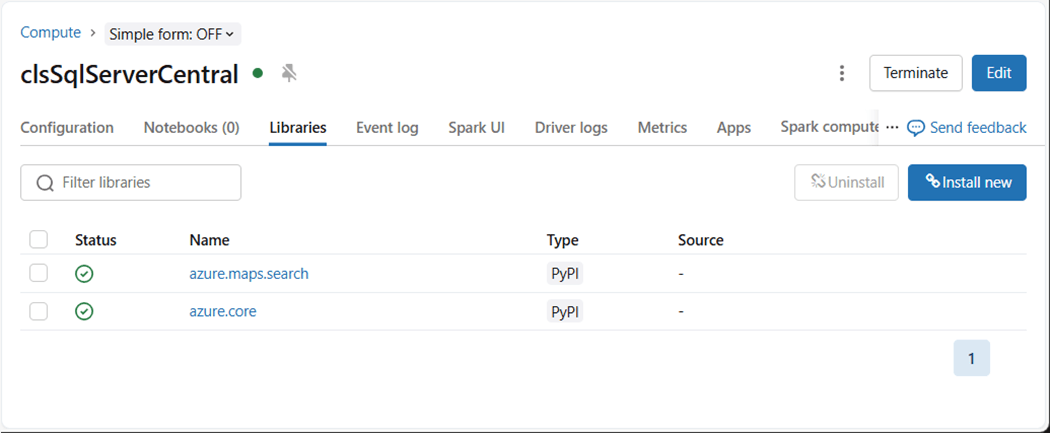
The http path has been changed to use this cluster.
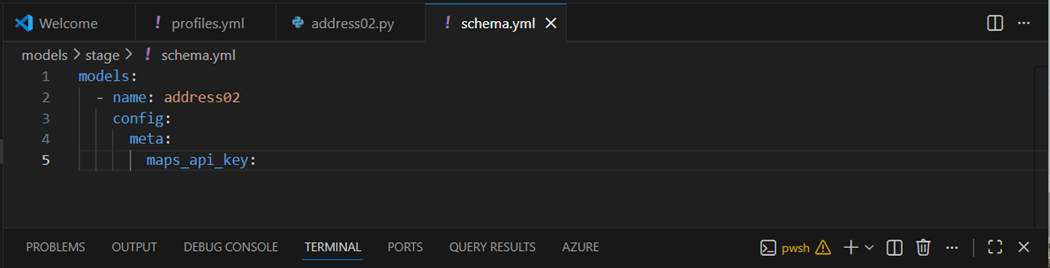
The “schema.yml” file can be used to pass meta data to the Python Model. In our case, we want to pass the shared key for Azure Maps to our Python model. For security, the key value is not shown.
The complete code for our dbt Python Model for address02 is shown below.
import json
from azure.core.credentials import AzureKeyCredential
from azure.maps.search import MapsSearchClient
from pyspark.sql.functions import *

#
#  validate address function
#

def get_additional_address_info(api_key, raw_address):

    # create object
    azmaps = MapsSearchClient(credential=AzureKeyCredential(api_key))

    # initialize variables
    longitude = 0.0
    latitude = 0.0
    address = {'formattedAddress': '', 'postalCode': ''}

    # Perform geocoding
    try:
        retval1 = azmaps.get_geocoding(query=raw_address)

        if retval1.get('features'):
            coordinates = retval1['features'][0]['geometry']['coordinates']
            longitude, latitude = coordinates

    except Exception as e:
        pass

    # Reverse geocoding
    try:
        retval2 = azmaps.get_reverse_geocoding(coordinates=coordinates)

        if retval2.get('features'):
            address = retval2['features'][0]['properties']['address']

    except Exception as e:
        pass

    # create dict
    data = { "address": address['formattedAddress'], "postalCode": address['postalCode'], "longitude": longitude, "latitude": latitude }

    # return json string
    return json.dumps(data)


#
# Wrap the function and specify the return type
#

get_additional_address_info_udf = udf(get_additional_address_info, StringType())


#
#  python model function

def model(dbt, session):

    # get meta object
    meta = dbt.config.get("meta")

    # get api key
    api_key = meta.get("maps_api_key")

    # get df from previous model
    in_df = dbt.ref("address01")

    # create full address
    in_df = in_df.withColumn('full_address', concat(col('address'), lit(', '), col('city'), lit(', '), col('state'), lit(' '), lpad(col('zip').cast("string"), 5, "0")))

    # call web svc
    in_df = in_df.withColumn("az_maps_info", get_additional_address_info_udf(lit(api_key), col('full_address')))

    # parse out latitude
    in_df = in_df.withColumn('latitude', get_json_object(in_df['az_maps_info'], '$.latitude').cast("double"))

    # parse out longitude
    in_df = in_df.withColumn('longitude', get_json_object(in_df['az_maps_info'], '$.longitude').cast("double"))

    # parse out postal code
    in_df = in_df.withColumn('postal_code', get_json_object(in_df['az_maps_info'], '$.postalCode').cast("string"))

    # final dataframe
    return in_df
Let us talk about testing in the next section.
Azure Maps
The python function named “get_additional_address_info” can be evaluated separately in a Jupyter notebook. First we want to geo-code the location to return the coordinates (longitude and latitude). Second, we want to reverse geo-code the coordinates to get a cleaned-up address. There is something wrong going on here. The input address is “700 Lynnway” and the output address is “5 Hanson St”!
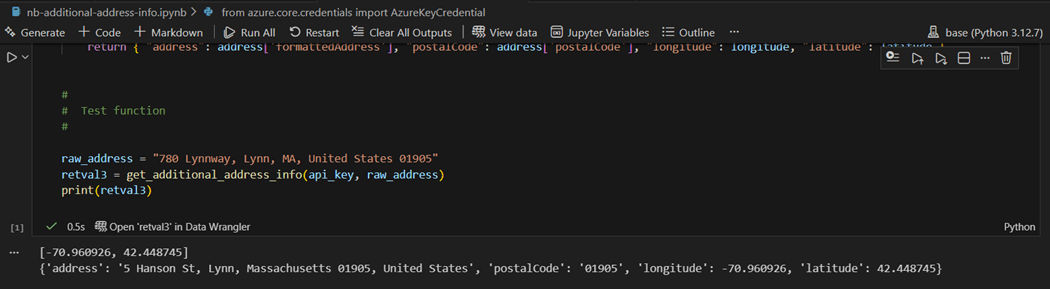
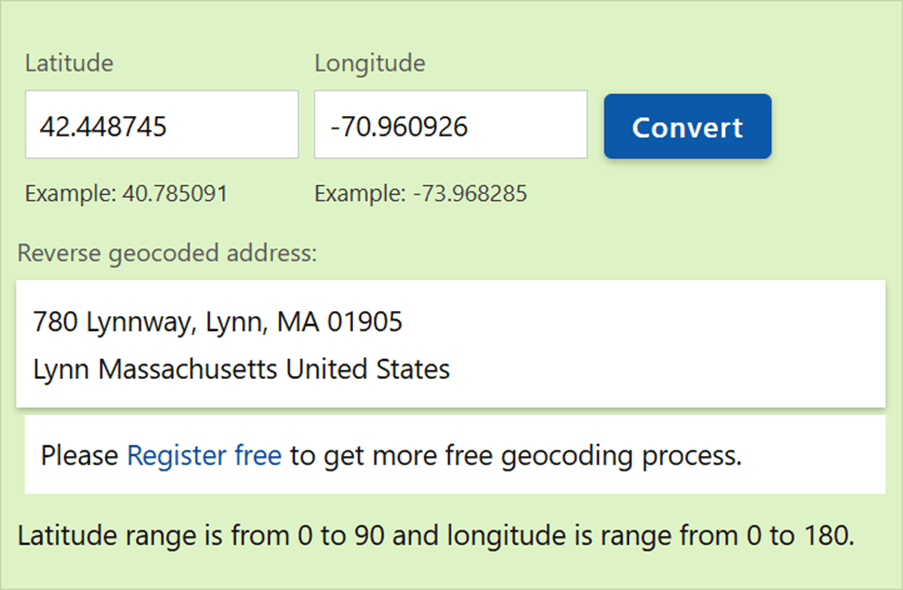
I thought there was a bug in my code, but using another online tool, we can see that Azure Maps is the service that has the bug!
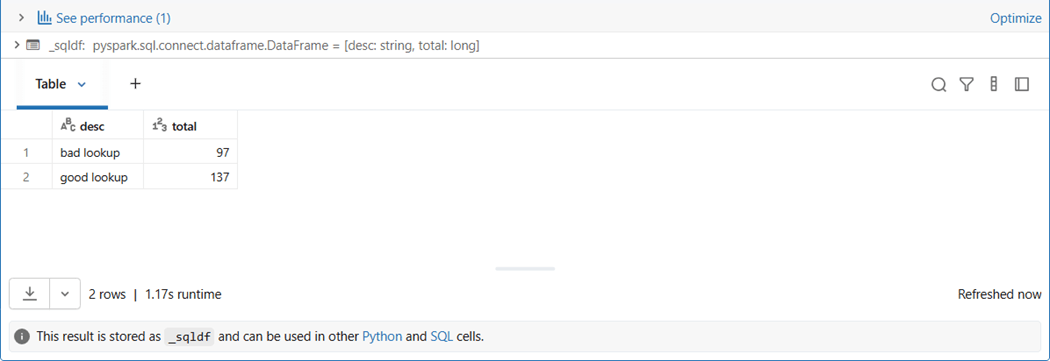
By just looking at the first five characters of the address, we can see that 41 percent of the reverse geocoding returns the wrong address. I opened up a bug fix within the Azure Python SDK for this issue.
Regardless of the bug, we have shown that complex processing such as a REST API call to a third-party service can be performed using Python models. Just keep in mind that the data is pulled from the source, placed into a dataframe, processed and saved back to the source system. The inertia needed to move the data takes time. Thus, tricks in Apache Spark might be needed to scale this function large datasets. Another solution is to only process new records which potentially reduces the total execution time.
Additional use cases might be scoring data with a Python Machine Learning called from the dbt Python model.
Summary
The data build tool is an immensely powerful framework. It was build upon the idea that databases or warehouses are more efficient at transforming the data. Thus, the majority of the time SQL models can be used to perform day-to-day work.
Python models have two main classes. The dbt class allows for referencing existing models or source locations. Thus, data is loaded into the data frame. Additionally, configuration settings such as an API KEY can be pulled from a YAML file into the final code. The return value is a data frame that persisted to the catalog as a table. The session class is just a reference to the Spark Session if you are using the Azure Databricks Service.
It is important to worry about security. During teaching, I am placing secrets directly in YAML files. However, these files are checked into a repository. A potential way for people without clearance to get access to them.
If you look at the dbt.log file, you can see the final python code that is submitted to the Databricks cluster as a job. When working with larger amounts of data, you need to look at the settings within dbt and/or tricks to scale the processing. A better solution is to create environment variables to store the secrets. Then use the Jinga function called “{{ env_var (‘’) }}” within your YAML files.
In short, Python Models are just another way to process data with the Data Build Tool. Please see my GitHub repo for the complete code. Next time, we can talk about dbt jobs with are coming to Microsoft Fabric in the near future.