

In a previous post, I deployed a model to a database using SQL Compare 16. This used a new feature in that connects to Redgate Data Modeler. In this post, I want to update my model, and again use SQL Compare to just get the changes deployed.
There’s a video of this post at the bottom if you’d rather watch me work.
This is part of a series on Redgate Data Modeler. This is also part of a series of posts on SQL Compare.
Updating the Model
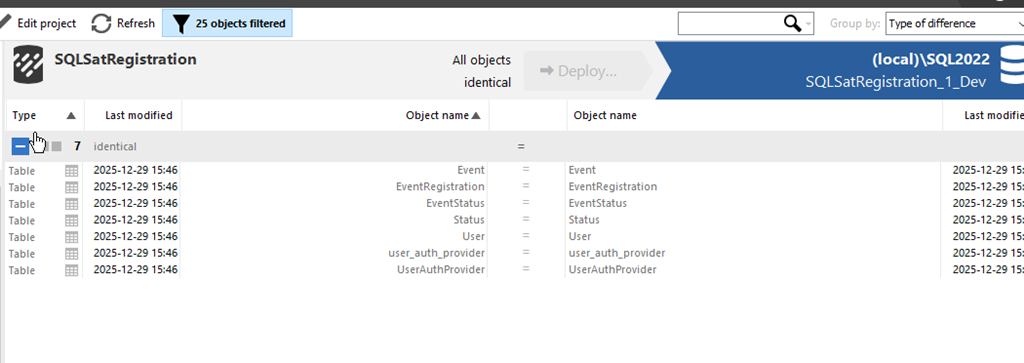
As with the last article, everything was in sync with SQL Compare. You can see this below.
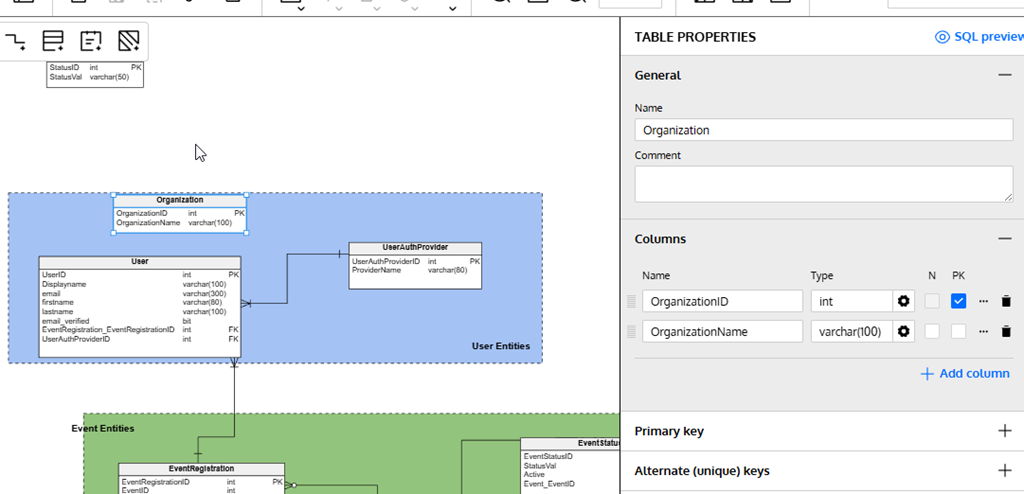
Let’s alter a few things. First, I’ll add a new table. I wrote about this in another post, but I’ll click new table, click in the diagram and then fill in details. In this case, I’m creating the Organization table.
I’ll also alter an existing table. I’ll click the “Add column” in the lower right of the properties blade after selecting the table in the diagram.
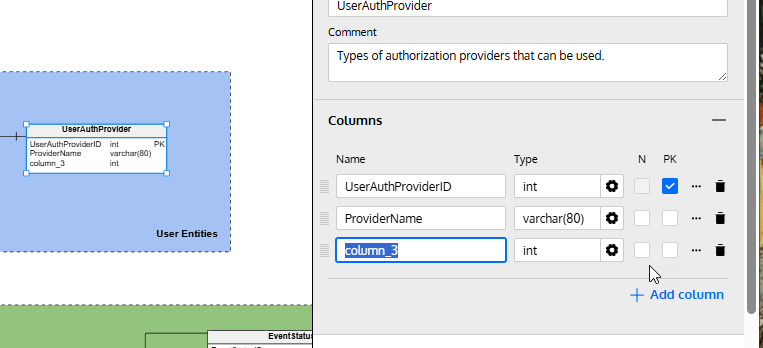
I fill in some details here.
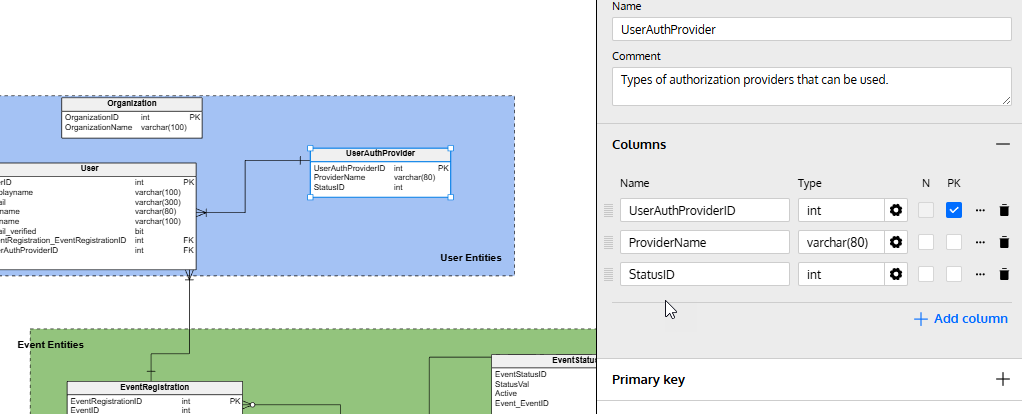
I’ve made my changes, so let’s now return to SQL Compare and click “Refresh” at the top. This re-runs the comparison and as you can see, I have some changes. My new table is listed at the top, and I’ve clicked on the altered table, UserAuthProvider. At the bottom, I can see the change in the diff view.
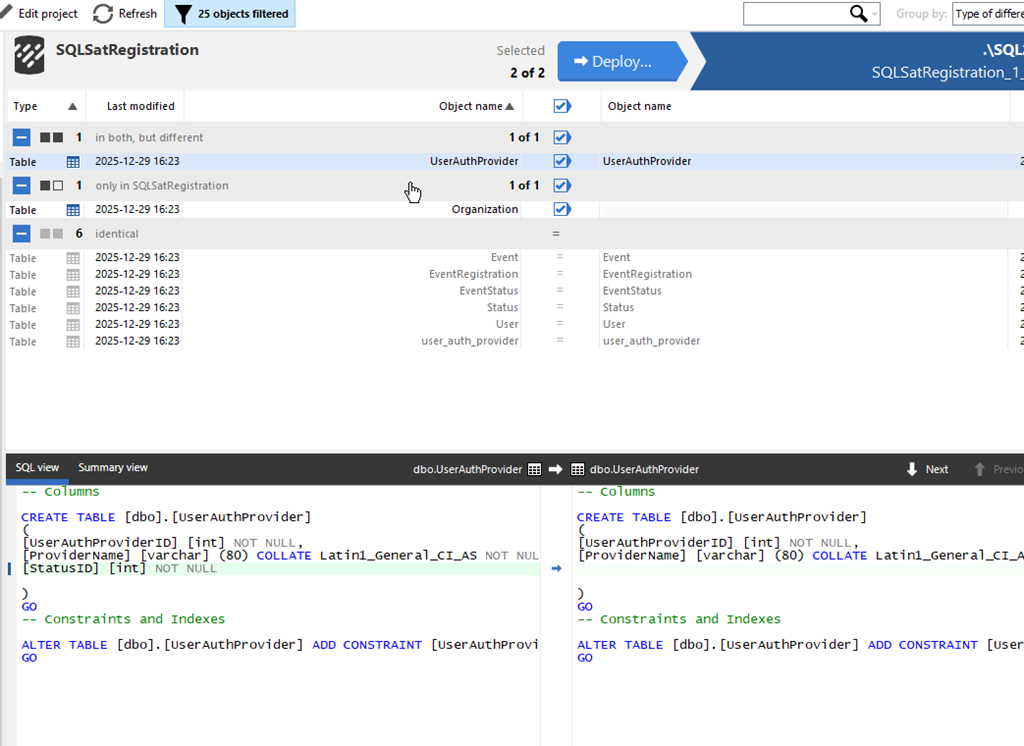
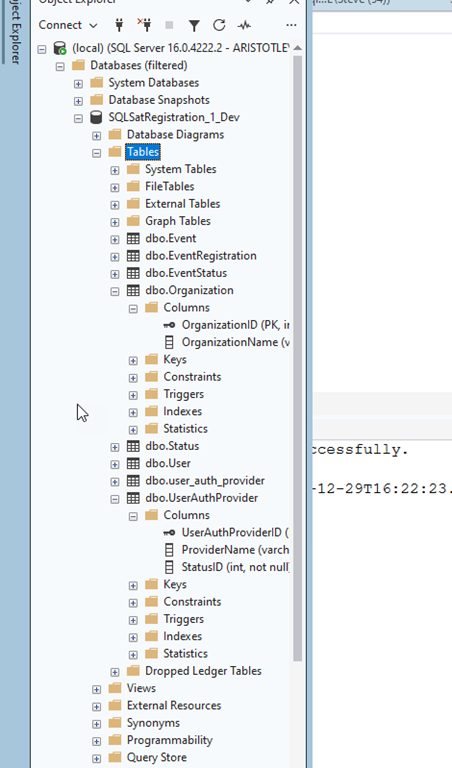
I’ll click “Deploy” just as I did previously and run the deployment. Once it complete, I can see the changes in my database.
Summary
If there’s one thing I’ve learned in many years of work, it’s that I’ll make mistakes in my design and I need to change things. Hopefully I catch these mistakes in development, but even when I do, I need to update my dev database.
This post showed how I can adjust my model, or someone else can, and I can then pull the new changes into my database with SQL Compare 16.
SQL Compare is an amazing tool that millions of users have enjoyed for 25 years. If you’ve never tried it, give it an eval today and see what you think. Give Redgate Data Modeler a try and see if it helps you and your team get a handle on your database.
Video Walkthrough
Here’s a short video of this post.