

A customer was testing Redgate Data Modeler and complained that it auto-generated PK names. I had to test and discover if I could make things better, and I could. This post shows how.
This is part of a series on Redgate Data Modeler.
Adding a New Entity
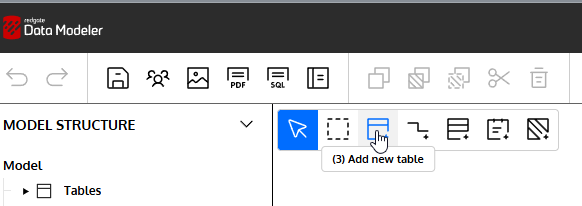
I can easily add a new Table to my diagram. I’ll click the New Table icon in the menu.
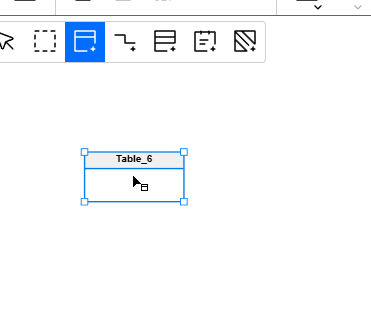
When I click in the design surface, I get a new table.
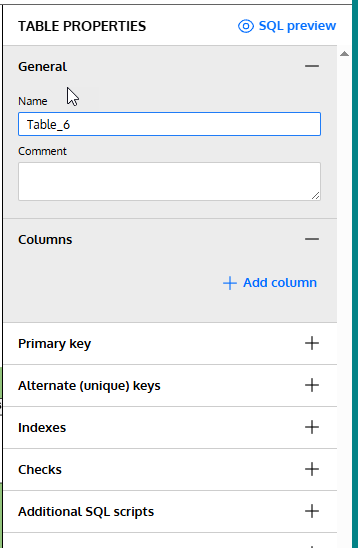
On the right, I see the table properties. I’ll need to fill these in.
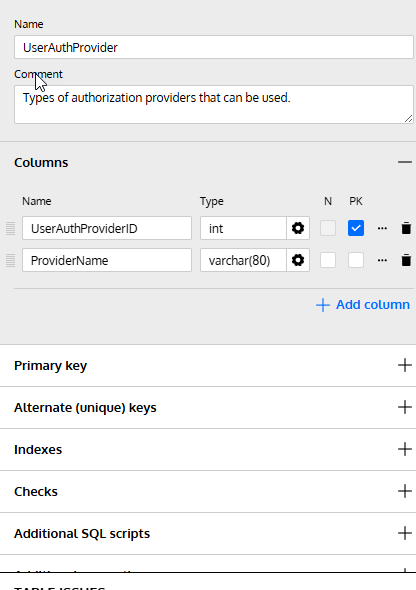
Let’s change the name and add a few columns to this design. Note that for the first column I checked the PK box. This will be my primary key.
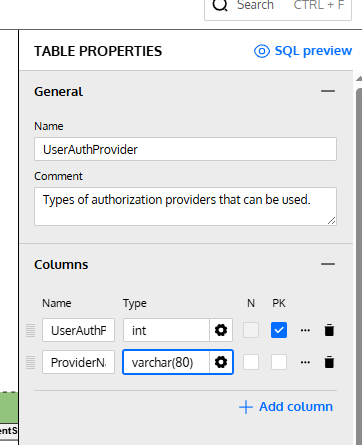
These are fine for now. Let’s now add adjust the PK.
Setting the Primary Key Constraint Name
If I click the three dots next to the PK check, I get a lot of properties for the column, not the PK.
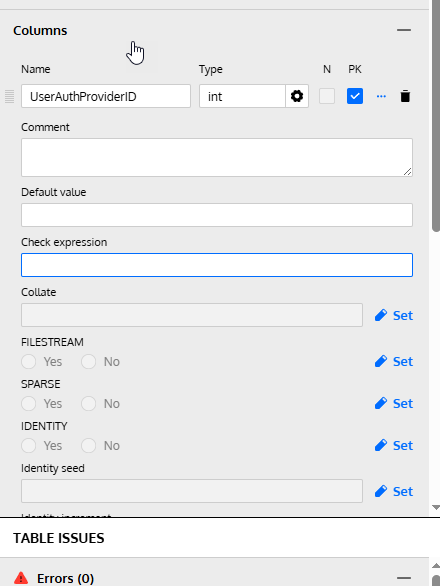
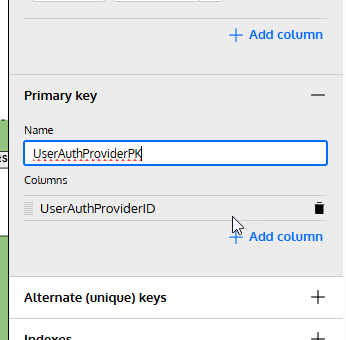
I need to go below the columns. Notice the sections below the column area. One of these is for the Primary Key.
If I expand this, I can see the name field and columns. This was blank, but I typed in a name that makes sense to me. I could add columns as well here.
Checking the SQL
If I click the Generate SQL button from the top menu, I get a dialog.
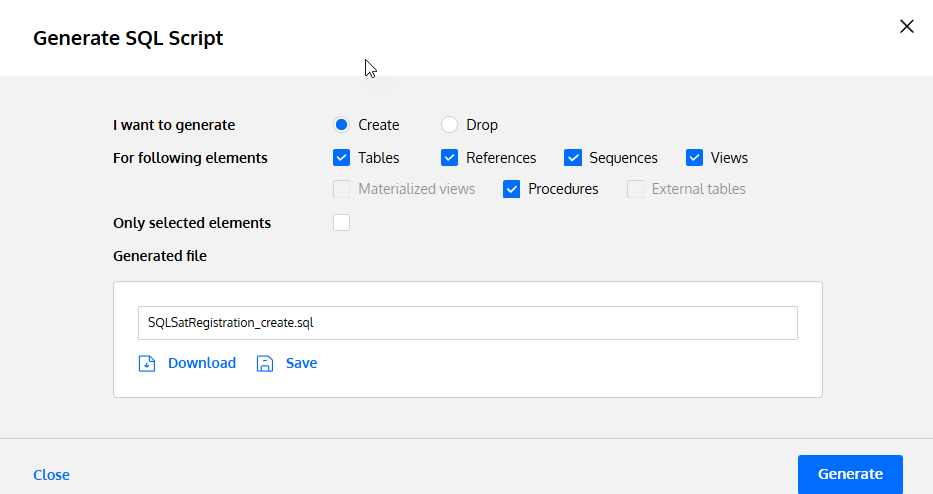
I click the Save button, which will save this to the file specified. I’ve set this in my project before (which is another post), but I am trying to save to a single file for my code that updates.
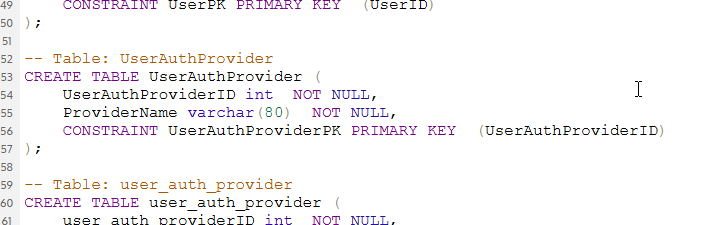
When I open this code, here is the relevant part of the file. Note that my PK is named appropriately.
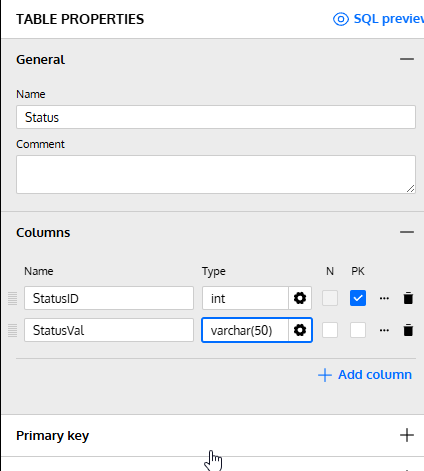
What happens if I don’t do that? I added another table, marked a PK, and this is what I see. First, my table (there is nothing set under the PK tab):
The SQL code shows a standard similar to mine, but different. I think a lot of people use the underscores, so I’m not surprised this is the setting.
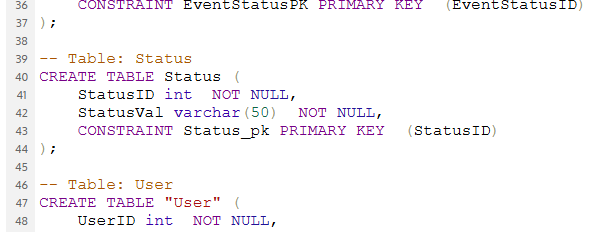
Not bad, but not what I want.
Summary
The Redgate Data Modeler is a basic tool for now, but it does let you set a specific PK name if you want to enforce a standard. This can’t be set as a default, but I’ve submitted a feature request to change this.
At least I can customize what I want as I build something.
Give Redgate Data Modeler a try and see if it helps you and your team get a handle on your database.