how do i map the "current" object entry in for each to one variable
-
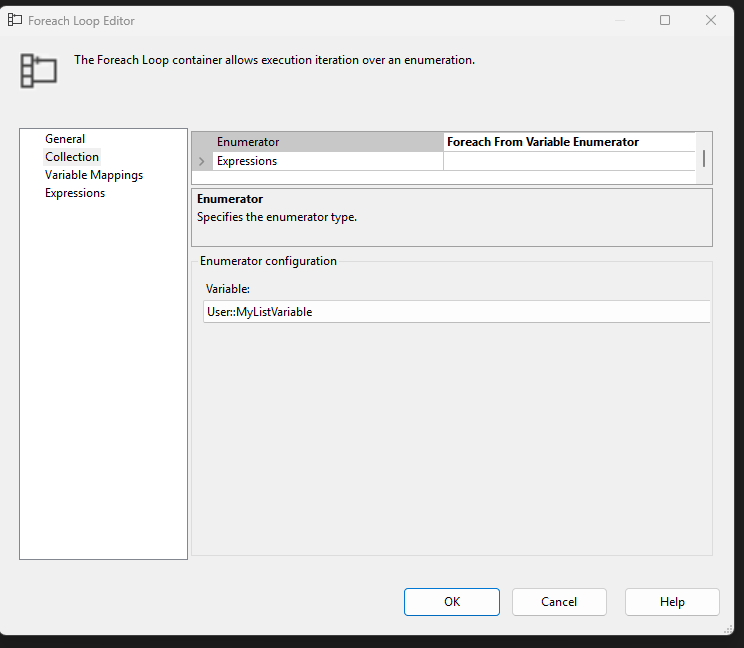
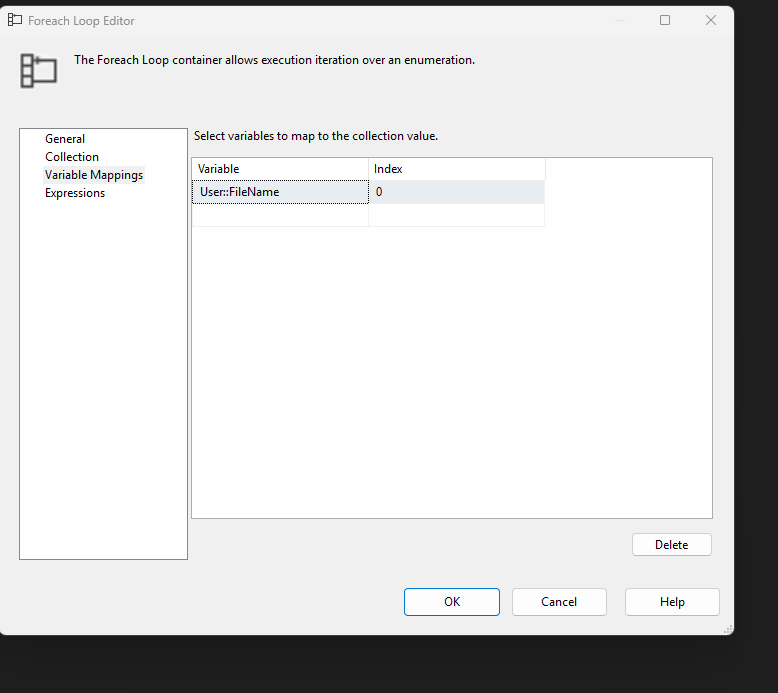
hi, in an ssis for each loop over an object variable called MyListVariable, i am trying to map the current list entry to a single variable called FileName.
The evidence suggest i'm not doing this right as FileName isnt changing inside the loop. I set the name property in the flat file connector of a dft inside the loop as follows. @[User::Path] +"\\"+ @[User::FileName]. but i think it is trying to read a file with the name set as the initial value to ssis variable FileName.
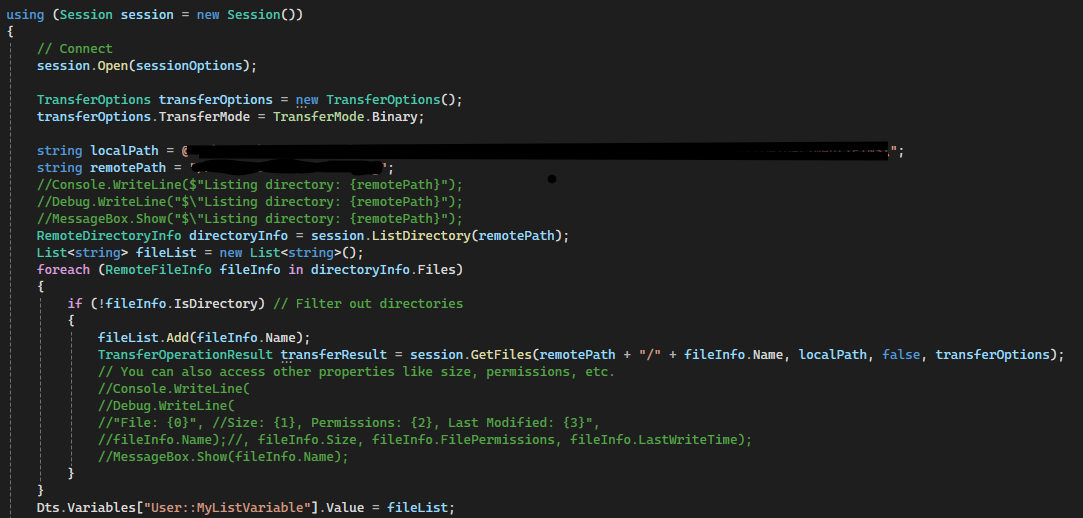
I'll post the images separately. the list should be getting built in a script prior to the loop and i know for sure that script is getting the one ftp file i'm testing with as it was downloaded from ftp to my local directory by the script. Its name is different from the initial value assigned to ssis var FileName.
In the mean time i'll try to prove and post back here that the list gets/got built correctly. trying ado enumerator didnt work and i think i understand that this needs to work with a var enumerator, not ado.
i did try to delay validation on the flat file connector , the dft in th eloop and even the pkg. But got the same error, namely that a file with the name of the initial value in FileName couldnt be found.
- This topic was modified 6 months, 2 weeks ago by .
- This topic was modified 6 months, 2 weeks ago by .
- This topic was modified 6 months, 2 weeks ago by .
- This topic was modified 6 months, 2 weeks ago by .
- This topic was modified 6 months, 2 weeks ago by .
- This topic was modified 6 months, 2 weeks ago by .
-

-
-
-
i put this check into the initial component which is the script and at least fileList is showing (via msg box) that it is populated correctly. i have to figure out how to make sure MyListVariable is set correctly.
if (fileList != null)
{
foreach (object item in fileList)
{
MessageBox.Show(item.ToString());
}
}
-
it looks like the connection string property is the one to set in a flat file connector , not name. this might be the answer.
Viewing 6 posts - 1 through 6 (of 6 total)
You must be logged in to reply to this topic. Login to reply