

Overview
Microsoft has provided so many great tools and at times they have helped solve
many issues. There are cases though where the tools do not behave exactly as
one would expect. There is nothing more frustrating than finding a tool that is
supposed to help, actually causing an error or behaving correctly but in an
unexpected manner. This article explores a real world case where the DTS Copy
SQL objects task caused me hardship while trying to solve a problem.
The SQL Copy object is used within DTS. In its most rudimentary form it can be
used to transfer objects between servers or between databases on the same
server. In some cases I have used this object to bring a production copy of my
database to a local testing environment and in other cases I have used it in
production to move staged tables into a production.
When SQL Copy Objects Task Doesn’t
The Problem
One of the issues I encountered with the SQL Copy task occurred when I wanted to
do the following. I wanted to copy objects from Server 1 (a staging area) where
I have two databases Northwind and Southwind to Server 2 (a production server)
where I have the same databases. The two databases contain tables with the same
name authors and publications, as shown below, and these were the objects that
I wanted to copy. It seemed pretty straight-forward and the SQL Copy object
task seemed like a perfect tool for the job.

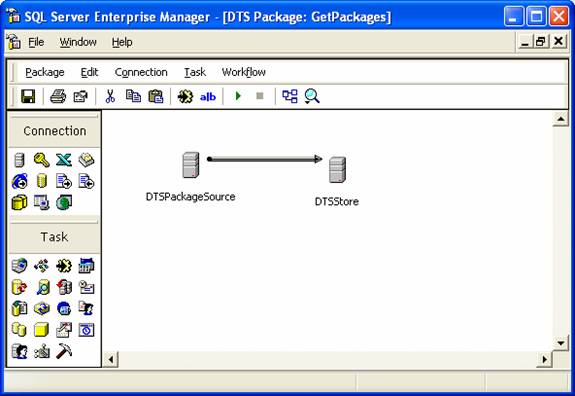
To accomplish the task I created two DTS packages with nothing more than the SQL
Copy task in the package. The DTS packages looked like the one below. One
package moved the tables (authors and publications in Northwind) from Server 1
to Server 2 while an identical package copied the same tables from Southwind on
Server 1 to Southwind on Server 2.
When I ran two separate DTS packages that copied the two tables to the same
databases on a production server the publications table was empty in one of the
databases. The same phenomena occurred when I tried to copy the tables to
databases on separate servers. For instance, even if I put the Southwind
database on Server 3 it was still empty.
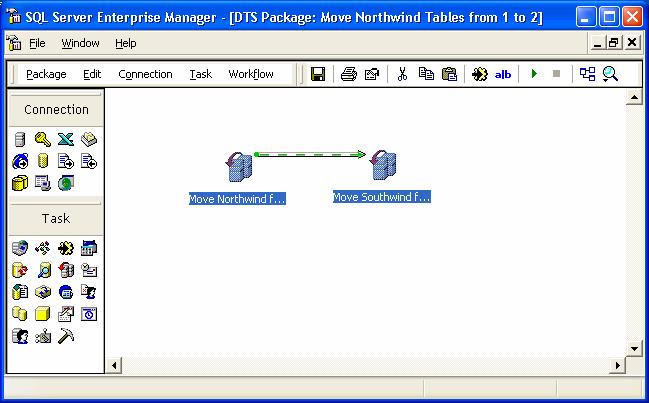
I tried a number of different things to see if I could get this to work. One
solution was to put both tasks in the same package. This only worked if I made
sure that one task finished before the next one started as shown below.
No matter what I did I could not get this to work unless I waited for one task
to finish before the next copy began. It took a little time and some help from
others, but eventually we figured out what was wrong. Once you know how the SQL
Copy objects task works it is pretty easy to see what was happening.
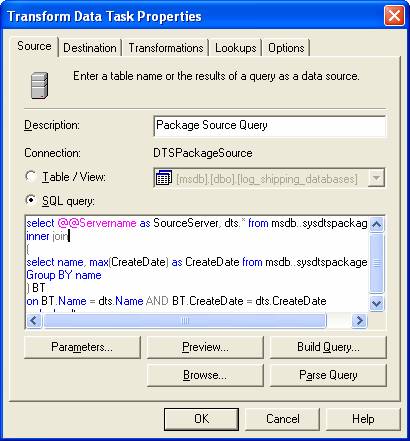
The copy task scripts the creation of the objects and then if specified it bulk
copies data into any tables and applies indexes. If you look at the properties
of the task you will see 3 tabs (Source, Destination and Copy).
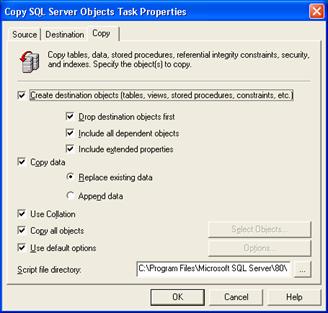
Closer inspection of the copy tab shows an option to change the script
directory. If this directory is changed for each of the two copy tasks, one for
the Northwind copy and another for the Southwind copy everything worked. If I
inspect my target directories (the ones I specified on the copy tab) after a
copy the issue seems obvious. In the following figure all the needed files that
were created to script to load the objects are listed. When I compared the
directories I see the problem right away. The BCP file that is used to move the
data does not have a fully qualified name. When the Southwind and Northwind
copies take place at the same time there must be some file contention taking
place. It is this file contention that results in only one of the databases
having the tables populated while the other remains empty.
It seemed like an obvious solution once I figured out what was causing the
problem but tracking it down took quite a while. It also shows why doing some
digging into the options of a task can yield some great dividends.
One other caveat to my situation was that the customers table for one of the
databases contained millions of rows. In my opinion this made the likely hood
of the collision much greater because of the time it took to load the tables.
In an environment with small tables this issue might not be noticed. In a
future article I will discuss fill factors that did not propagate when I used
the SQL Copy objects task. I am still trying to figure out the solution to that
mystery.