Problems displaying this newsletter? View online.
SQL Server Central
Featured Contents
Question of the Day
 
The Voice of the DBA
 

The Costs of Multiple Platforms

I ran into an interesting post that noted the modern data platform can have a bunch of different systems underlying it. The example might be that your "software" could use PostgreSQL, MongoDB, Cassandra, Clickhouse, and something NewSQL (Spanner, CockroachDB, etc,). Some of you might think that's not reality, but keep in mind that for a lot of your organizations, the "software" is what the customer uses. I'm sure my bank has multiple systems behind the mobile app I use to pay for things, move money, check balances, etc. I would guess there is some DB/2, SQL Server, and some analytics or No/NewSQL stuff in there. Hidden as different applications that make up the "app", but they are still in there from my perspective as a user of the app.

No one intentionally designs software like this, but we still see it. They might not even have 5 or 6 platforms in their organization, but almost none of the customers I work with have less than 3. Somehow, somewhere, someone added a PostgreSQL server to an Oracle/SQL Server environment. MongoDB crept in when someone thought it was a better store than DB/2 or MySQL. An article written about how Facebook or Spotify or some other high tech company used Cassanda or Snowflake inspired a developer to add that to their toolbelt and build it into their application.

And the ease with which the cloud makes experimentation quick and cheap causes a spread of your database estate.

There's a cost to having all these systems. Either an organization hires separate sets of experts to manage Ops, or they try and train lots of individuals to run multiple systems. It can be done, but those lightly trained people who have to focus on remembering the differences between SQL Server, PostgreSQL, and MongoDB will work slower. They'll solve problems with a higher MTTR. Even if they have a single pain of glass, like Redgate Monitor, they still won't be as effective as the number of platforms grow. It's just human nature. And if you hire separate teams, that's a cost as well.

Heck, I'm a pretty good DBA and a good volleyball coach, but I get confused. When I got voluntold to manage DB/2 systems in addition to SQL Server, I got less done every day. When I coached two volleyball teams at the same time, I was less effective with each. It's hard to keep focused on multiple similar things. Add in the complexity of not only separate paradigms, but different ways to manage things in the cloud or on-premises and the operational cost is high.

I'm not sure it exceeds any licensing cost or the cost of limiting what platforms developers can use. I would argue only allowing 1-2 platforms just makes you more efficient and your staff more effective.

However.

That's not the world. Even if I mandated that, often some external even changes my world. Companies get bought and integrated. New COTS software is needed, and it will, of course, run only on a database platform we don't run.

There's a serious operational cost to adding new platforms that few consider. Even if they did, I'm not sure anything would change.

Steve Jones - SSC Editor

Join the debate, and respond to today's editorial on the forums


 Featured Contents
SQLServerCentral Article

Databricks Genie Spaces for SQL Analysts: Natural Language Querying Without Leaving Your Data Platform

mehul.bhuva@gmail.com from SQLServerCentral

If you've spent years writing SQL for a living, you already know how this goes. Someone pings you on Teams asking, "How many active customers do we have in the Midwest this quarter?" There you are, back in the query editor, writing a JOIN you've written fifty times before. Genie Spaces in Databricks is built […]

Technical Article

Webinar: What Application Owners Need to Know About SQL Server

Press Release from SQLServerCentral

If you own a business application, you’re accountable for its uptime, its cost, and its performance, even if you’ve never opened SQL Server Management Studio in your life. But most guidance out there is written for DBAs, not for the people who actually make decisions about the app.
This webinar on Sept 16 is different. We’ll walk through real findings from real SQL Server environments — the kind of things that quietly cause slow page loads, failed backups, and surprise outages — and translate each one into what it actually means for you: What did it cost? What was the risk? What would you have needed to ask your team (or your vendor) to catch it sooner?

External Article

How Azure Arc allows a DB admin to become SQL Server sysadmin – the vulnerability explained

Additional Articles from SimpleTalk

Azure Arc-enabled SQL Server is designed to bring on-premises and multi-cloud SQL Server instances under centralized Azure management, but a newly documented privilege escalation technique shows how that same management workflow can be turned against the server it’s meant to protect.

Blog Post

From the SQL Server Central Blogs - Microsoft Fabric Data Agents: Bringing Structured and Unstructured Data Together

James Serra from James Serra's Blog

Most enterprise questions do not live neatly in one place. The numbers may be in a warehouse, the rules may be buried in PDF files, and the explanation may...

Blog Post

From the SQL Server Central Blogs - Exploring DiskANN: Part I: Understanding the Algorithm before the disk

Diligentdba 46159 from Mala's Data Blog

How I used AI for this postChatGPT to generate images based on info specifically provided by me,including examples.Grammarly to catch grammar and sentence construction errors. I did a presentation...

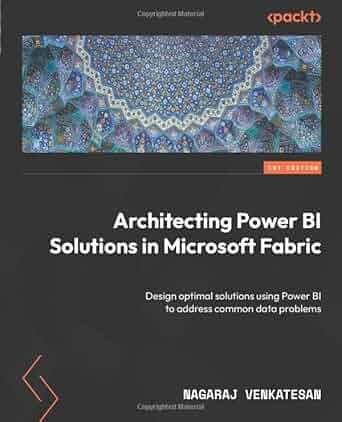
Architecting Power BI Solutions in Microsoft Fabric

Steve Jones - SSC Editor from SQLServerCentral

Business Intelligence (BI) tools like Power BI are used by a wide range of professionals, creating diverse and complex scenarios, and finding the right solution can be daunting, especially when multiple approaches exist for a single use case. The author distills his 17 years of experience on various data platform technologies in this book to walk you through various Power BI usage scenarios.


 Question of the Day

Today's question (by Steve Jones - SSC Editor):


RegEx Functions II

I have this data in a table in a SQL Server 2025 database:
EmailAddressID EmailAddress
7              dylan0@ADVENTURE-WORKS.COM
8              Diane1@ADVENTURE-WORKS.COM
If I run this query, which row(s) are returned?
SELECT top 10
 *
 FROM person.EmailAddress
 WHERE REGEXP_LIKE(EmailAddress, '^d')
 AND BusinessEntityID IN (7,8)

Think you know the answer? Click here, and find out if you are right.


 Yesterday's Question of the Day (by Thomas Franz)

Adding new column with DEFAULT

Which number will the COUNT() return after executing the following statements:

DROP TABLE IF EXISTS #test;
CREATE TABLE #test (id INT)
INSERT INTO #test (id)
SELECT *
  FROM GENERATE_SERIES(1, 3) AS gs
;

ALTER TABLE #test ADD flag BIT CONSTRAINT DF_#test_flag DEFAULT 0;
go
UPDATE #test SET flag = 0 WHERE id = 1
UPDATE #test SET flag = 1 WHERE id = 2

INSERT INTO #test (id) VALUES (4)

SELECT COUNT(*)
  FROM #test AS t
 WHERE flag = 0


Answer: 2

Explanation: When you add a nullable column to a table, it will be initialized with NULL, regardless if you specify a DEFAULT CONSTRAINT or not, where the column is nullable, the column will be initialized with NULL (ignoring the default constraint). Only new added rows (id = 4) or explizit updated columns (id = 1) will get the new value. If you would have used

ALTER TABLE #test ADD flag BIT NOT NULL CONSTRAINT DF_#test_flag DEFAULT 0; -- explicit NOT NULL

to add the column, all three existing rows would have been initialized with the DEFAULT (= 0), so the correct answer would be 3 in that case (id 1, 3 and the new added id 4)

Discuss this question and answer on the forums


Database Pros Who Need Your Help

Here's a few of the new posts today on the forums. To see more, visit the forums.


SQL Server 2019 - Administration
How do I connect to a SQL Server database on my ISP? - I've got a web application for my side business. I've added a SQL Server 2019 database to it. Now, I'm trying to connect to it using SSMS 20.2 and also Visual Studio Code. I've been following the instructions they have here which seems straight forward to me. The error I'm getting from Visual Studio Code […]
SQL Server 2019 - Development
advice on ssrs version control - Hi we're a bit behind on versioning ssrs.  I think we have over 1600 reports, 65 data sources and over 700 folders on our main sql server.  And a smaller amount on a separate sql server in one of our plants.    for some reason we also keep xls (over 400) , pdf's (over 3,000) […]
Editorials
Looking for New Blood - Comments posted to this topic are about the item Looking for New Blood
The End of Summer - Comments posted to this topic are about the item The End of Summer
Measuring Productivity - Comments posted to this topic are about the item Measuring Productivity
Article Discussions by Author
Adding new column with DEFAULT - Comments posted to this topic are about the item Adding new column with DEFAULT
Server-Level Row Counts for Tables and Views - Comments posted to this topic are about the item Server-Level Row Counts for Tables and Views
Hyperscale Replicas I - Comments posted to this topic are about the item Hyperscale Replicas I
Parameter Sensitive Plan Optimization vs. Parameter Sniffing: What SQL Server Fixes and What It Doesn't - Comments posted to this topic are about the item Parameter Sensitive Plan Optimization vs. Parameter Sniffing: What SQL Server Fixes and What It Doesn't
Importing Excel files into SQL Server using DuckDB and Python - Comments posted to this topic are about the item Importing Excel files into SQL Server using DuckDB and Python
Tracking All the Queries - Comments posted to this topic are about the item Tracking All the Queries
Demo Tracking Dropped Objects - Comments posted to this topic are about the item Demo Tracking Dropped Objects
Randomly Selecting Columns and Rows from a Table or View - Comments posted to this topic are about the item Randomly Selecting Columns and Rows from a Table or View
SQL Server 2022 - Administration
Performance Regression After Upgrading from SQL Server 2016 to 2022 - Bonjour à tous, La semaine dernière, nous avons effectué une mise à niveau de notre instance SQL Server, en passant de SQL Server 2016 à SQL Server 2022. Au début, tout s'est bien passé et nous avons défini le niveau de compatibilité de la base de données à 160 comme recommandé. Cependant, peu après la […]
SQL Server 2022 - Development
"Click" your SQL Server into an MCP agent, with RBAC and full security - Hi guys and gals, I've created a system that automatically allows you to "generate" MCP tools based upon SQL Server CRUD and automatically generated endpoints. The thing is based upon meta programming and a DSL, which I had to create my own LLM for (yes, really!) The point is you connect it to your database, […]


RSS FeedTwitter

This email has been sent to {email}. To be removed from this list, please click here. If you have any problems leaving the list, please contact the webmaster@sqlservercentral.com. This newsletter was sent to you because you signed up at SQLServerCentral.com.
©2019 Redgate Software Ltd, Newnham House, Cambridge Business Park, Cambridge, CB4 0WZ, United Kingdom. All rights reserved.
webmaster@sqlservercentral.com


- - - - - - - - - - - - - - - - - - - - - - - - - - - - - - - - -